
How to add or edit Form section on homepage
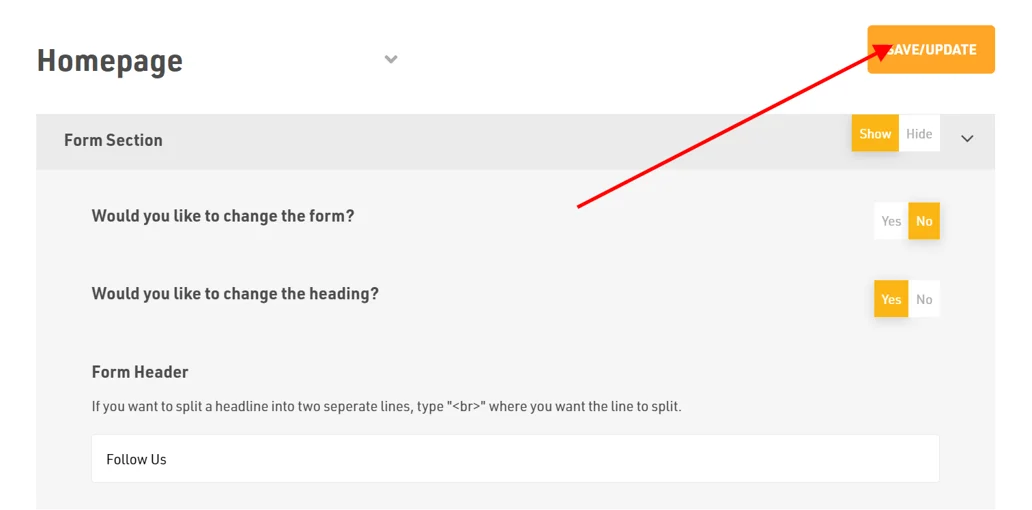
How to change the form?
- Login to the dashboard of your property website at manage.beswifty.com
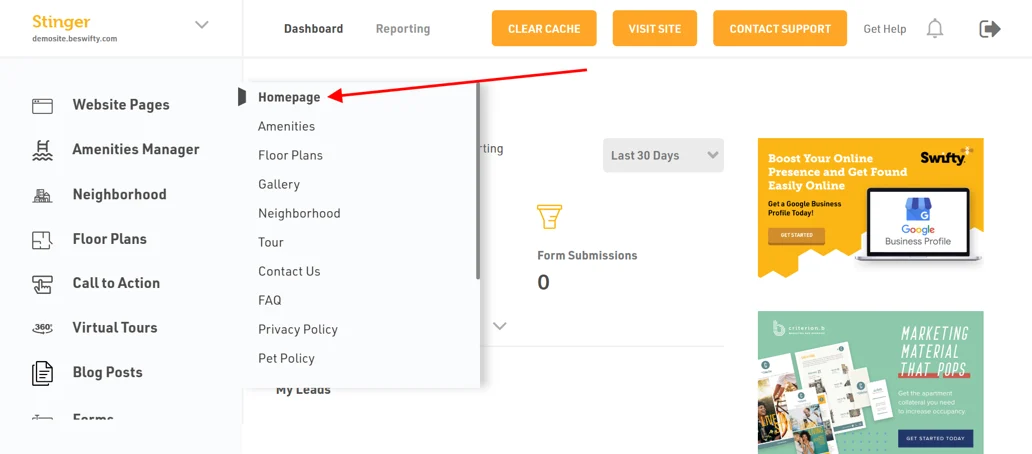
- Navigate to Website Pages > Homepage
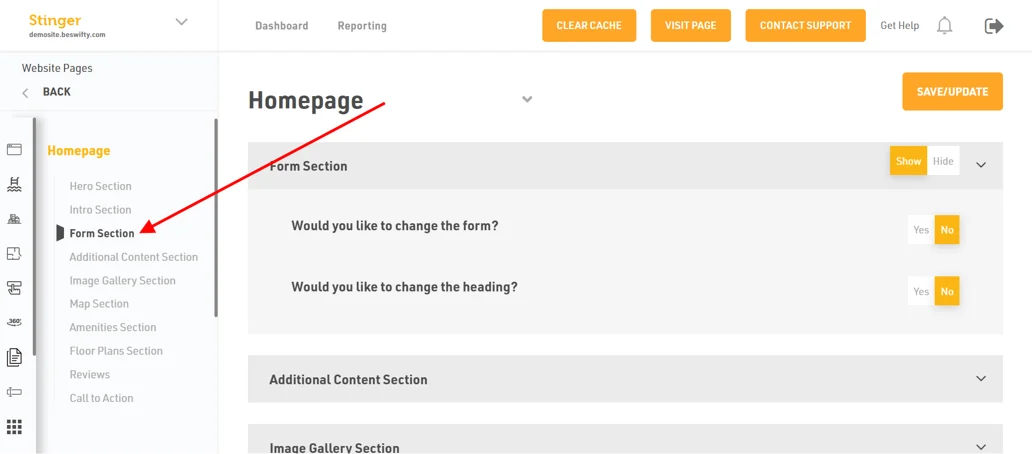
- Then in the left sidebar click on Form Section
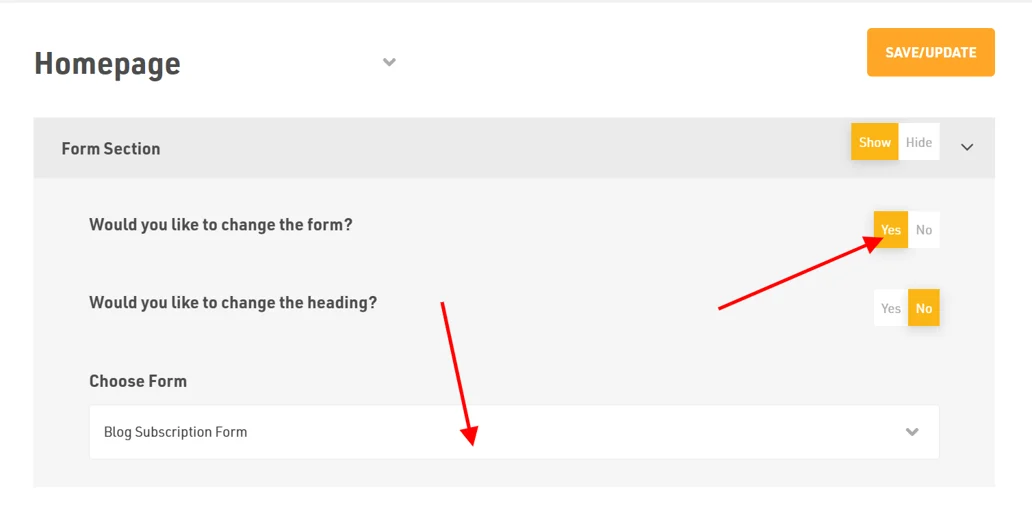
- Firstly, to change the form click on Yes and Choose the Form you want from the drop down menu
How to change the heading of the form?
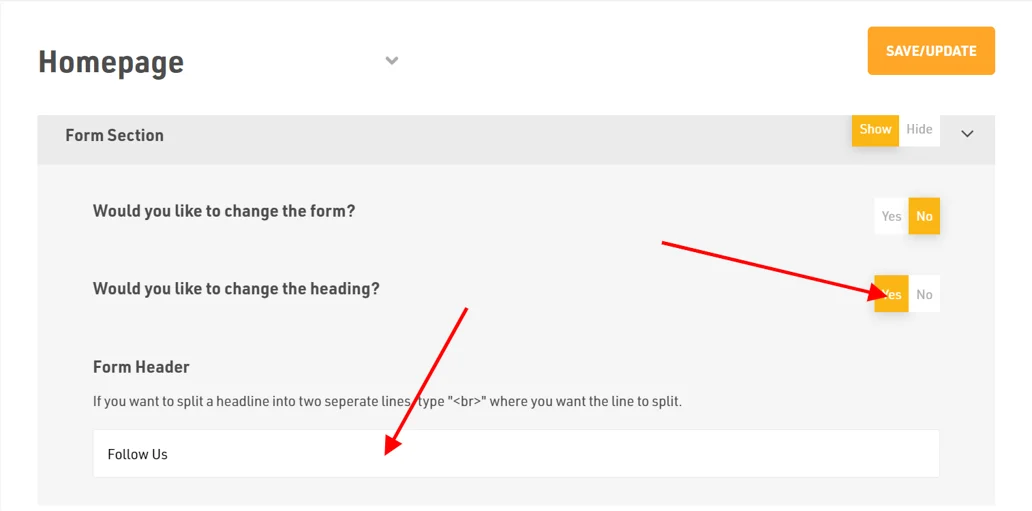
- To change the heading of your form select Yes
- Next, type the required Form Header as per your choice
Dont forget to Save/Update
Make sure to click the Save/Update button on top right corner once you are done with the changes
Was this article helpful?
Thanks for the feedback.