
How to add or edit Map section
How to Show or Hide Map
- Login to the dashboard of your property website at manage.beswifty.com
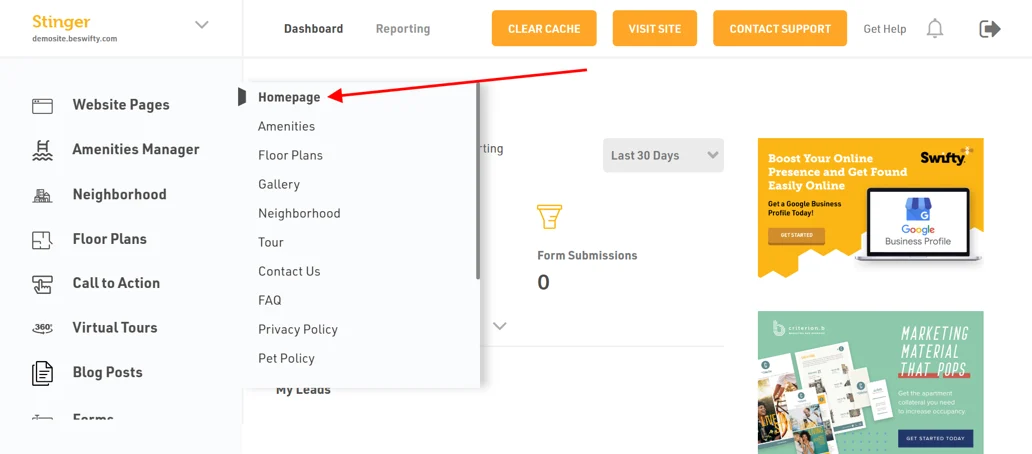
- Navigate to Website Pages > Homepage
- Next click on the Map Section available in the left sidebar
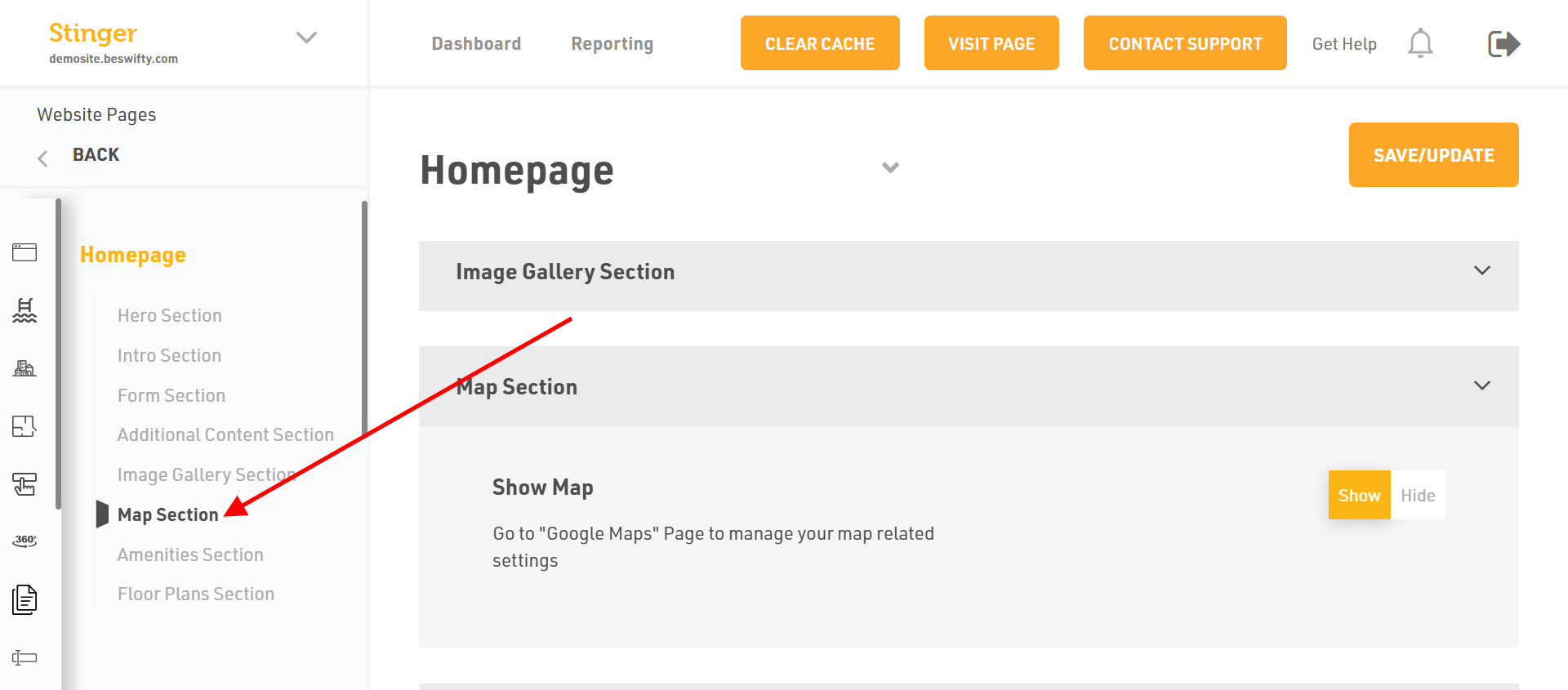
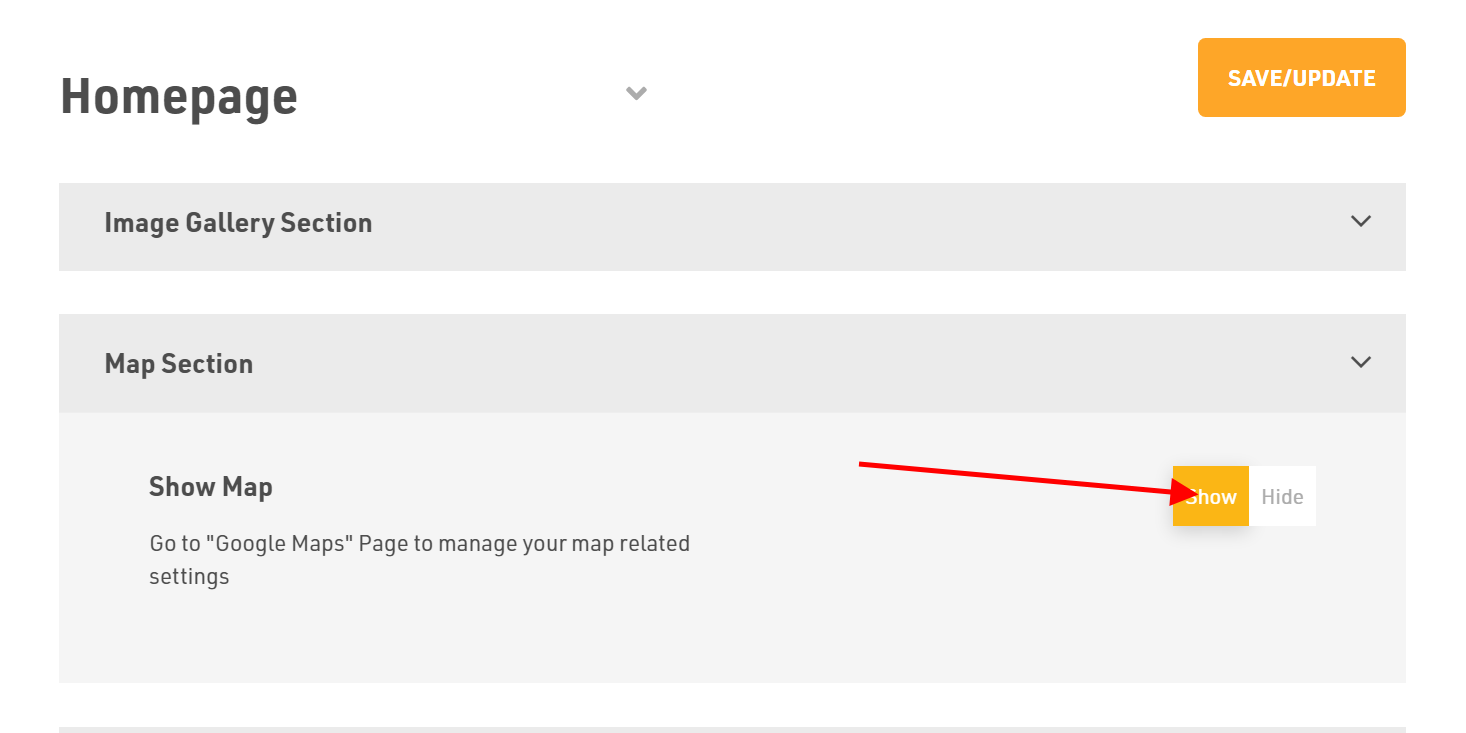
- There you can select whether you want to Show or Hide the map.
How to create and add a Directions Link
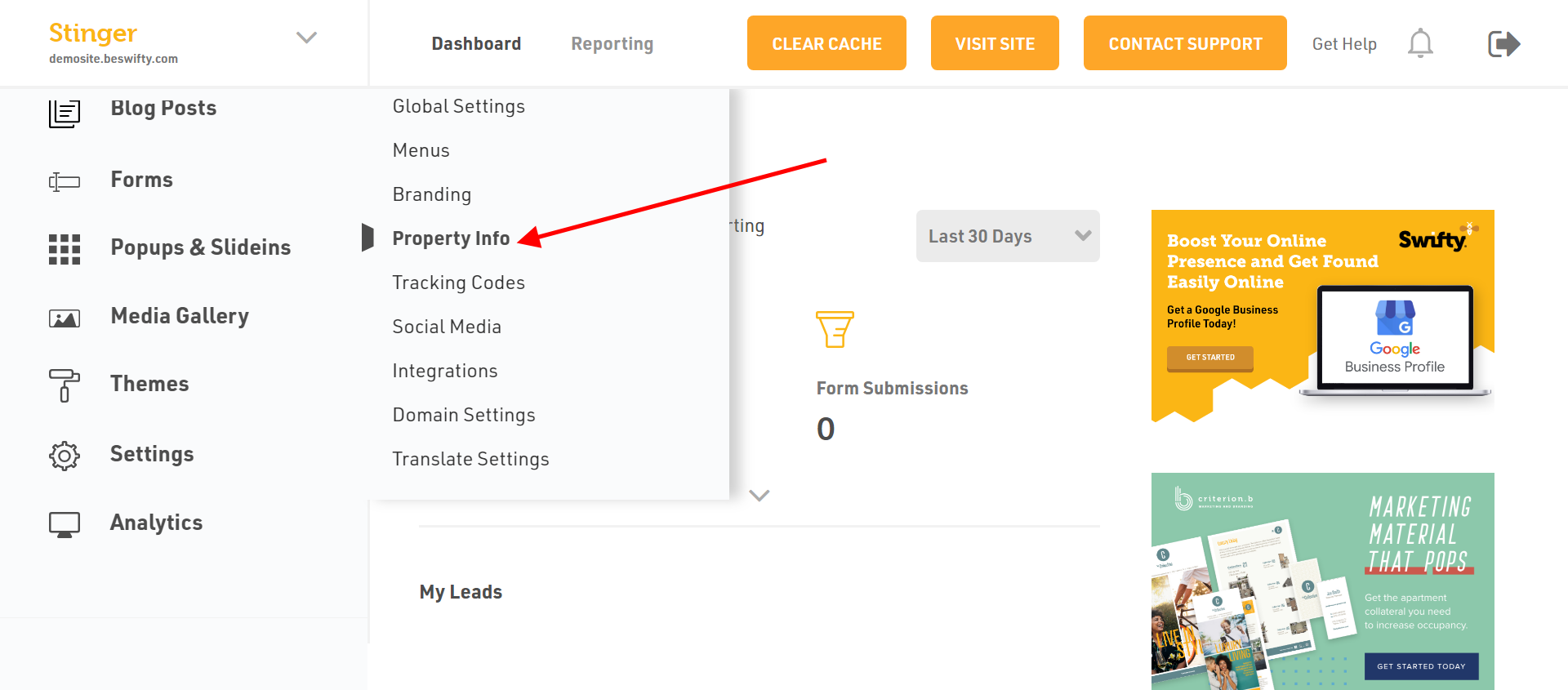
- Navigate to Settings > Property Info.
- Next, go to Google Maps and insert the address of the location in search bar.

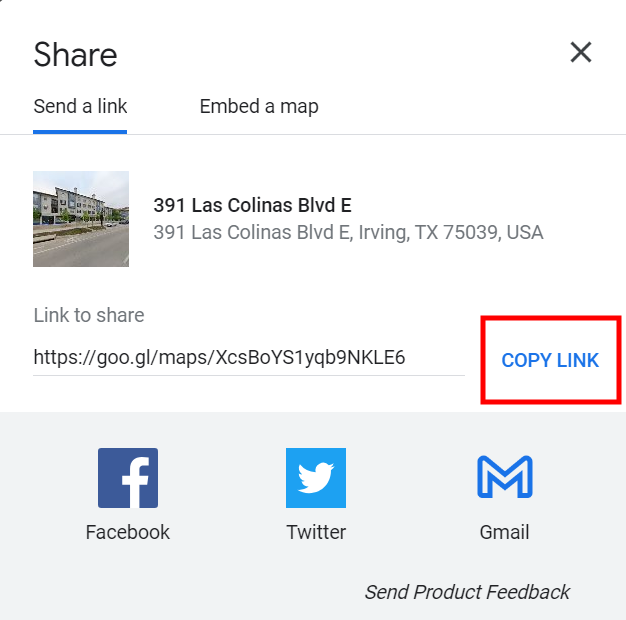
- Click on Share, then Copy Link to copy the link of the location.
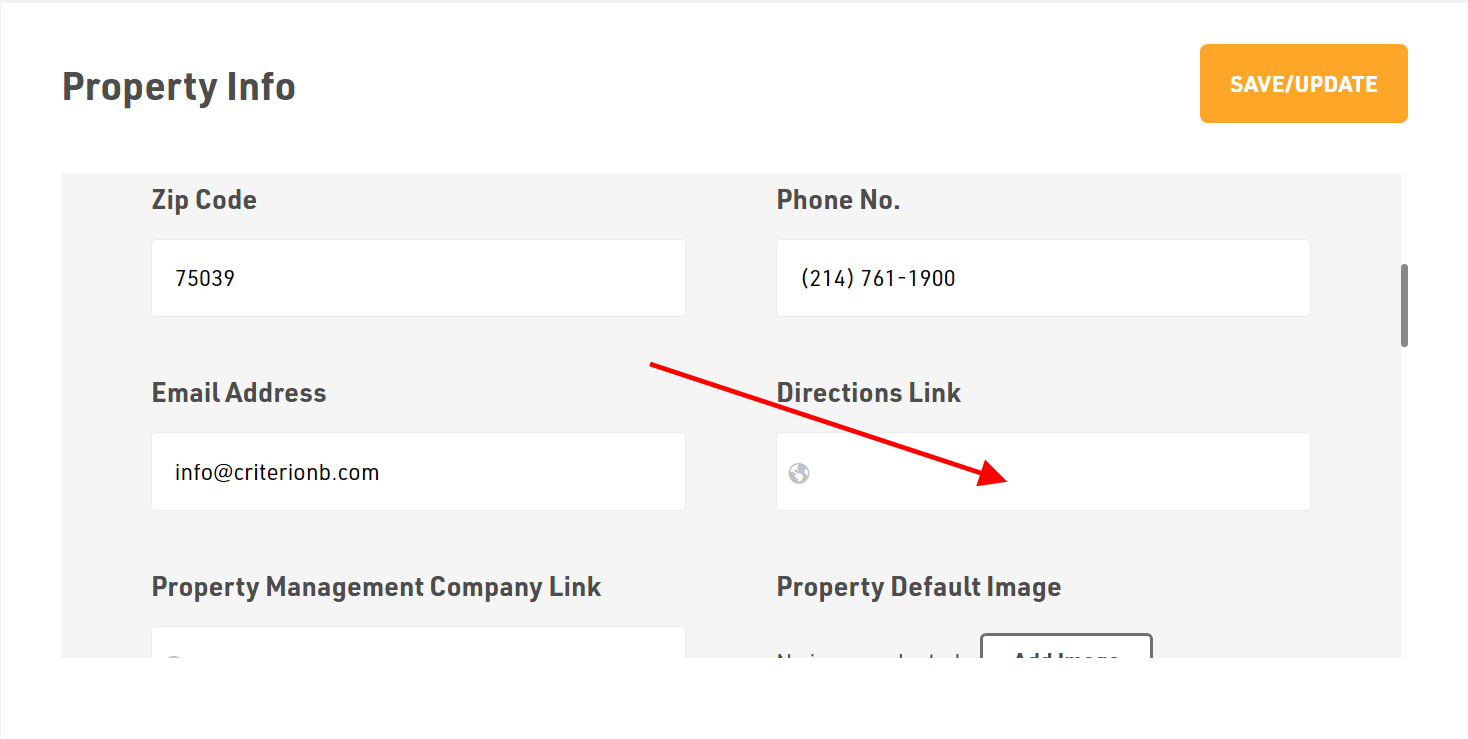
- Next, go back to the Swifty Dashboard and paste the link in Directions Link box
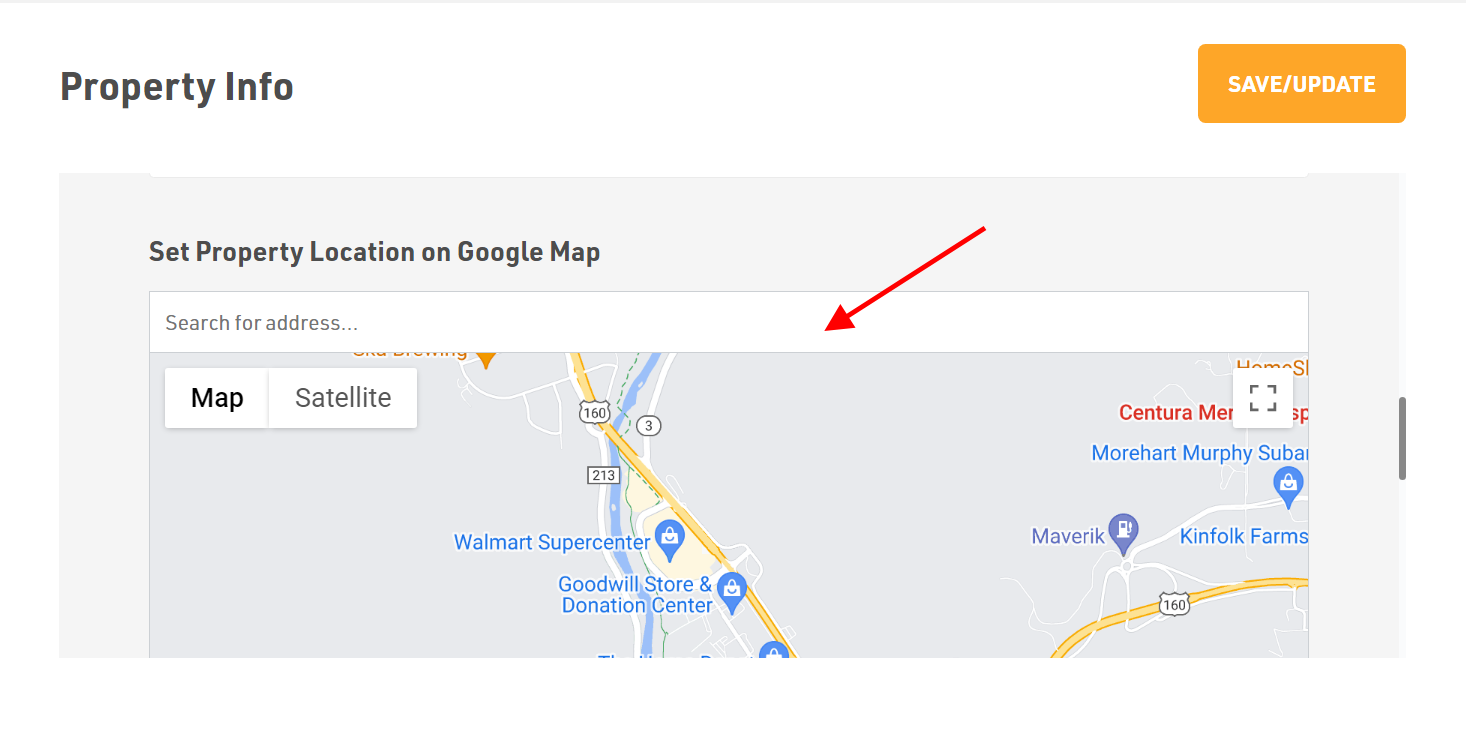
- Also paste the link in Set Property Location on the Google Map box.
How to put Leasing Office Directions
- Go to Google maps and copy the link as explained above.
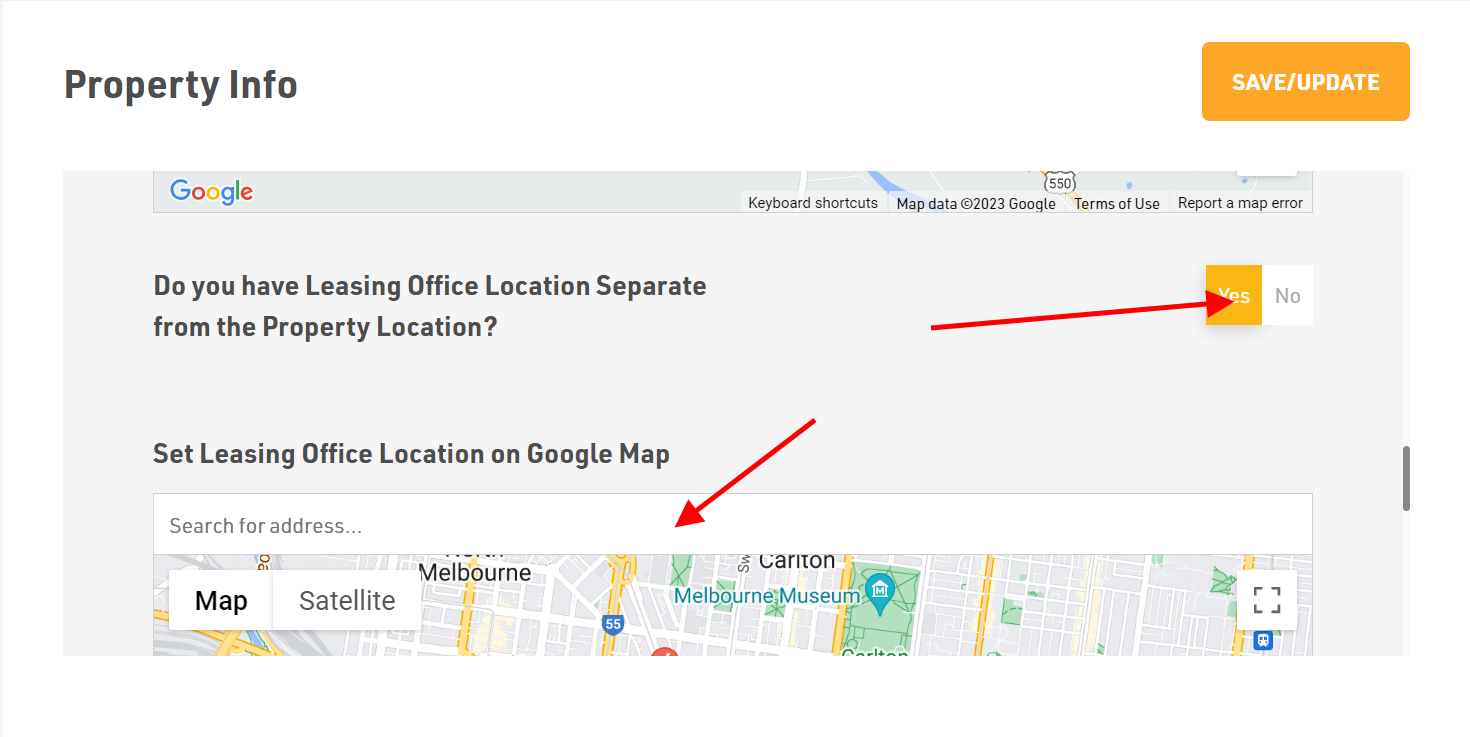
- Next, go to your Swifty Dashboard and choose Yes.
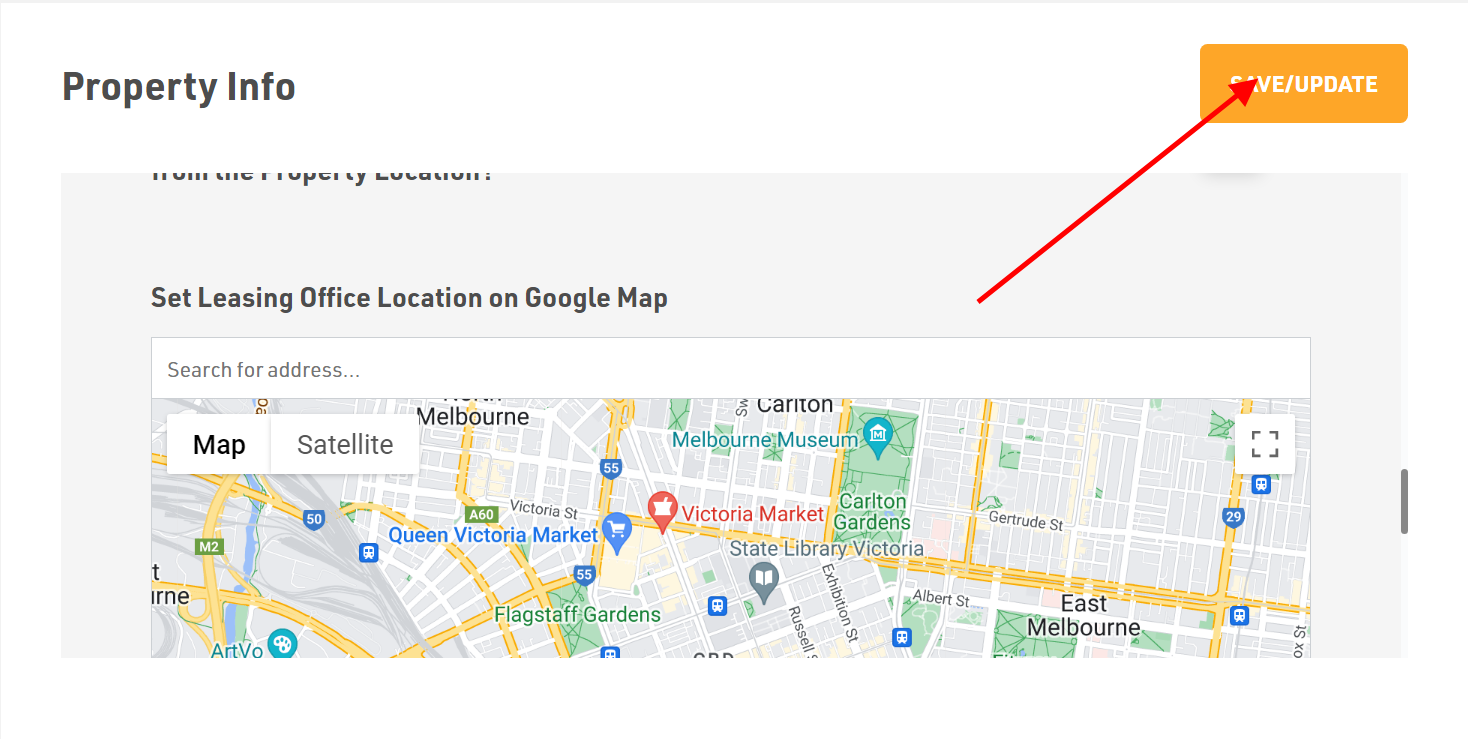
- Then, paste the link in Set Leasing Office Location on the Google Map box.
Dont forget to Save/Update
Make sure to click the Save/Update button in the top-right corner once you finish to save your changes.
Was this article helpful?
Thanks for the feedback.