
How to add or edit search engine optimization (SCO) on home page?
- Login to the dashboard of your property website at manage.beswifty.com.
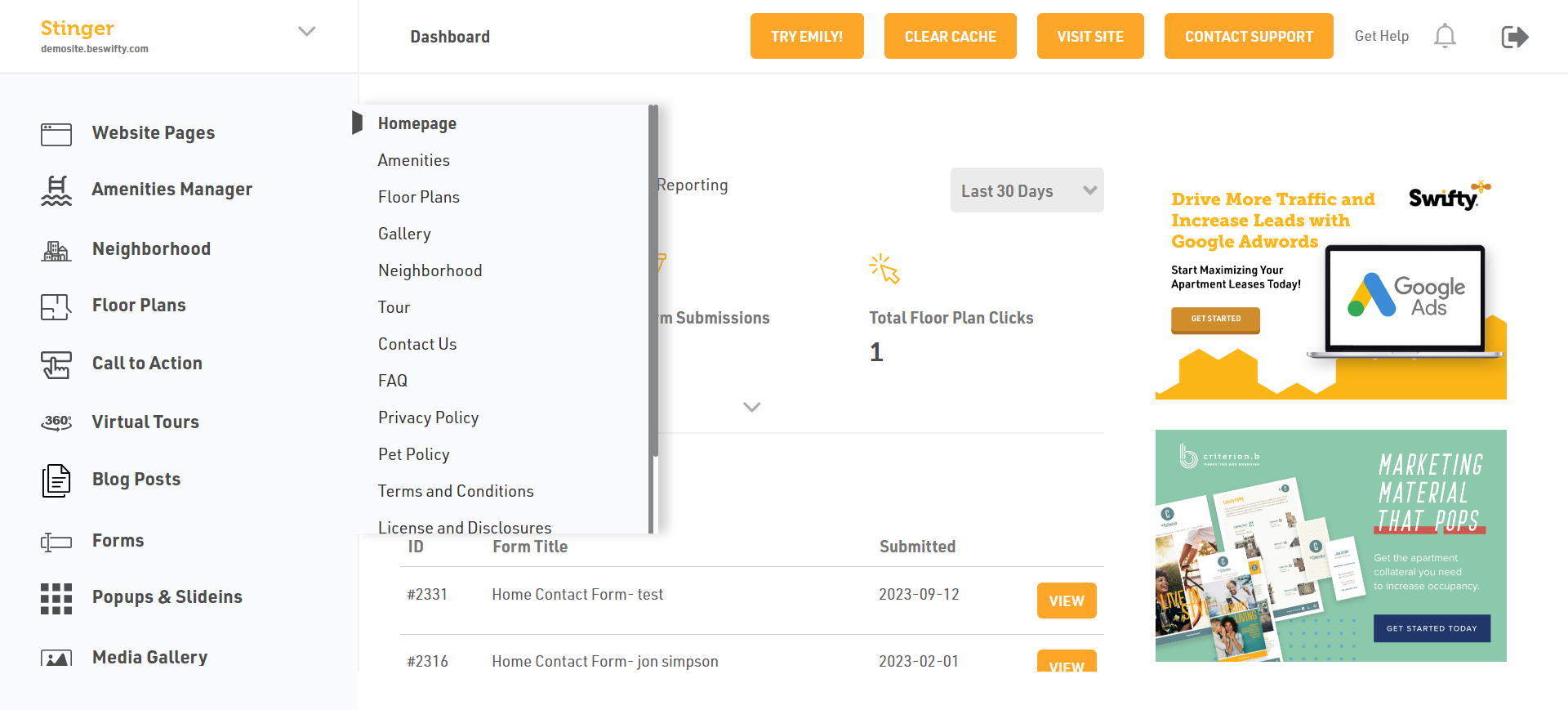
- Navigate to Website pages > Homepage.
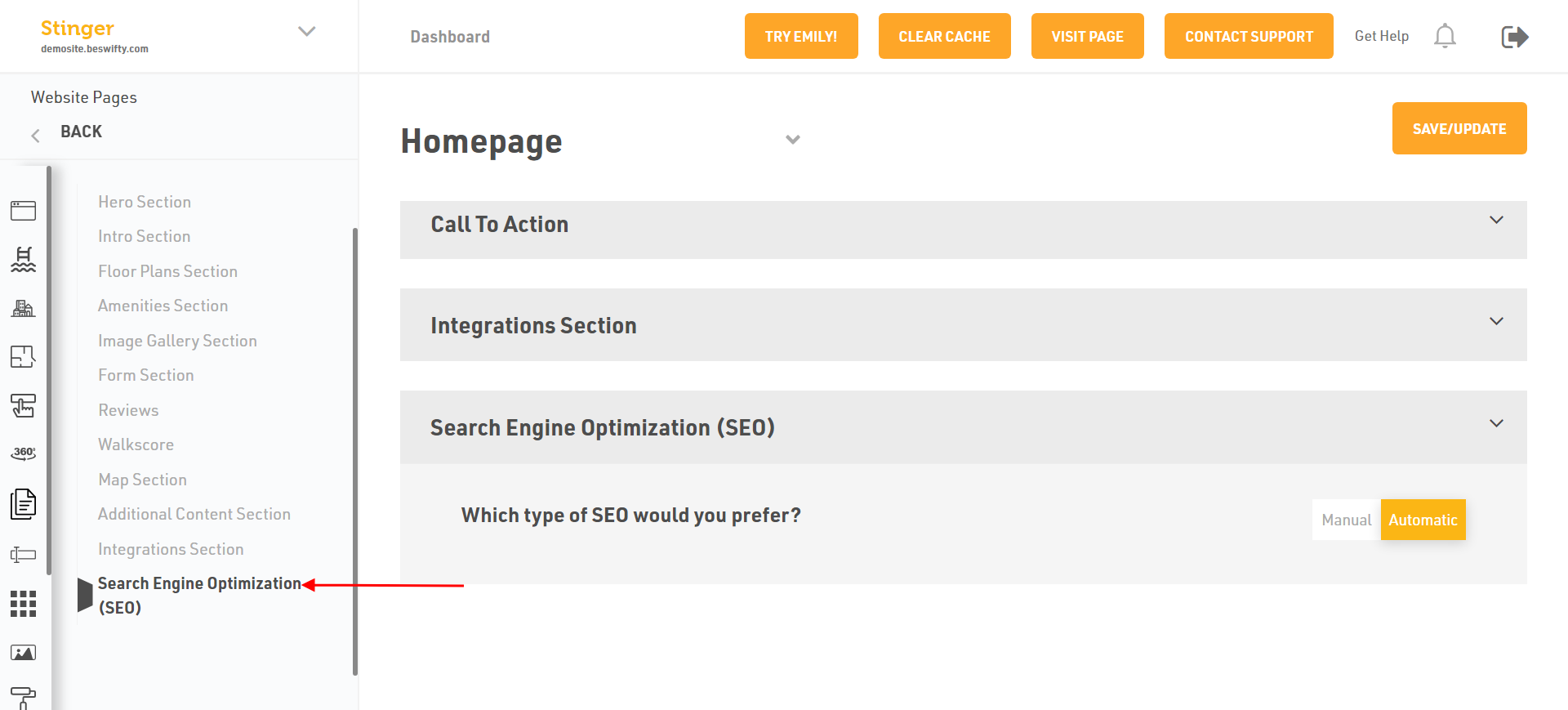
- Then in the left sidebar click on Search engine optimization (SCO) section.
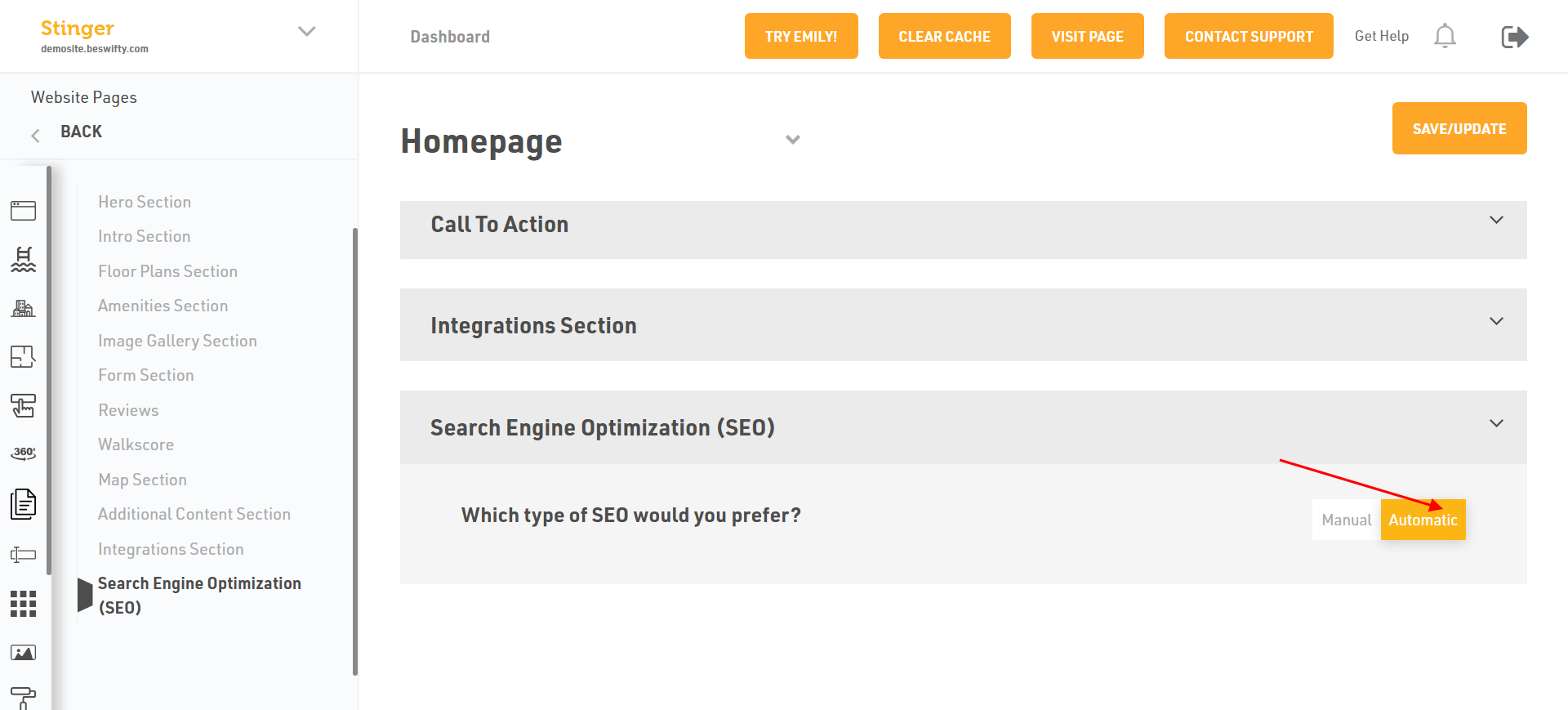
- You have two type of Search Engine Optimization (SCO) Manual or Automatic. If you want to select the Automatic just Click on.
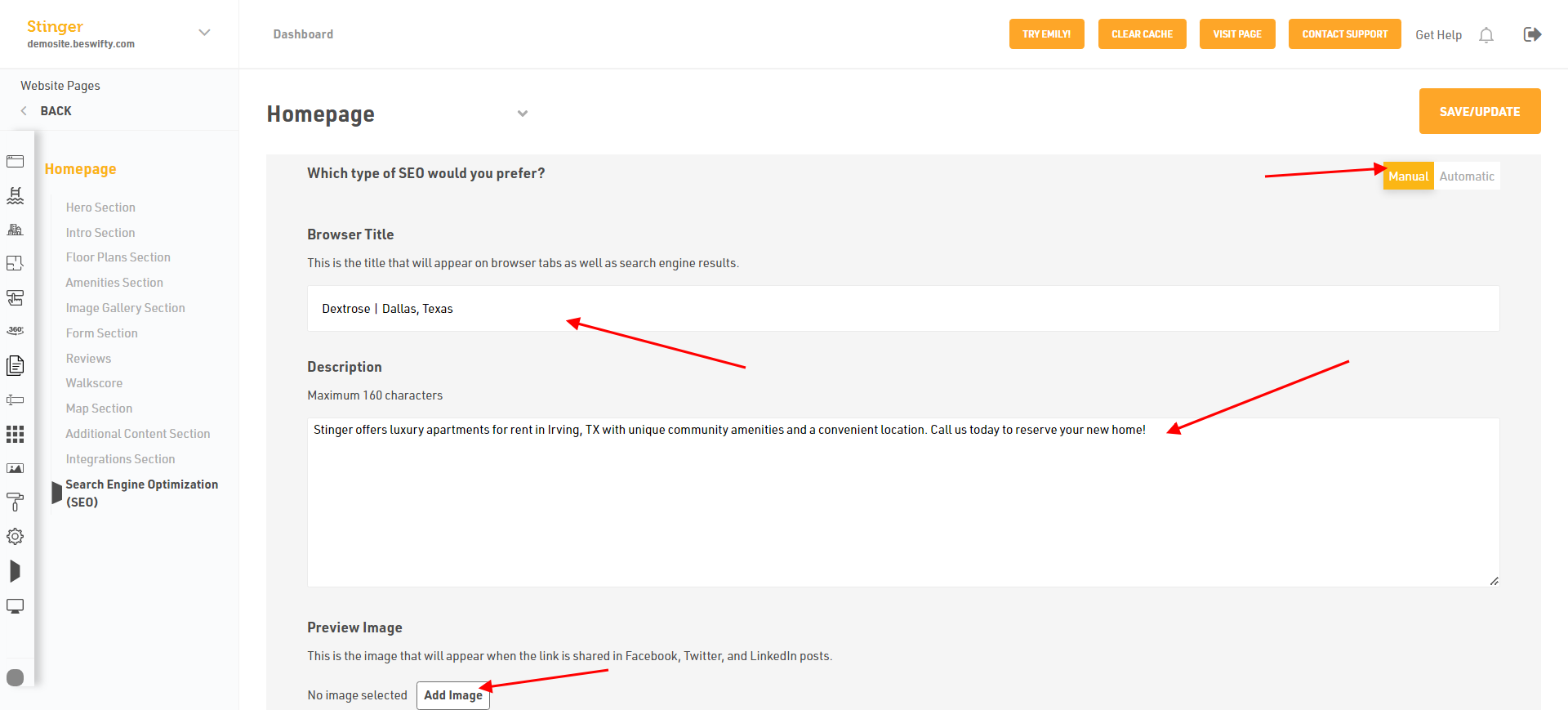
- Or select Manual to add the Browser Title.
- Then, type the description Maximum 160 characters an Add Preview Image.
- You can add the Keywords. Discourage Search Engines From Indexing this page, Click on YES or NO.
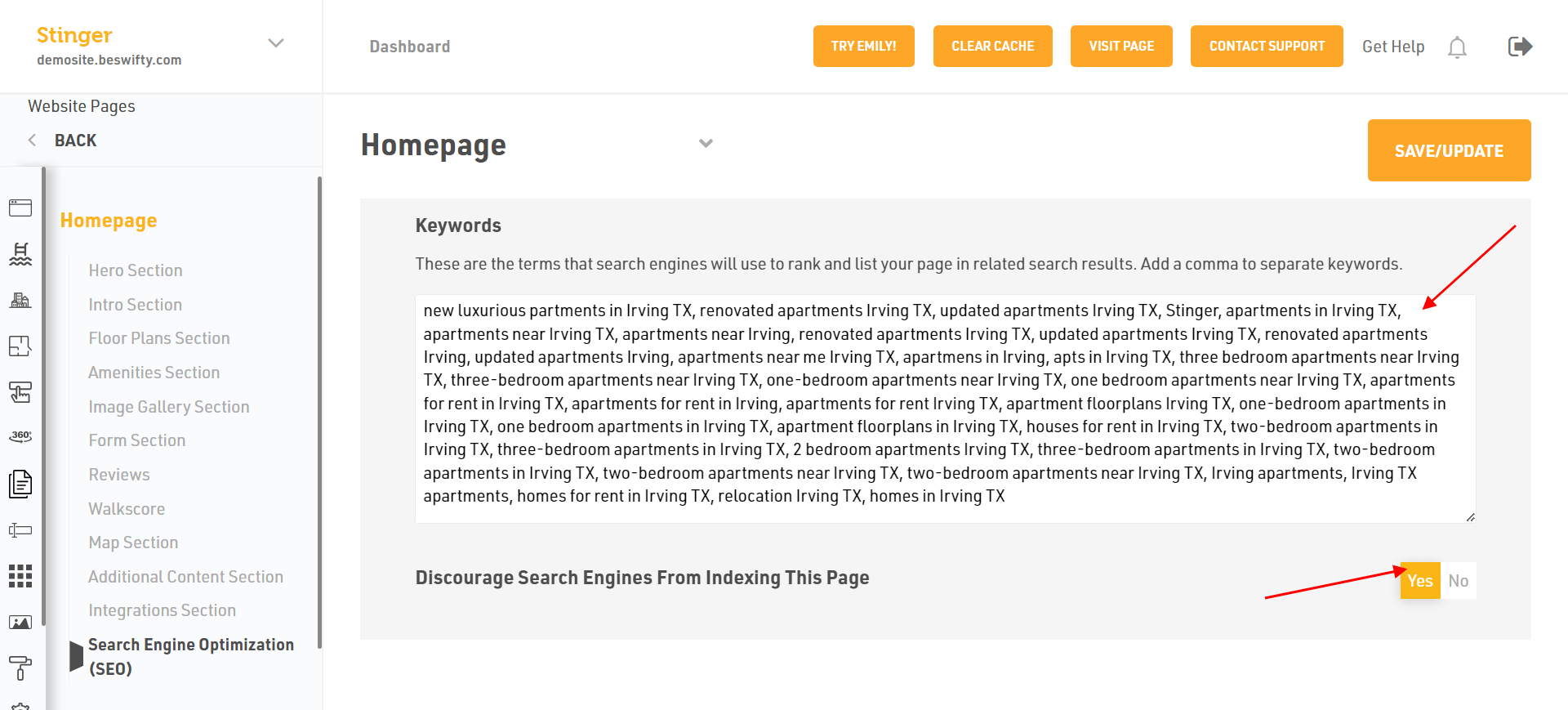
Dont forget to Save/Update.
Make sure to click the Save/Update button in the top right corner once finished.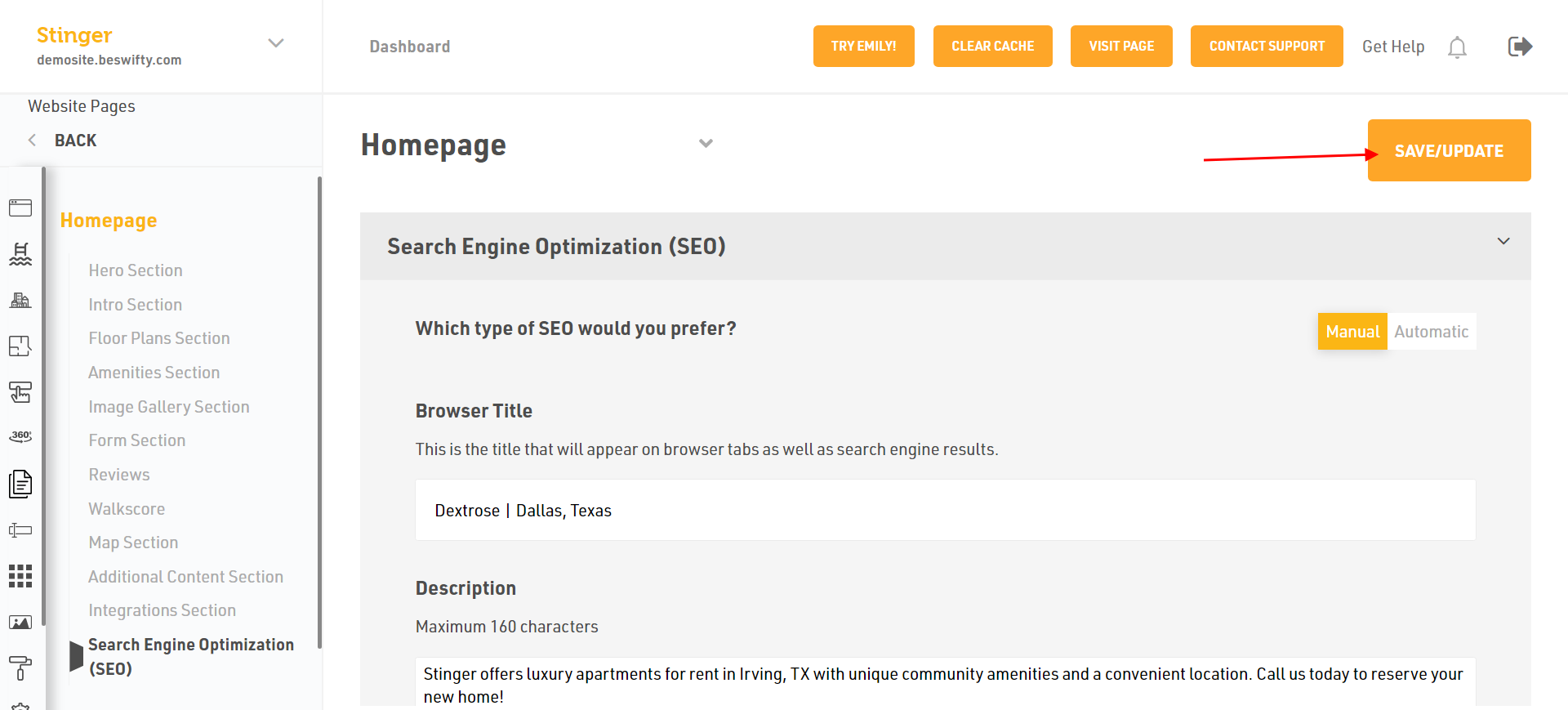
Was this article helpful?
Thanks for the feedback.