
How to enable the Resman API Integration
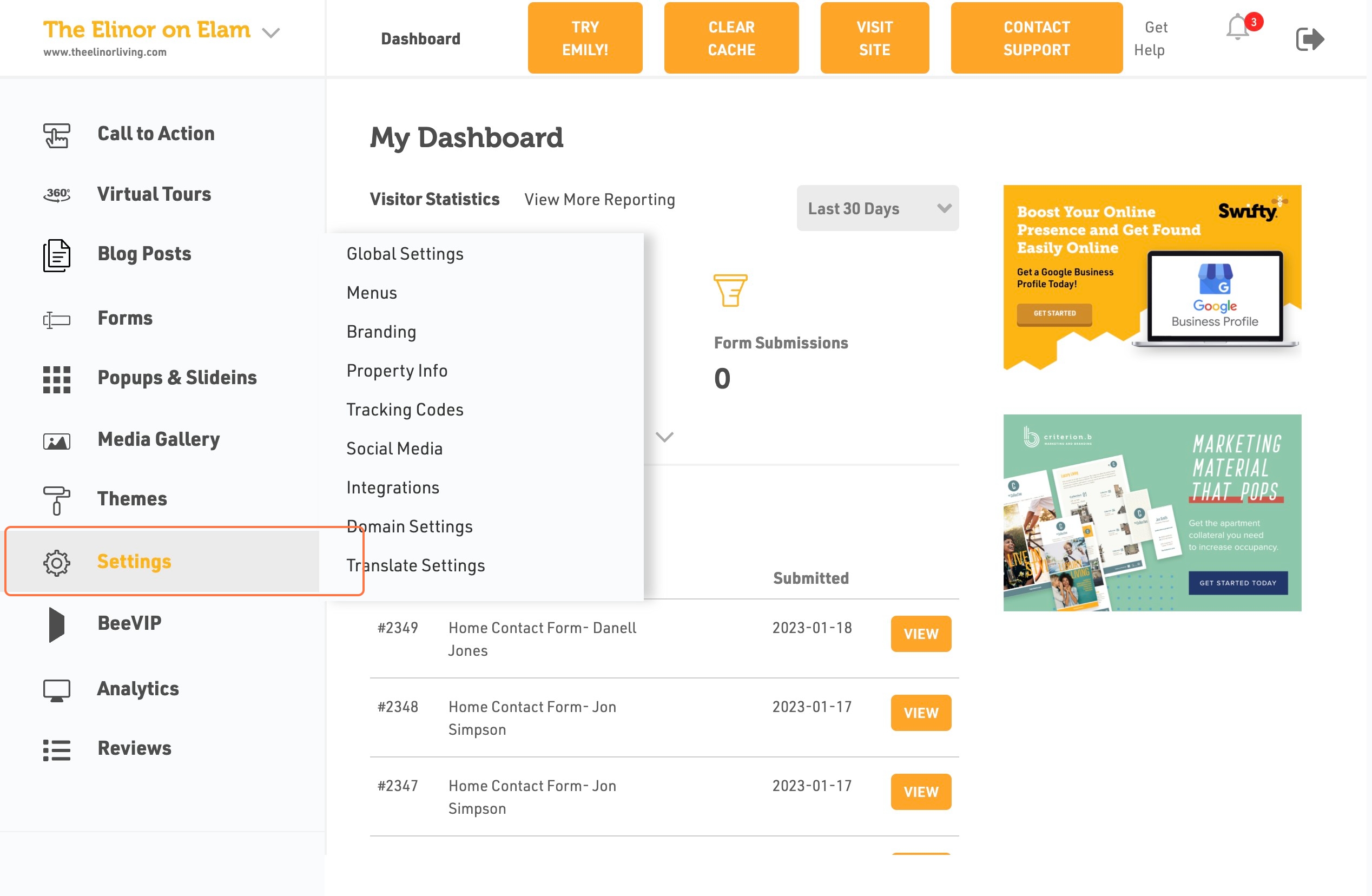
- Login to the dashboard of your property website at manage.beswifty.com.
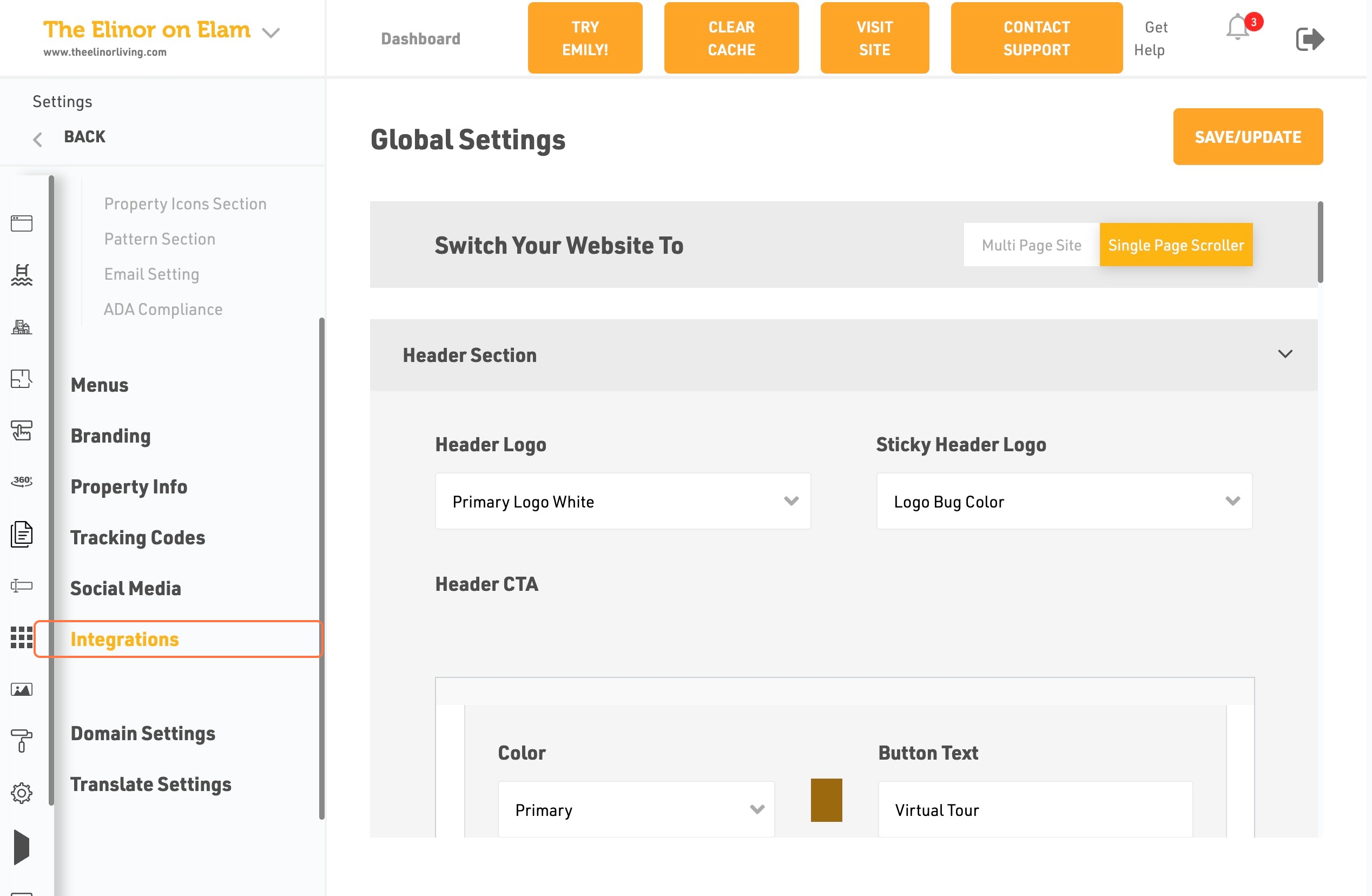
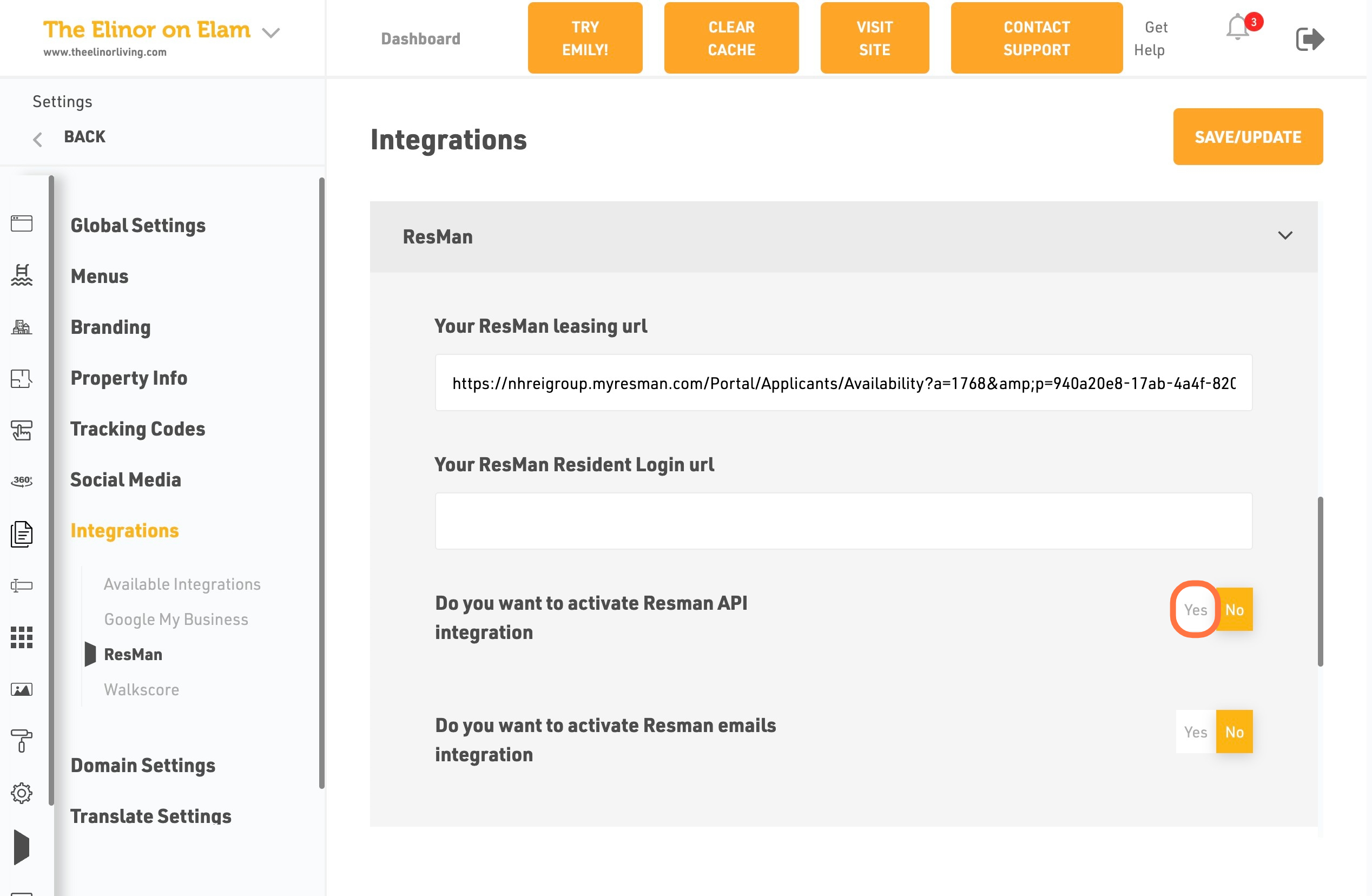
- In the left sidebar, navigate to Settings >integration
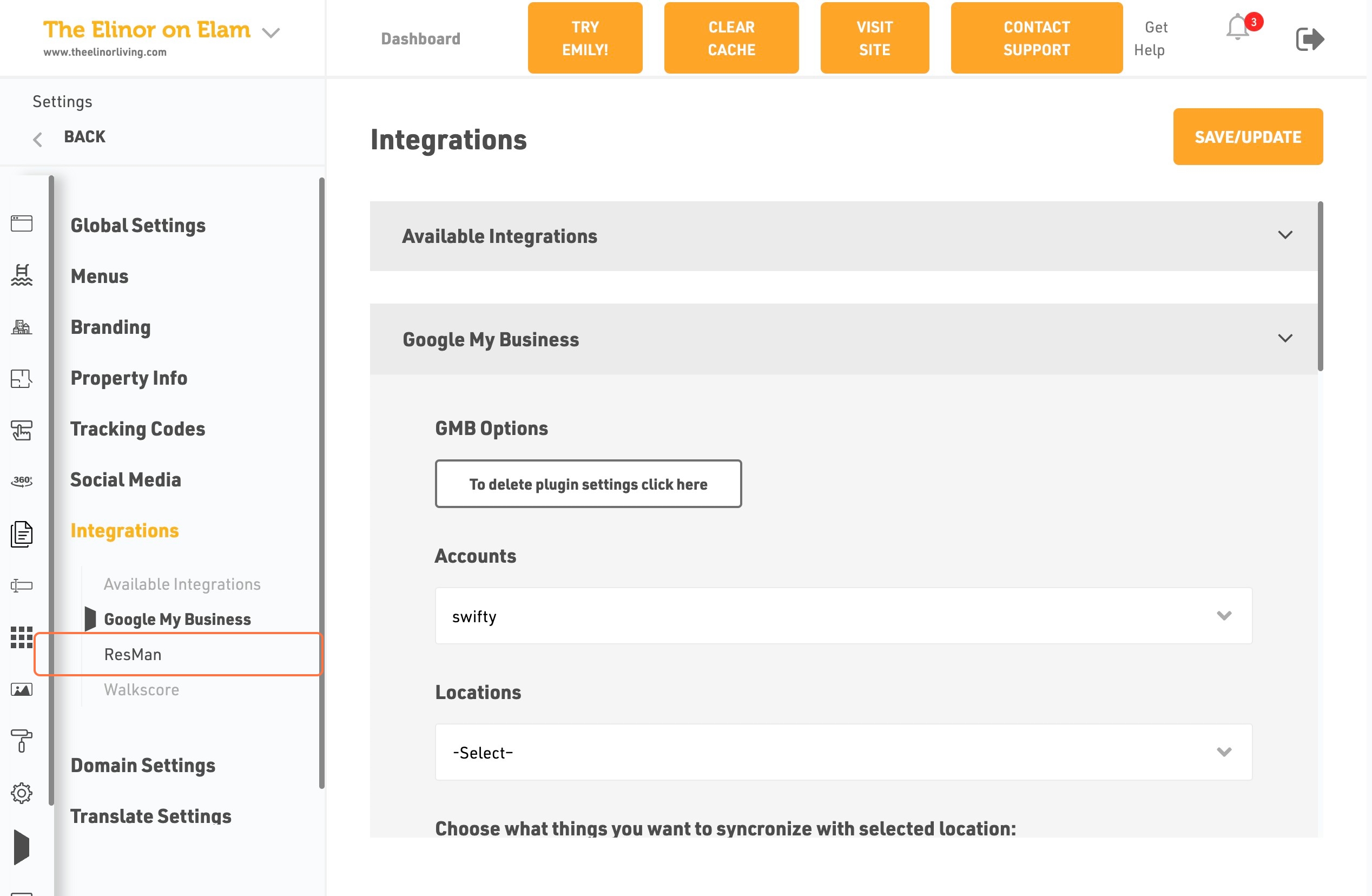
- Click on Integrations
- Click on Resman
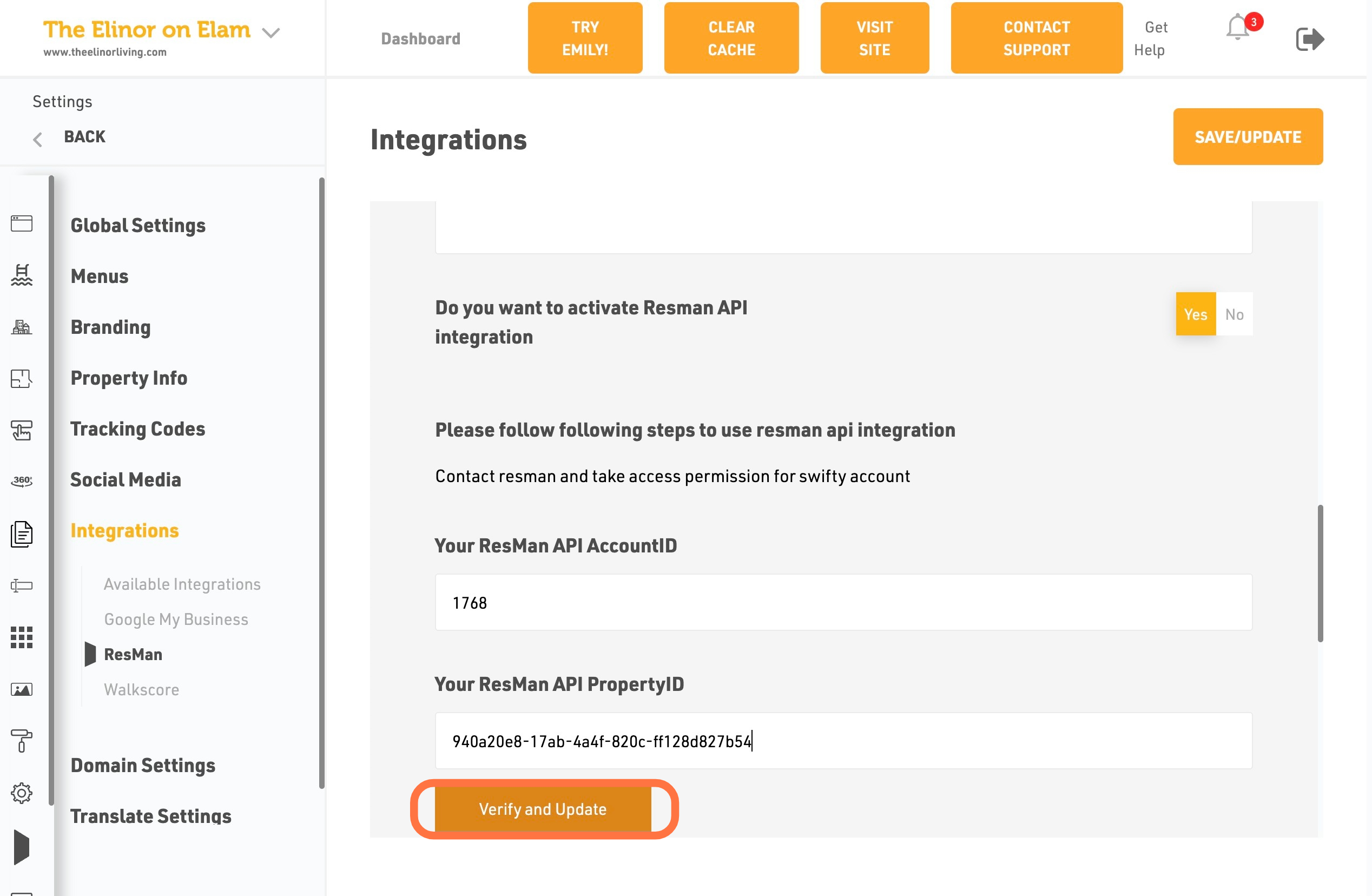
- Click on Do You Want to Activate Resman API Integration
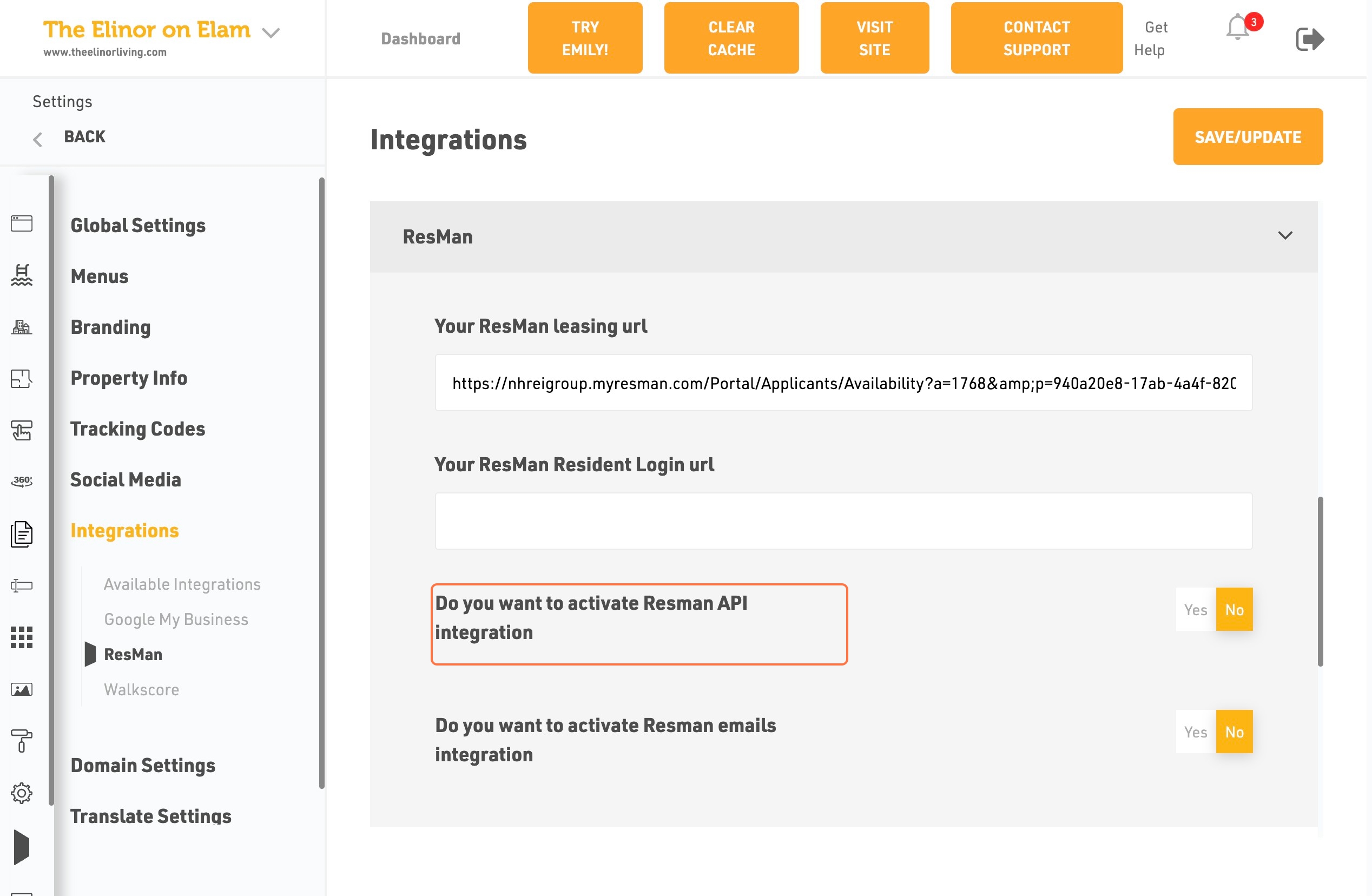
- Click on Yes
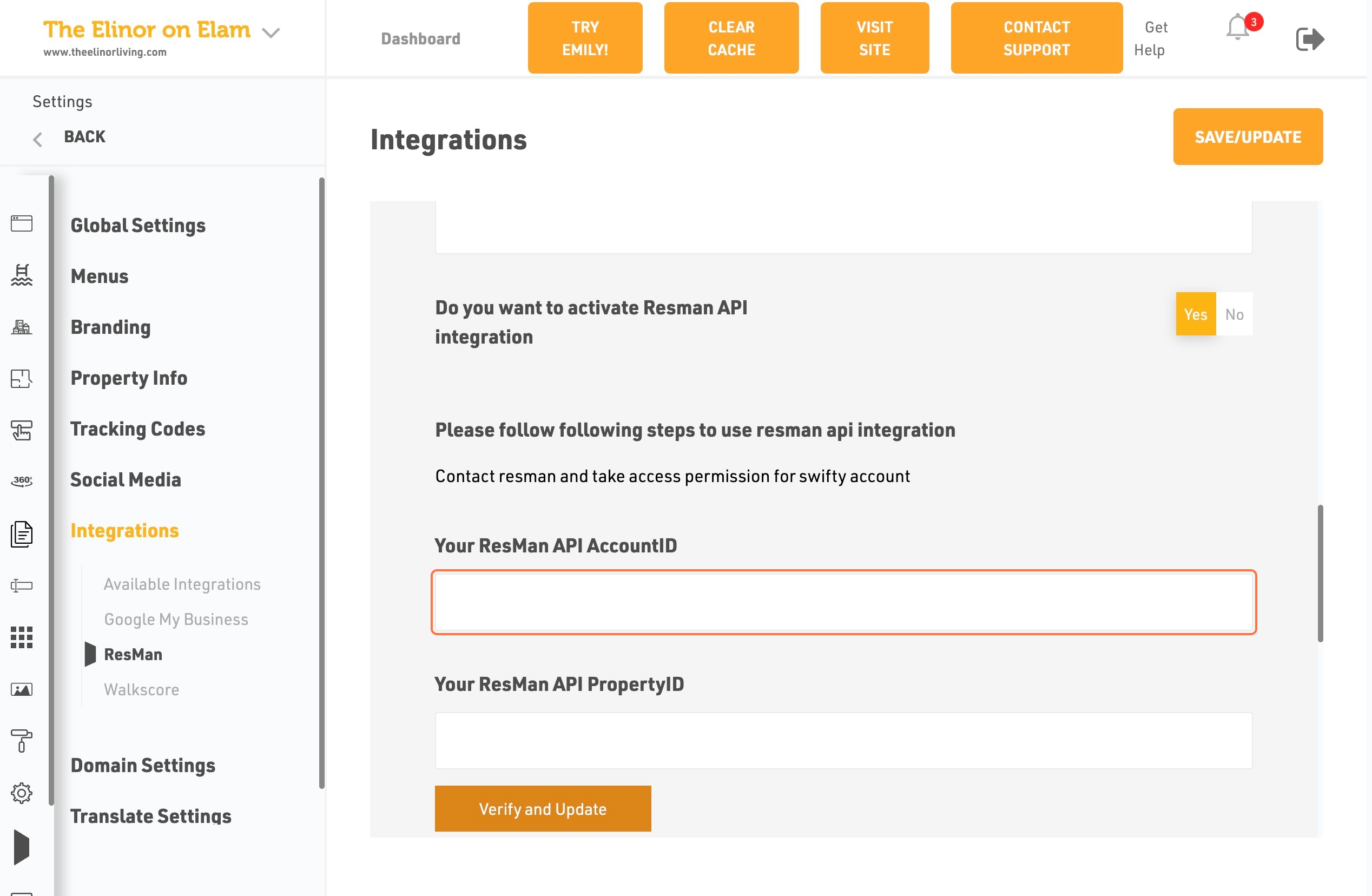
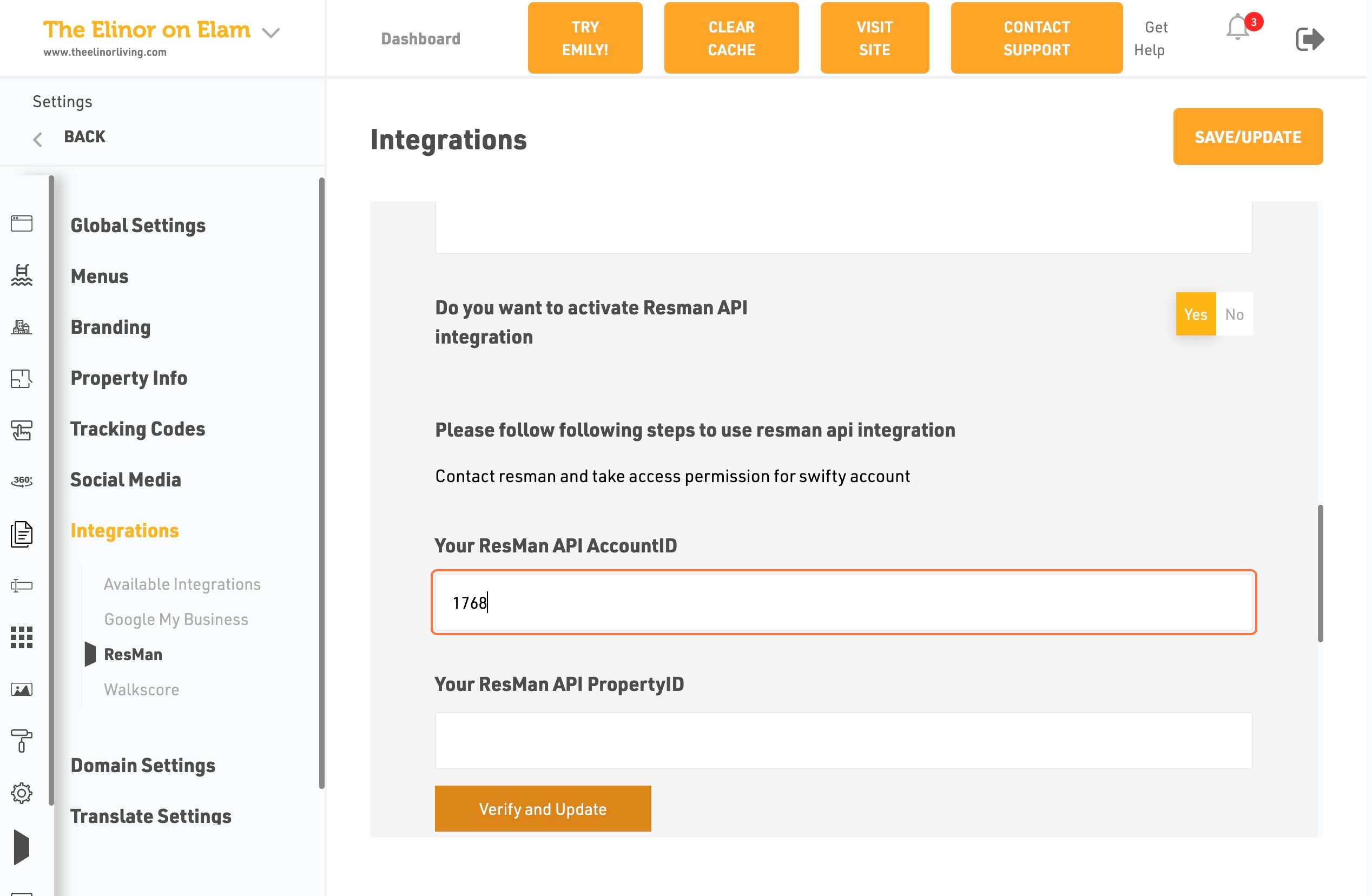
- Click on your Resman API AccountID
- An Type Resman API AccountID
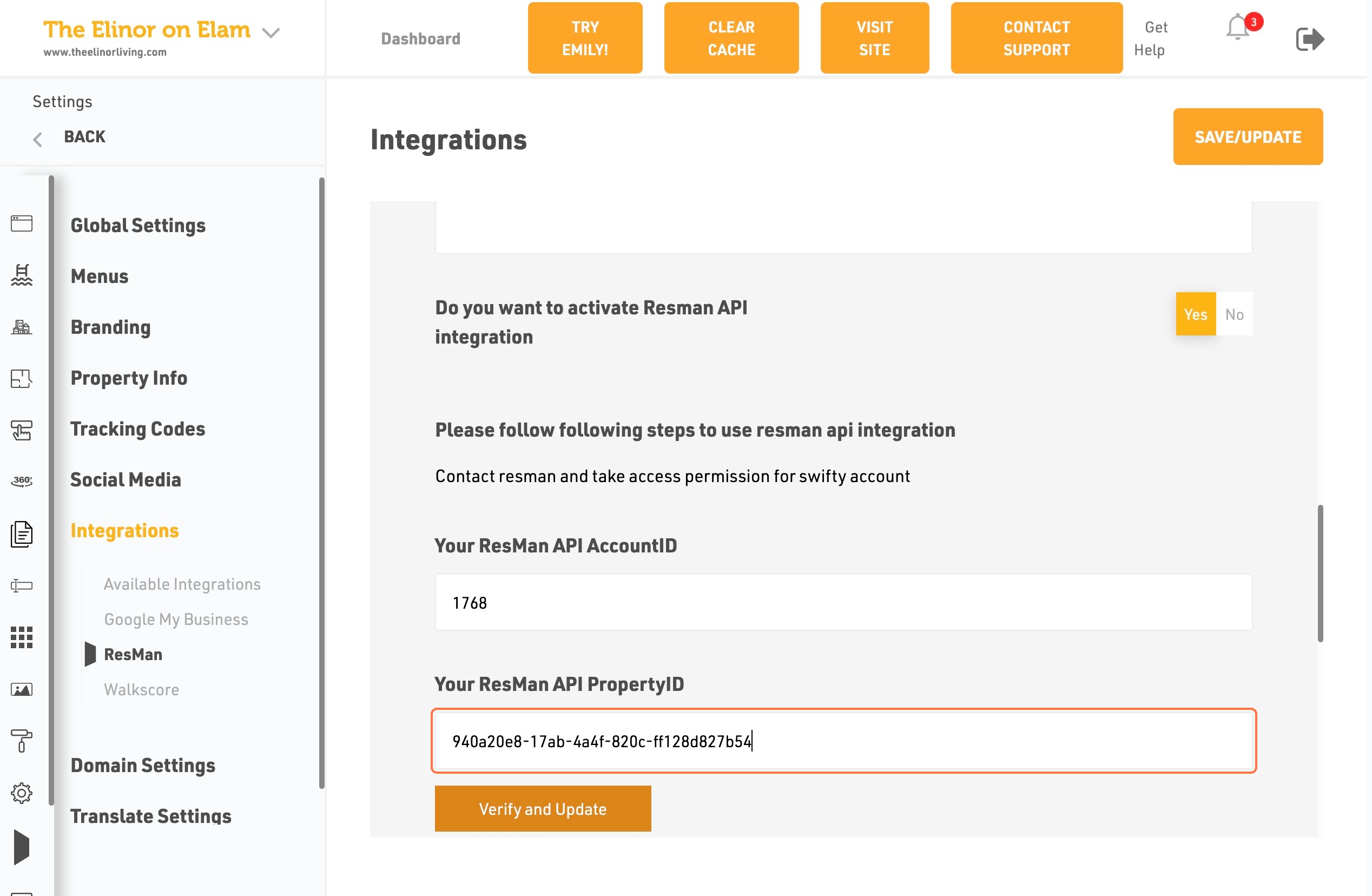
- Click on your Resman API PropertyID and Type PropertyID
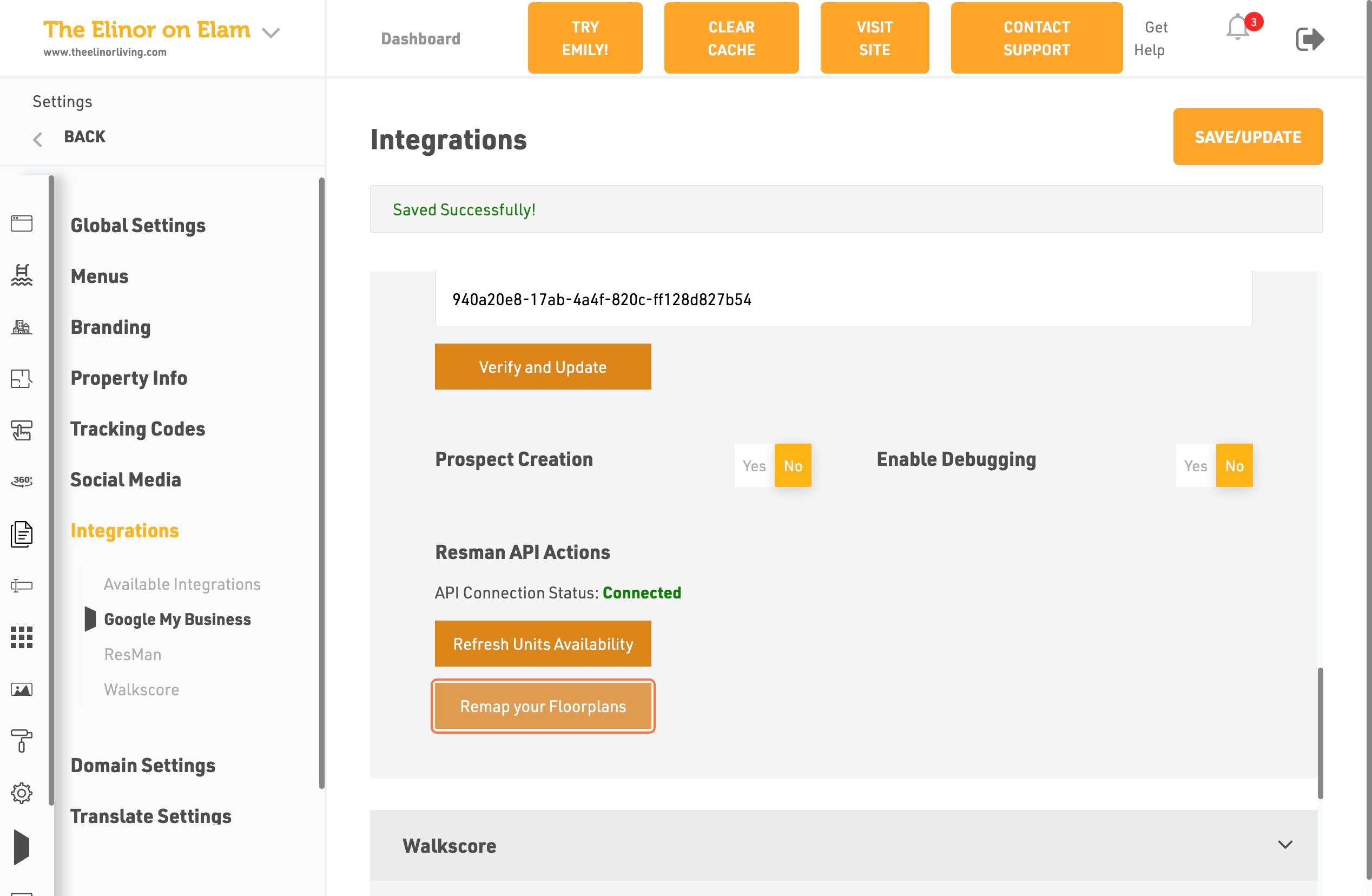
- Click on Verify and Update
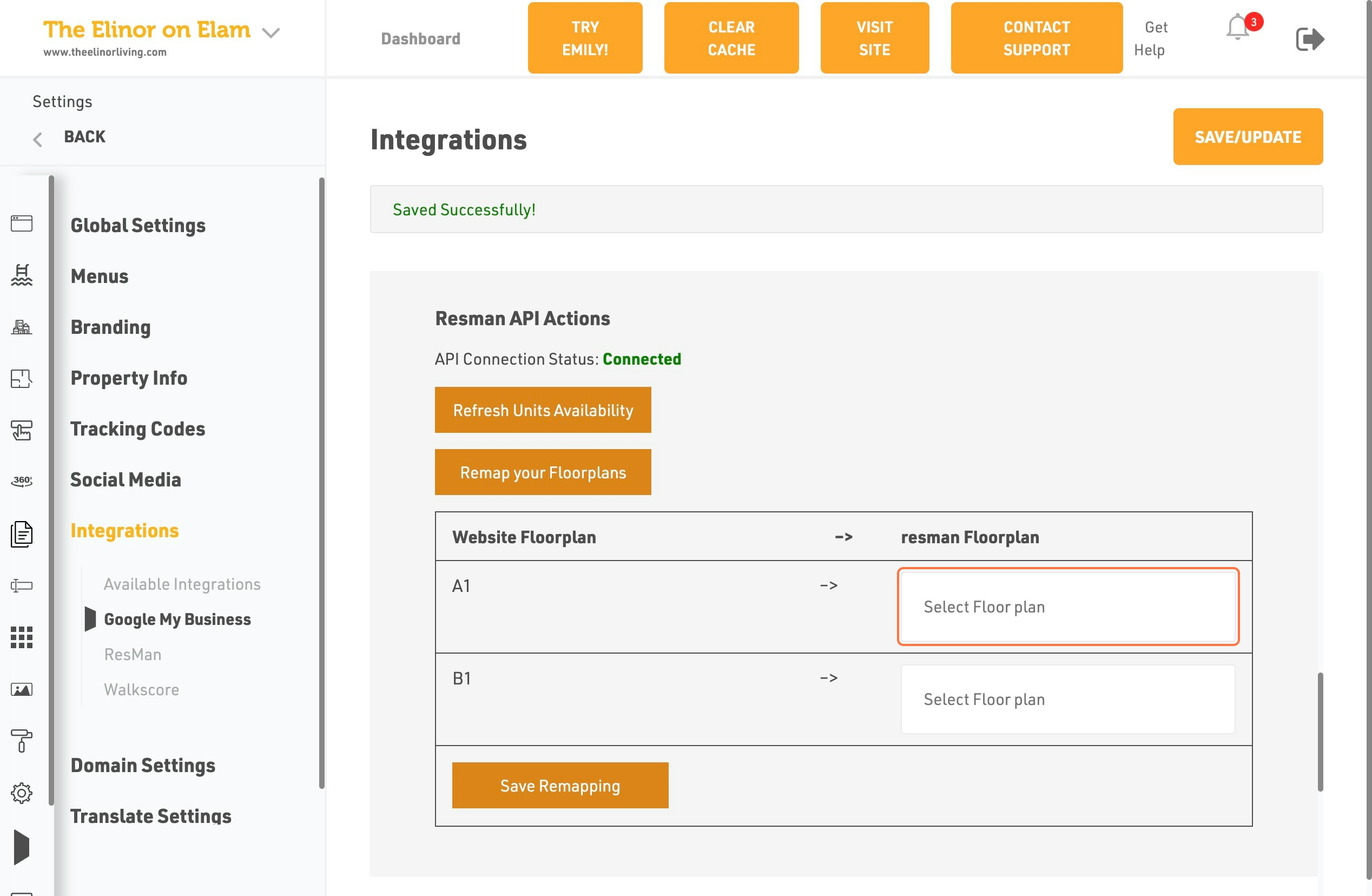
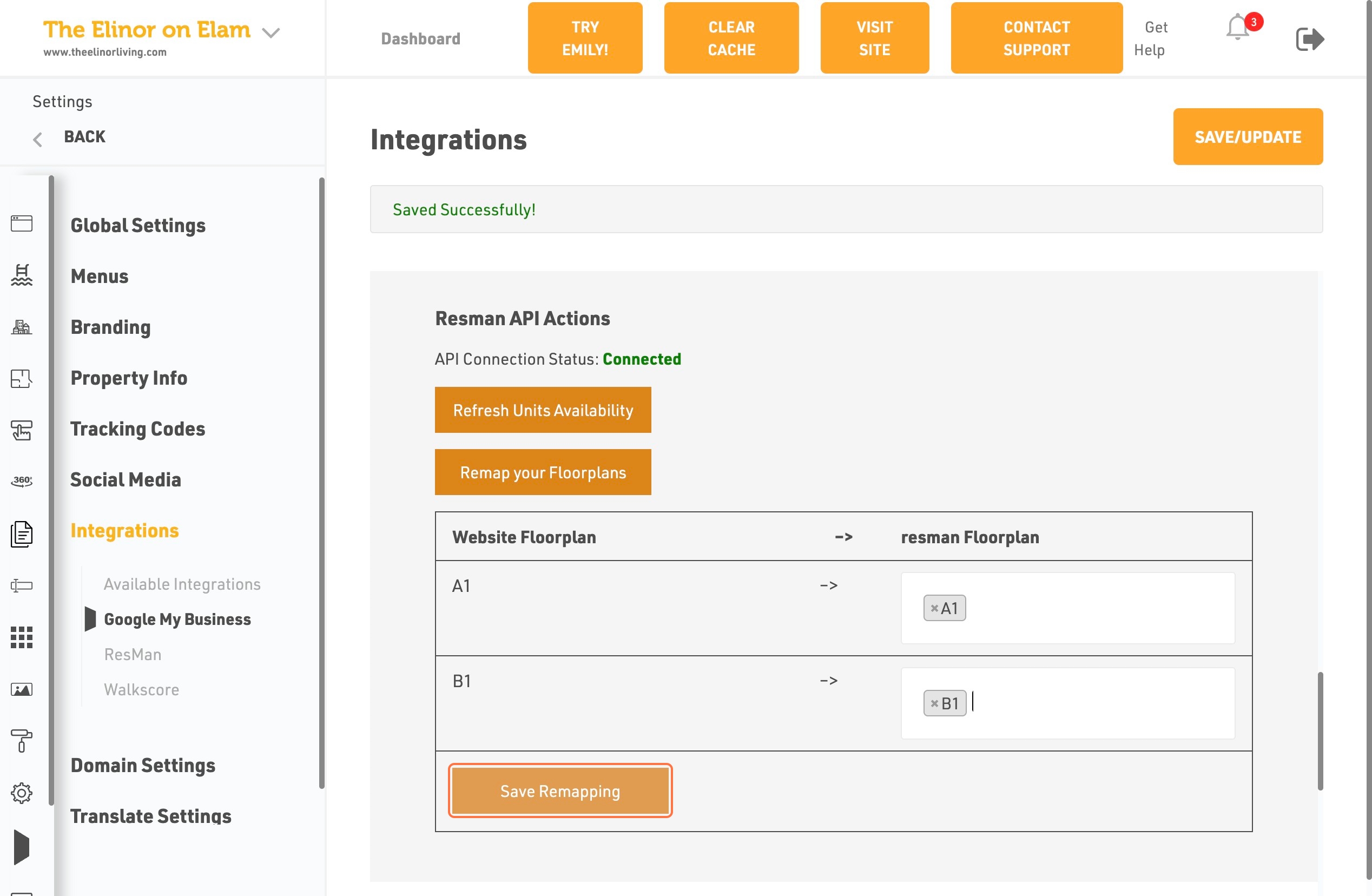
- Click on Remap your Floorplans
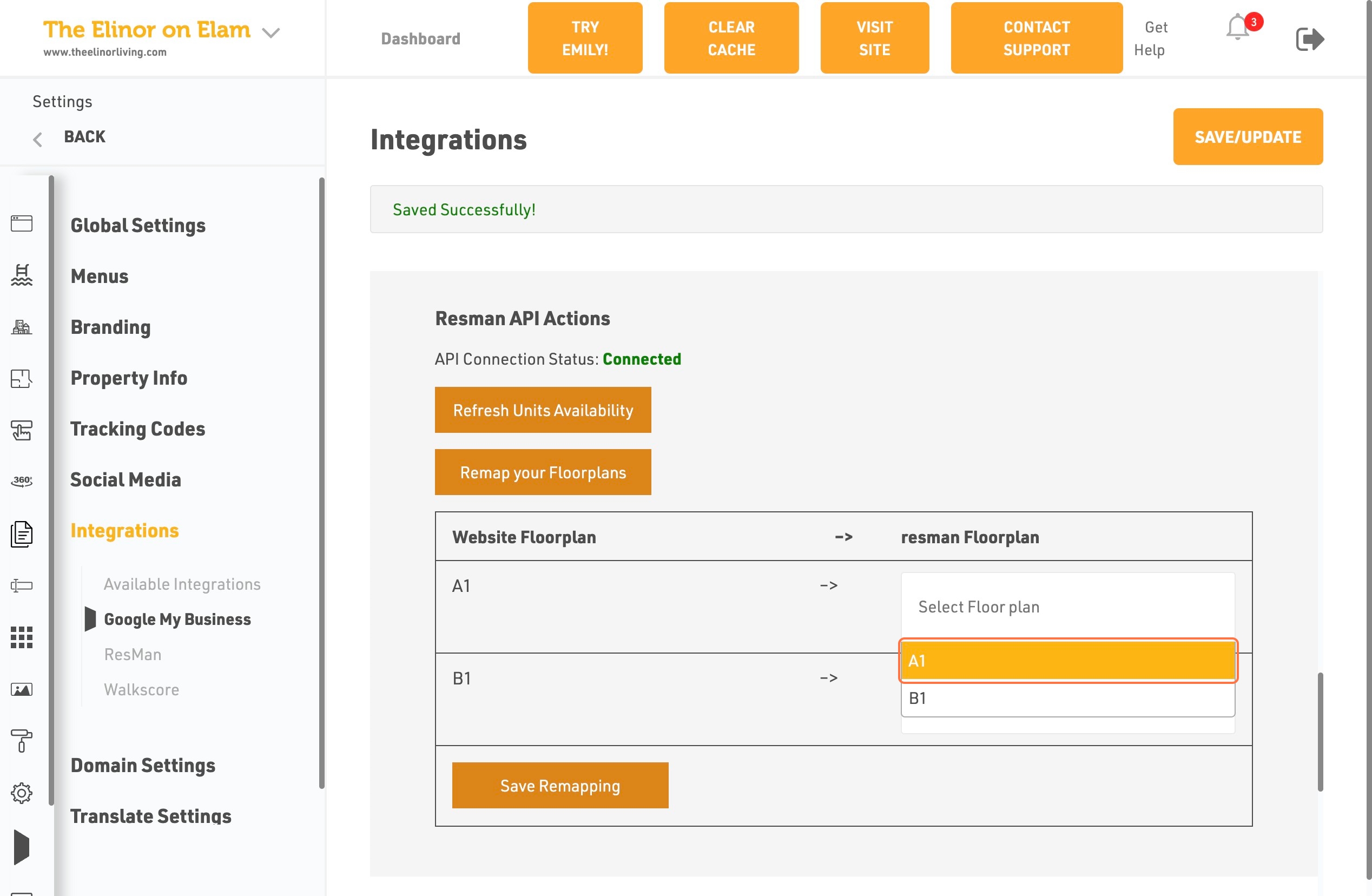
- Click on DropDown Trigger
- Click on A1or B1 then select the floorplans
- Click on Save Remapping
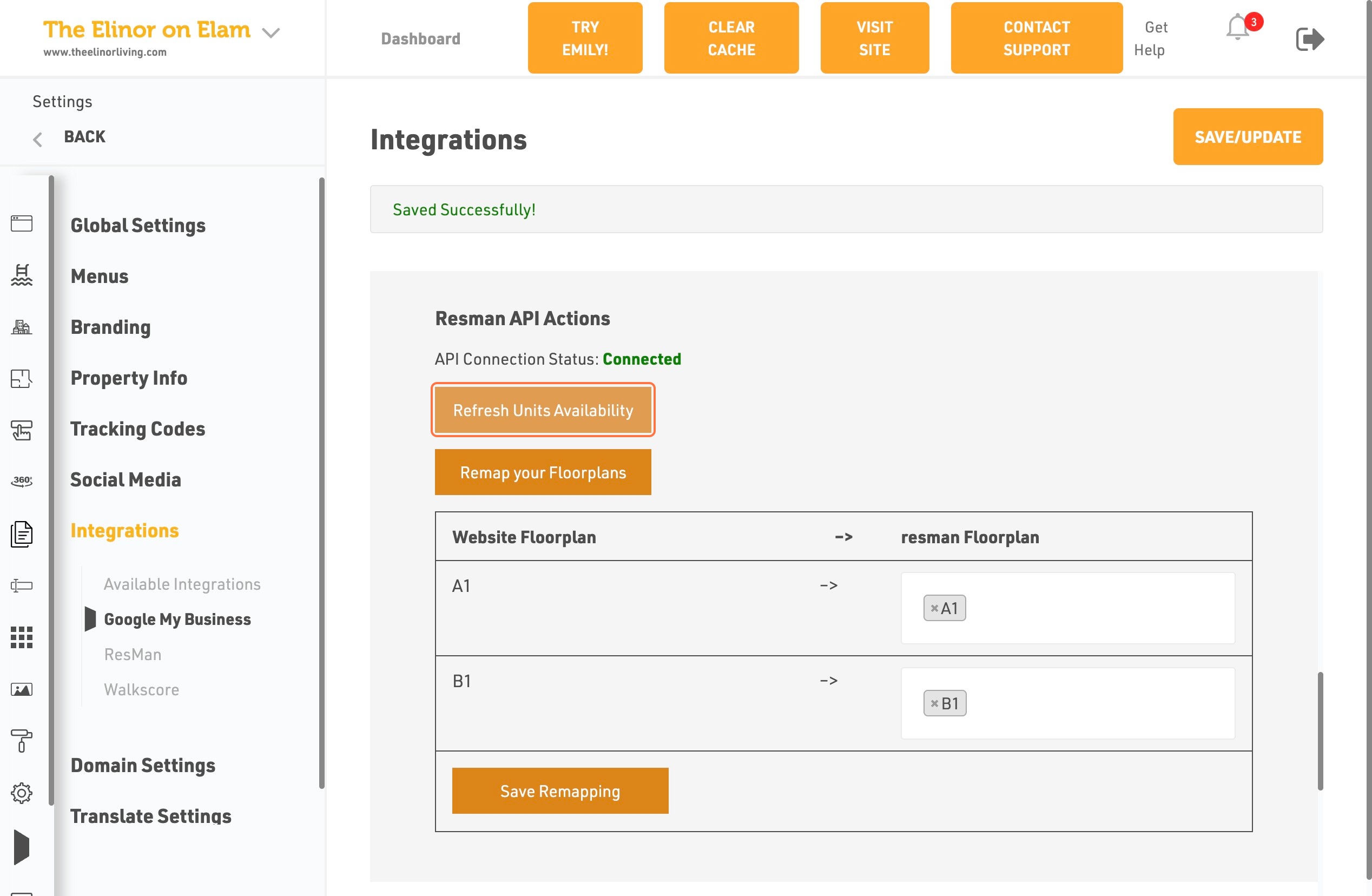
- Click on Refresh units Availability
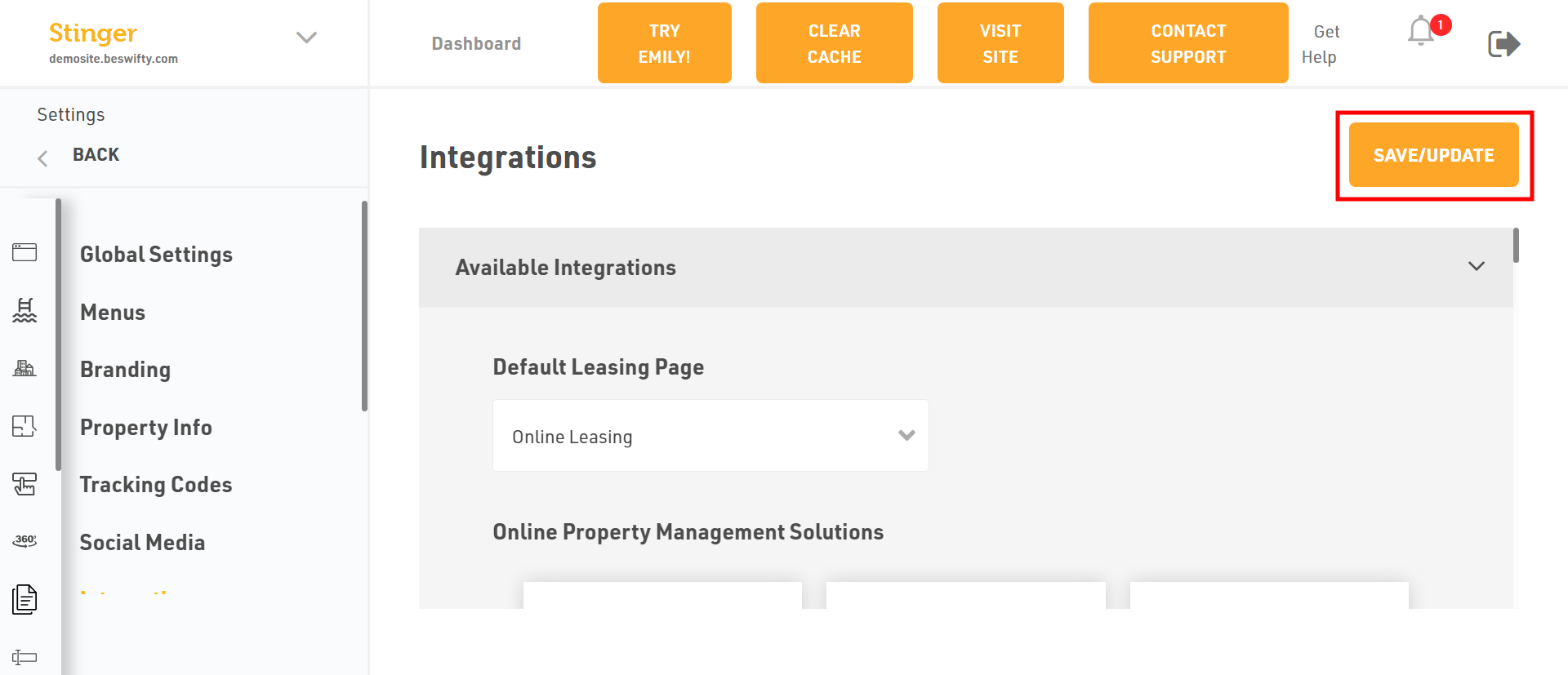
Don't forget to Save/UpdateOnce you finish everything, click the Save/Update button on top right corner.
Was this article helpful?
Thanks for the feedback.