
How to add or change your property address?
Overview
Did you know Swifty is built with multifamily SEO in mind? At Swifty, we care about your multifamily websites presence on the internet and thats why we built Swifty in a way that your website gets most of the benefits of "on-page SEO" automatically. Adding an address is one of the benefits of on-page SEO.
How to add/change your property address
Swiftys advanced multifamily SEO automatically creates a "semantic structure data" snippet that can help your website rank higher in Googles organic search results. This snippet is automatically created using your apartments contact information, thats why adding your property address is so crucial.
- Log in to your website dashboard at https://manage.beswifty.com
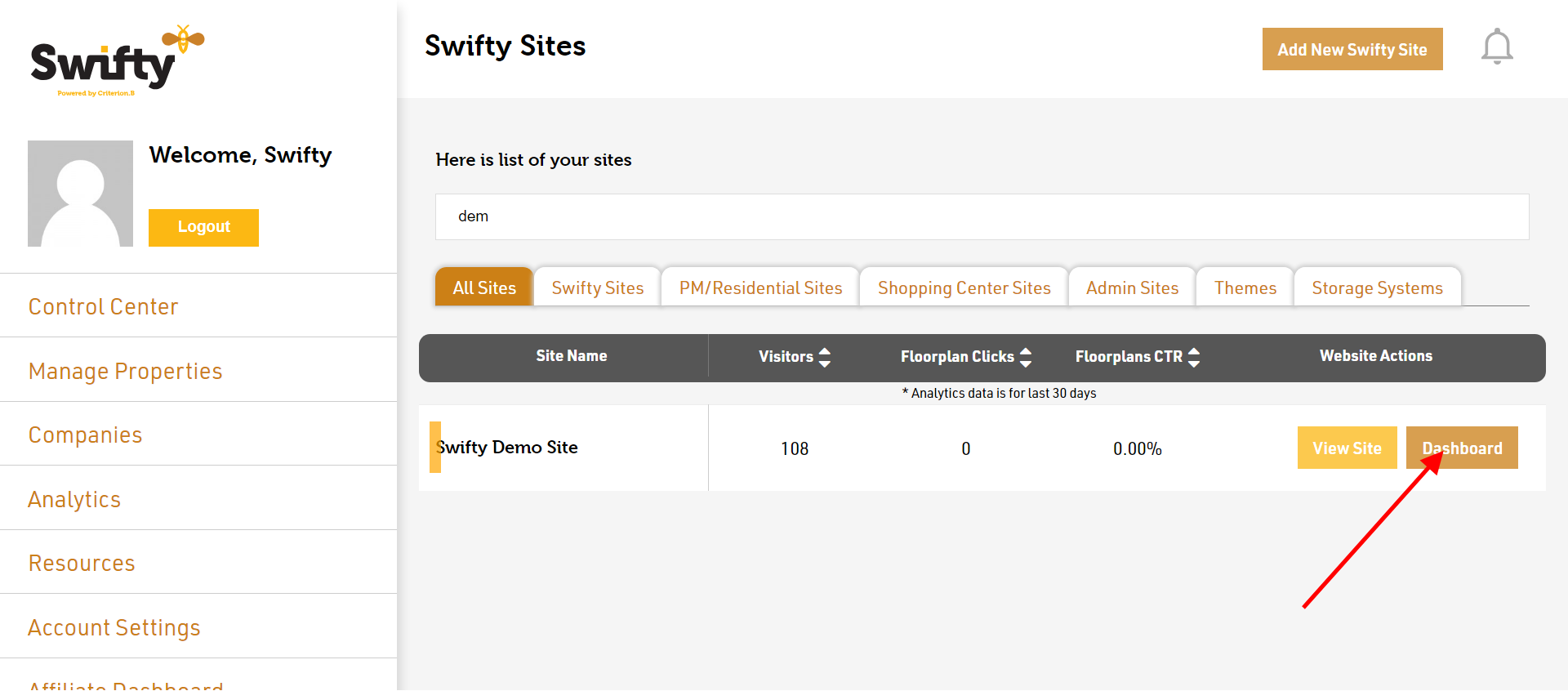
- Once you are logged in, you will see a list of all your websites on the Swifty platform; click on the "Dashboard" button of the property website you would like to change the address for.
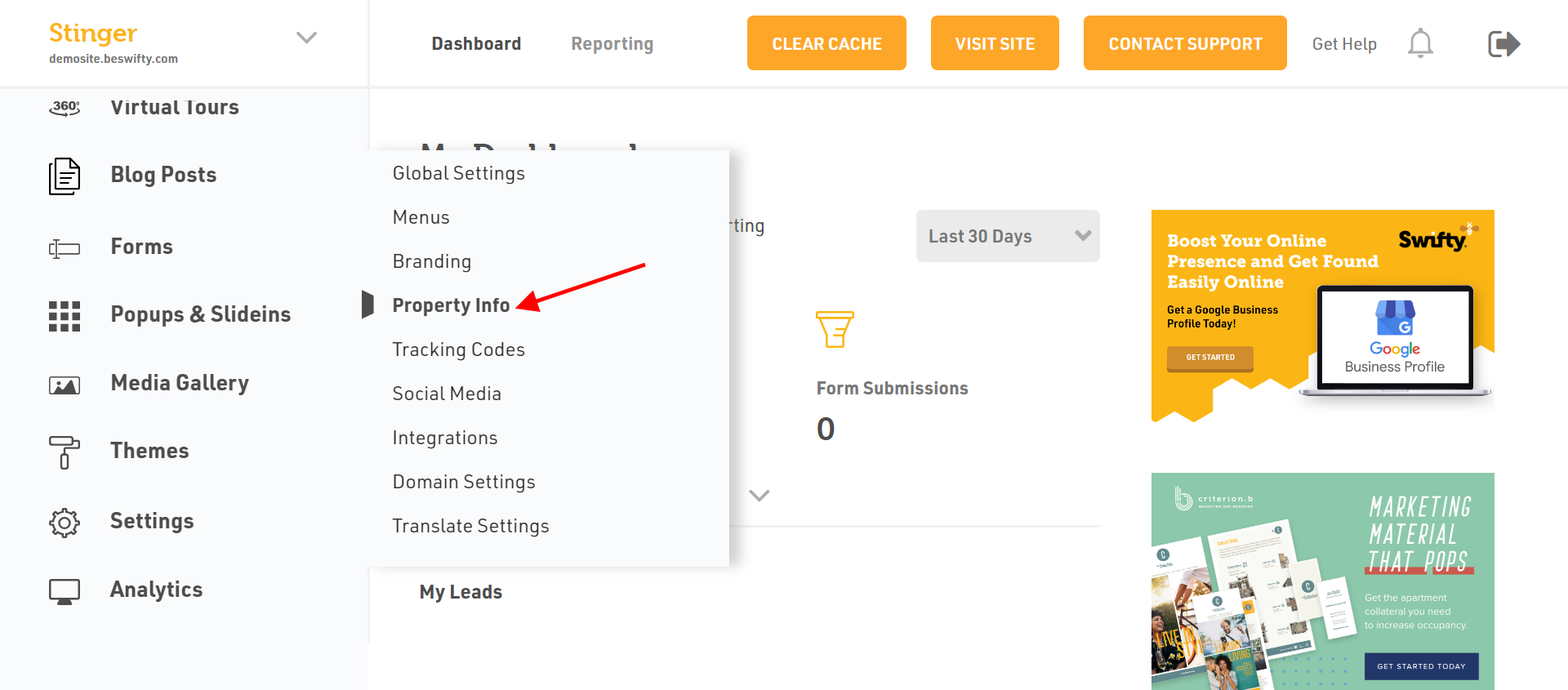
- You will be taken to the dashboard of your apartment website. In the left sidebar navigate to Settings > Property Info
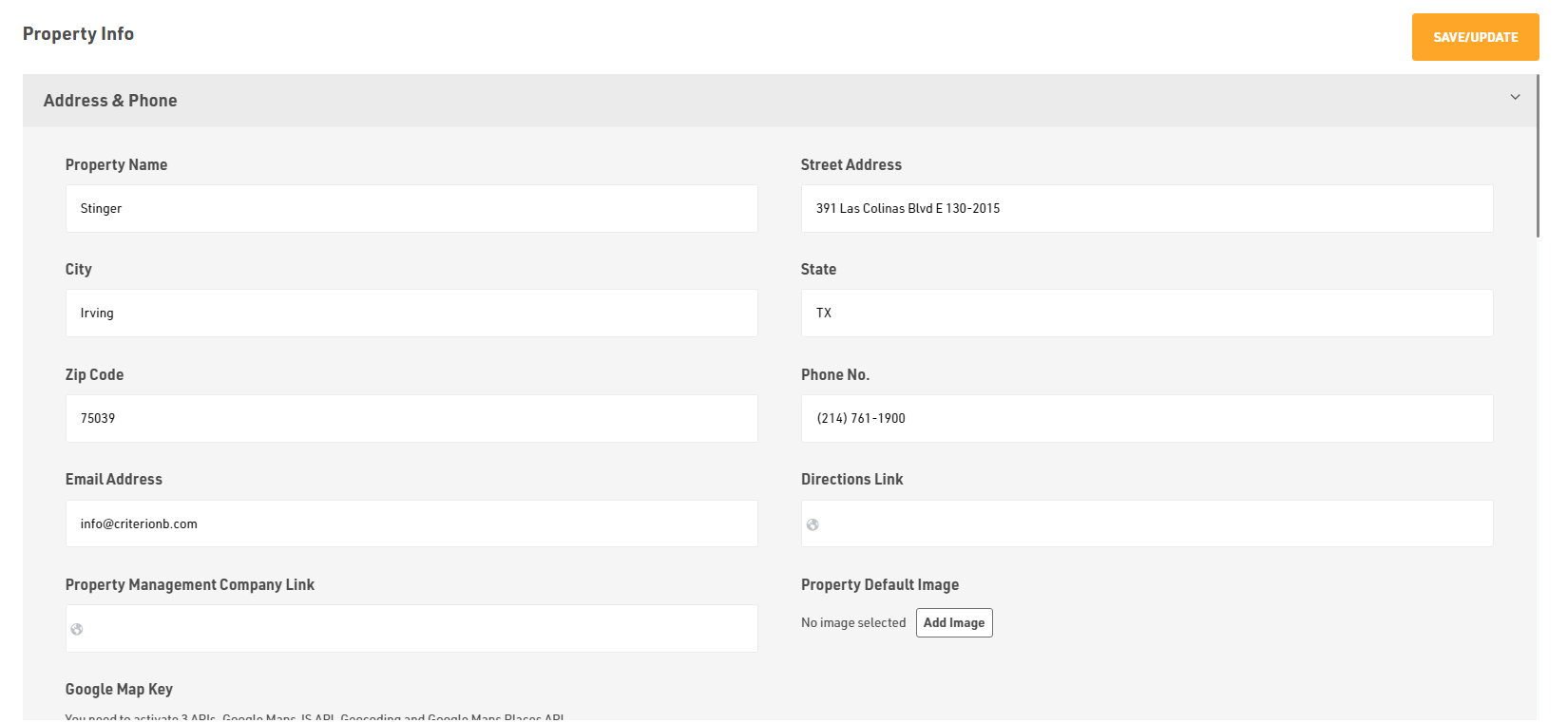
- Here you can edit almost everything related to your Property such as Property Name, Street Address, City, State, Zip Code, Phone, Email Address, Directions to your Property, etc.
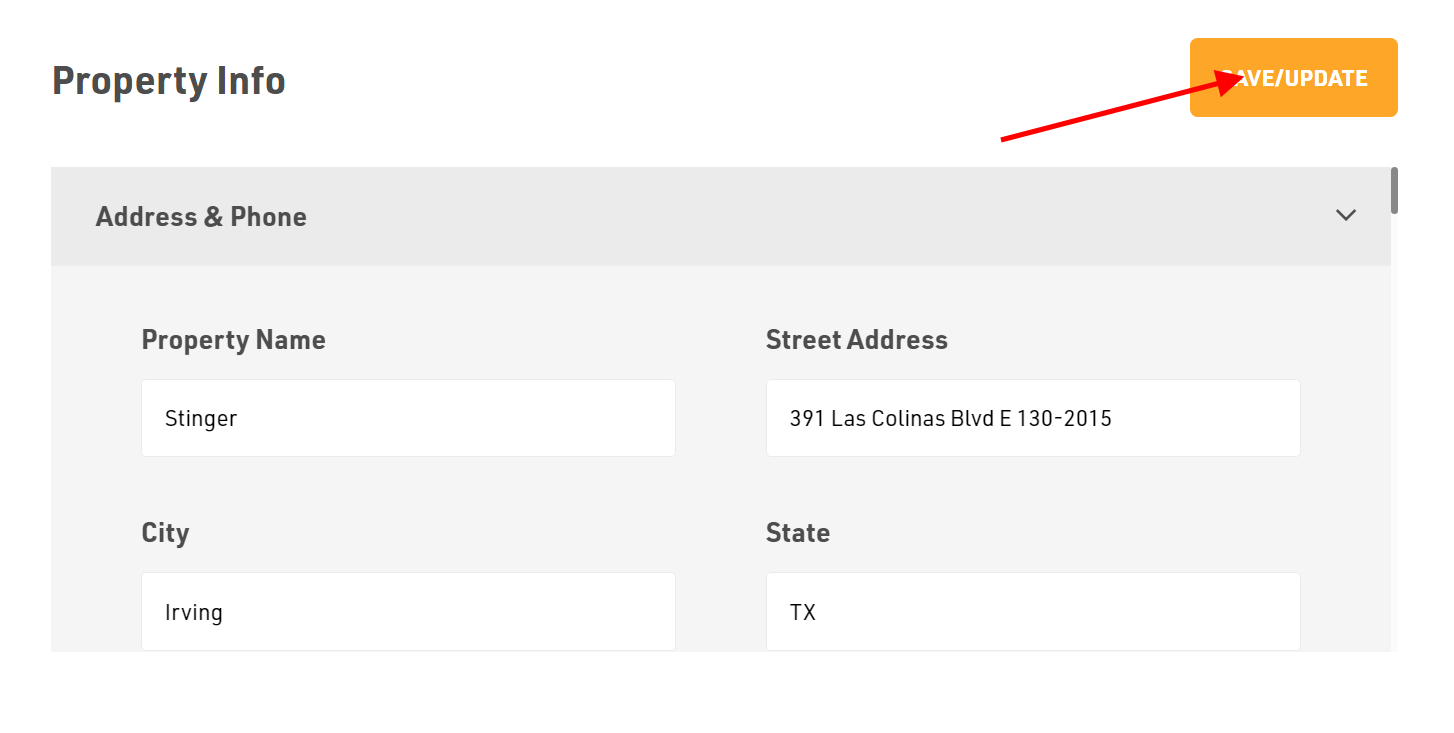
Dont forget to Save/Update
Make sure to click the Save/Update button on top right corner once you finish adding or editing your property information.
Was this article helpful?
Thanks for the feedback.