
How to Add or edit office hours in our websites
- Login to the dashboard of your property website at manage.beswifty.com.
- Navigate to Settings > Property Info.
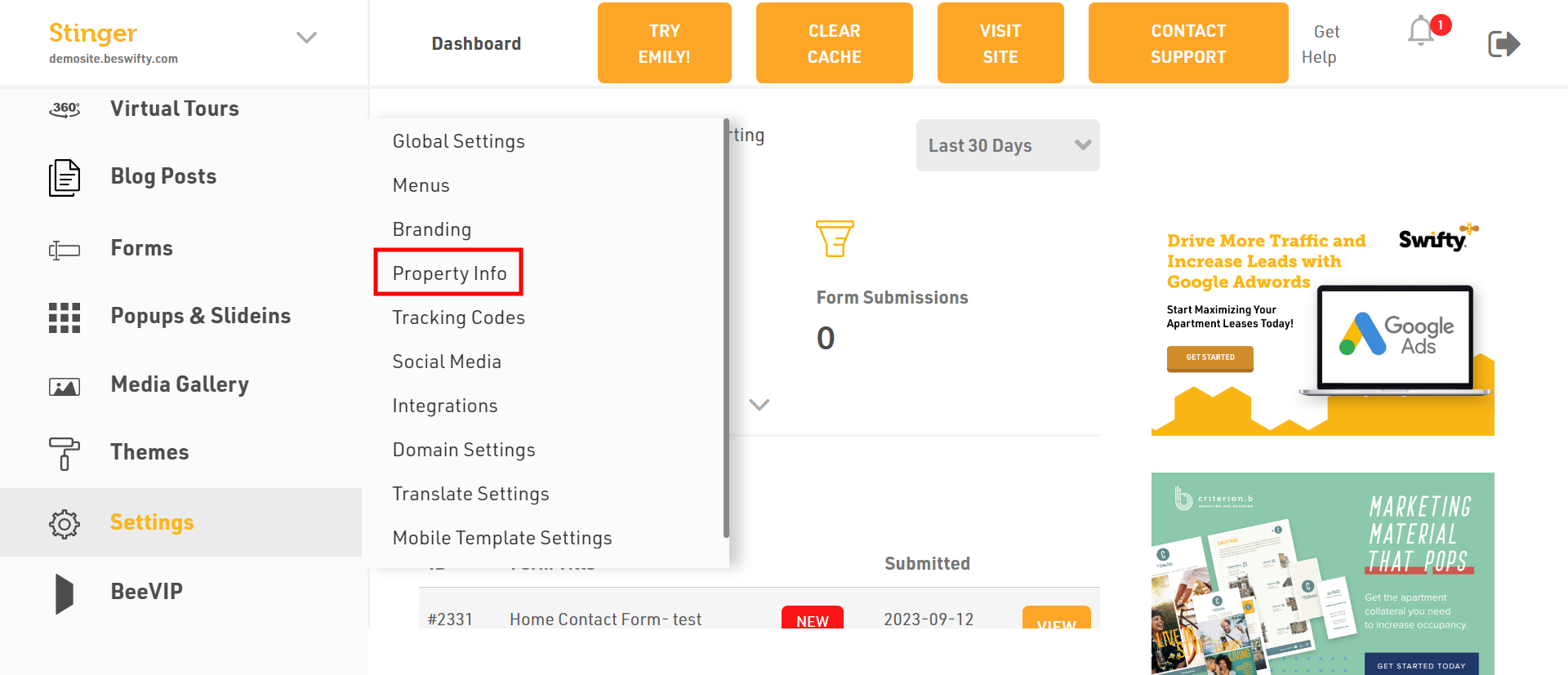
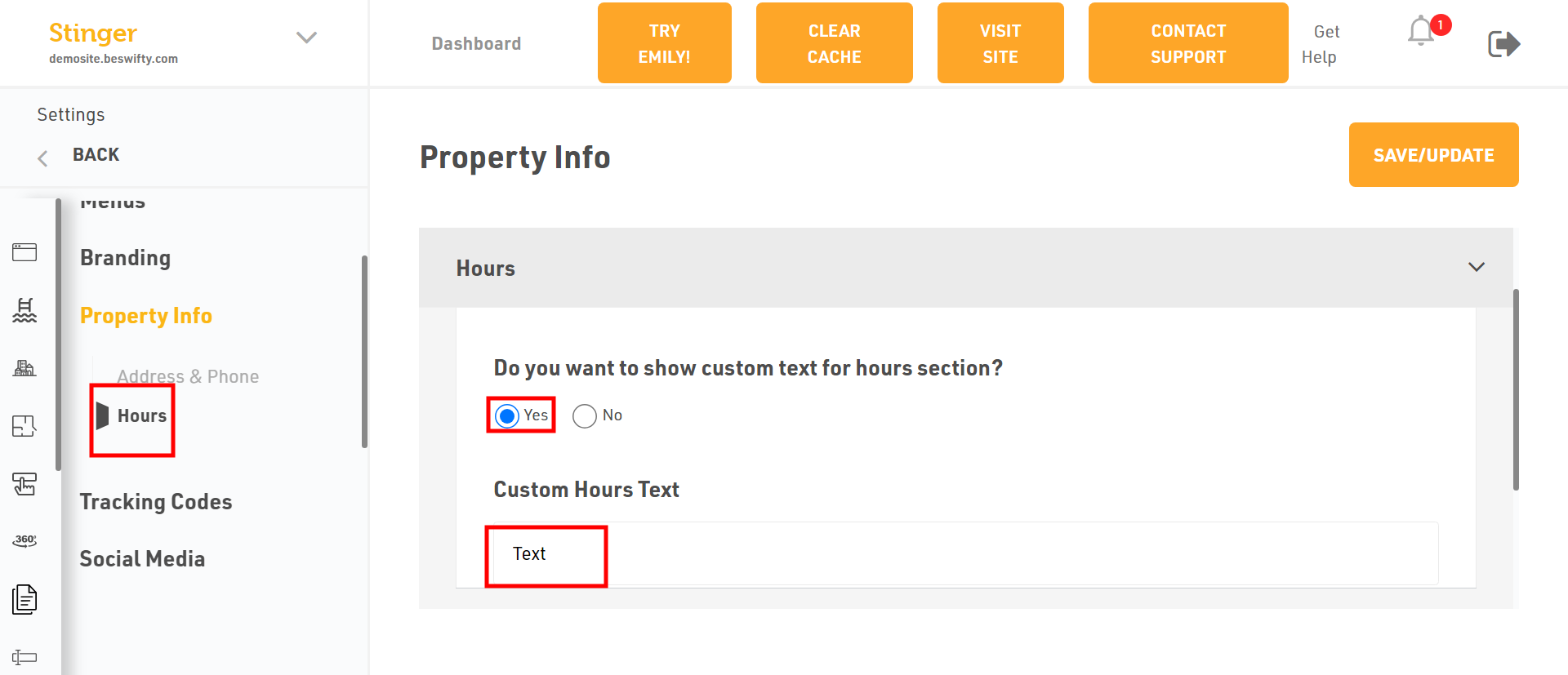
- Click on the Hours in the left sidebar.
- If you want to show the custom text for hours section, click on Yes and type the custom text as per your requirements.
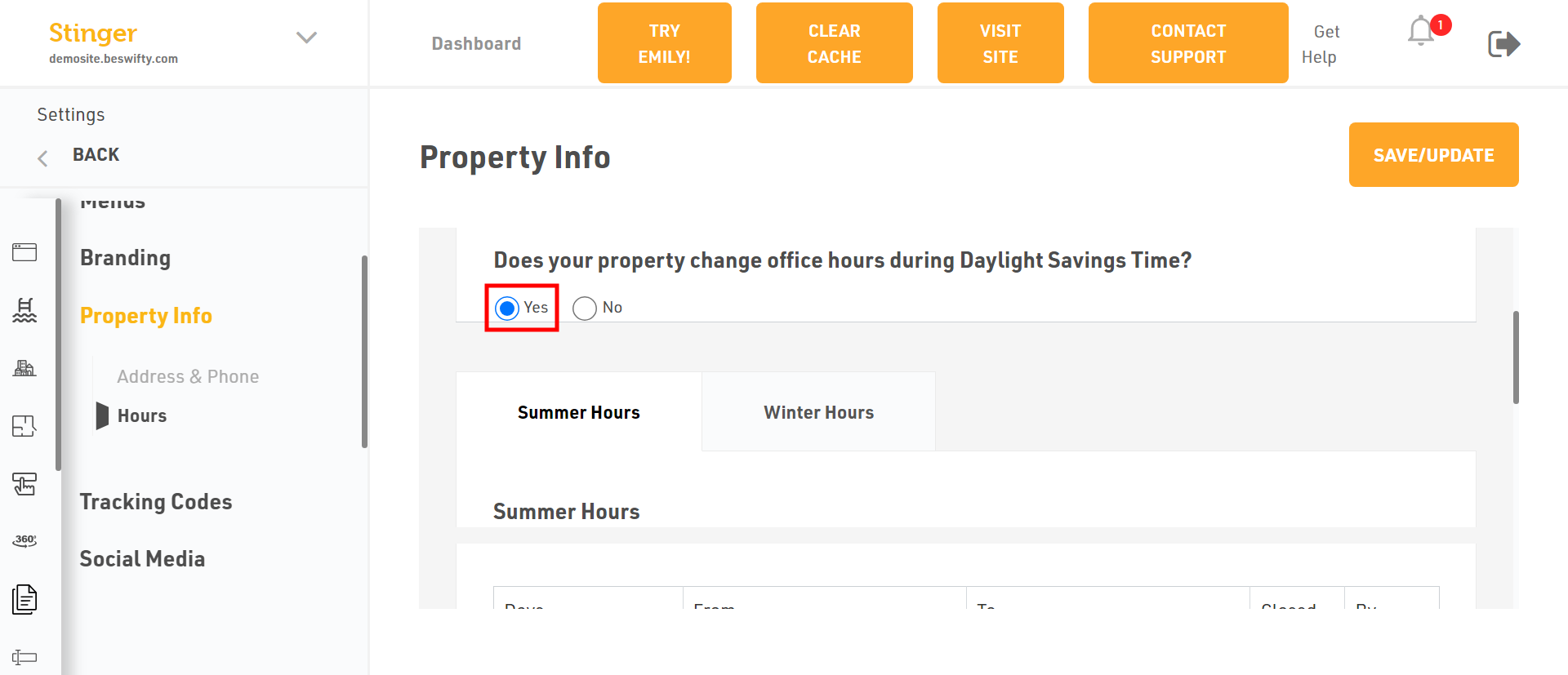
- If you want to change office hours during Daylight Savings Time, click on Yes and enter the time.
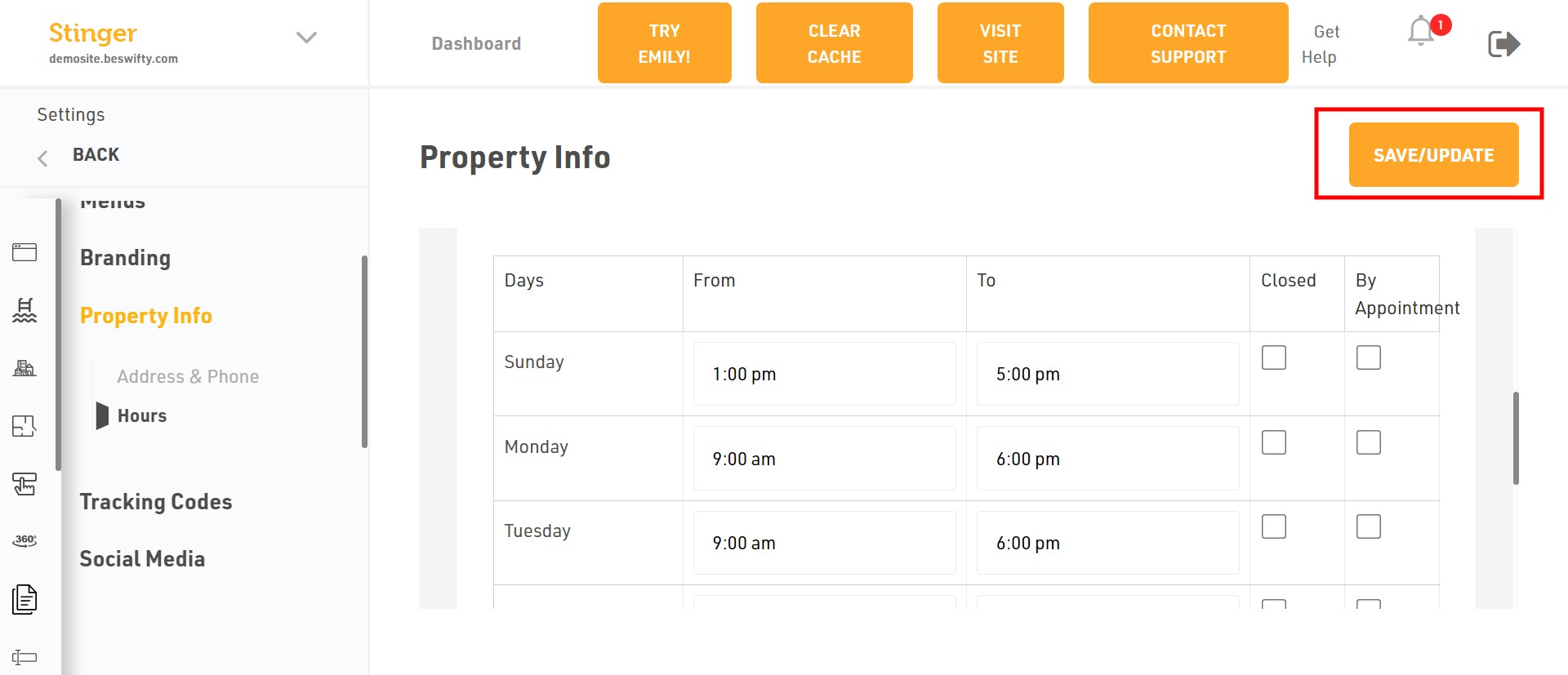
- If you want to add office hours, enter the time of every day and choose if some day it is closed or have to come through appointment.
- Dont forget to Save/Update
- Make sure to click the Save/Update button on top right corner once you finish everything.
Was this article helpful?
Thanks for the feedback.