
How to Update Payment method for Oaks Stone Fountain Subscription
- Login to the Beswifty to your property website at manage.beswifty.com
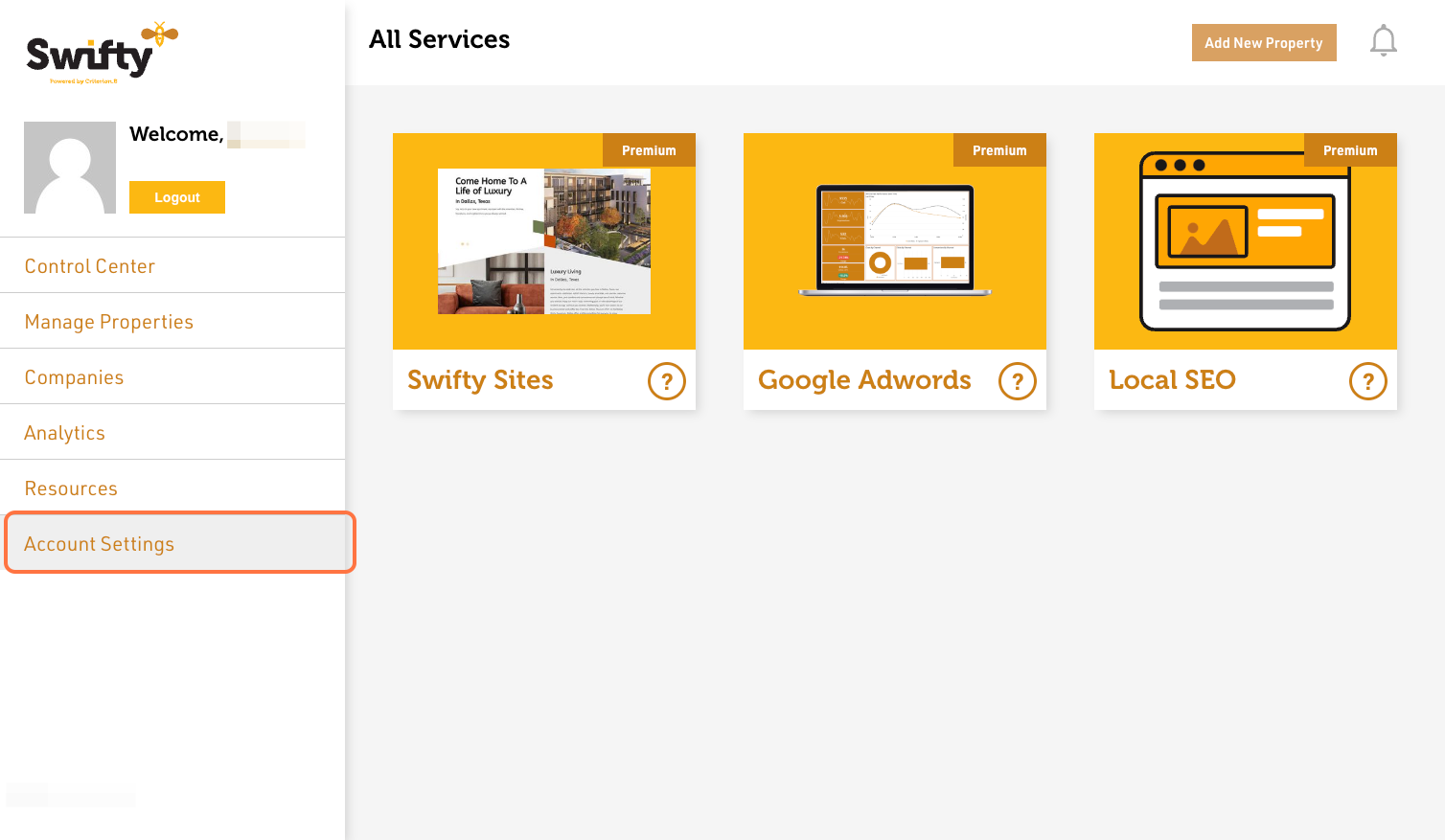
- Navigate to Account Settings
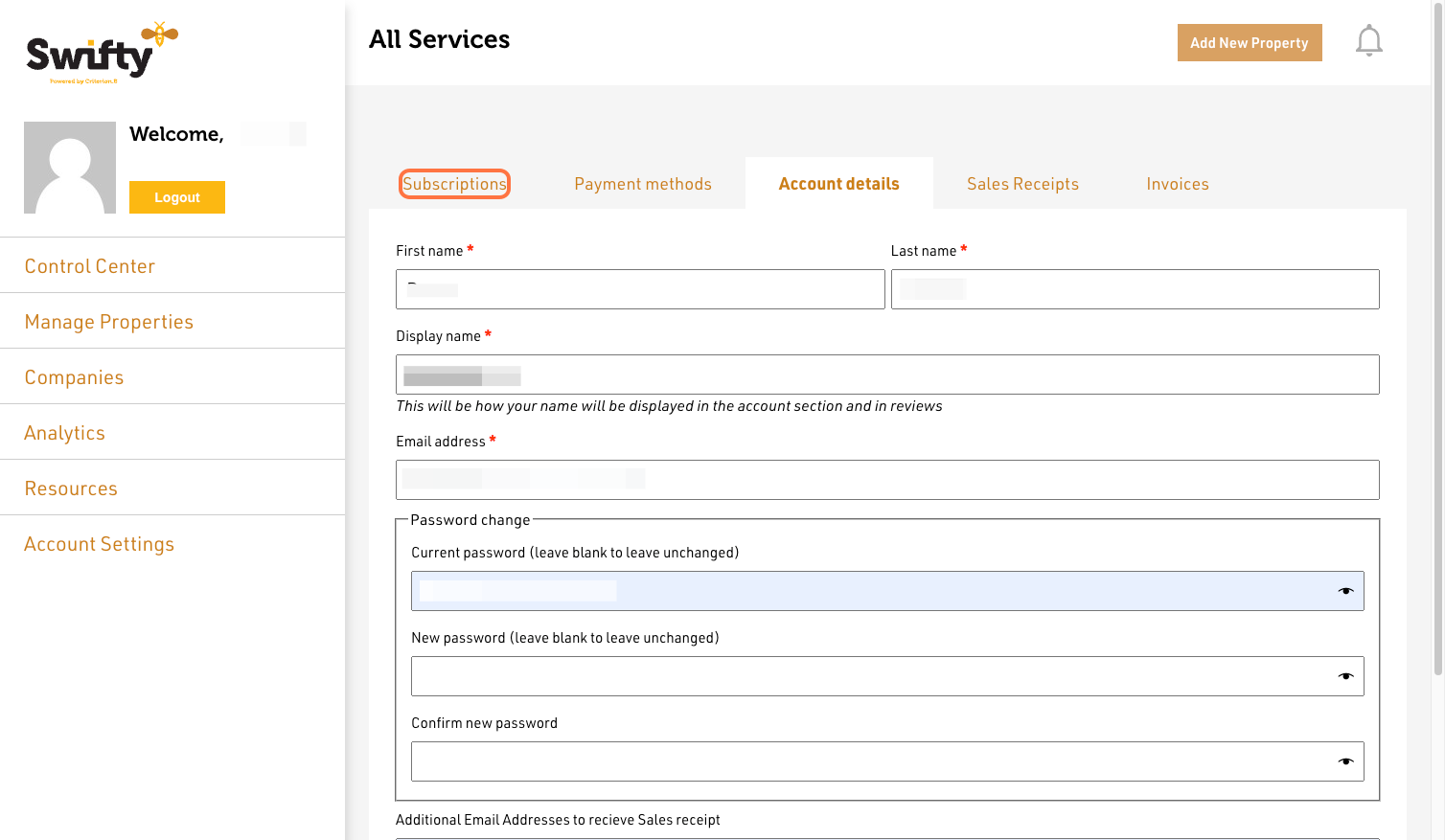
- Click on Subscription
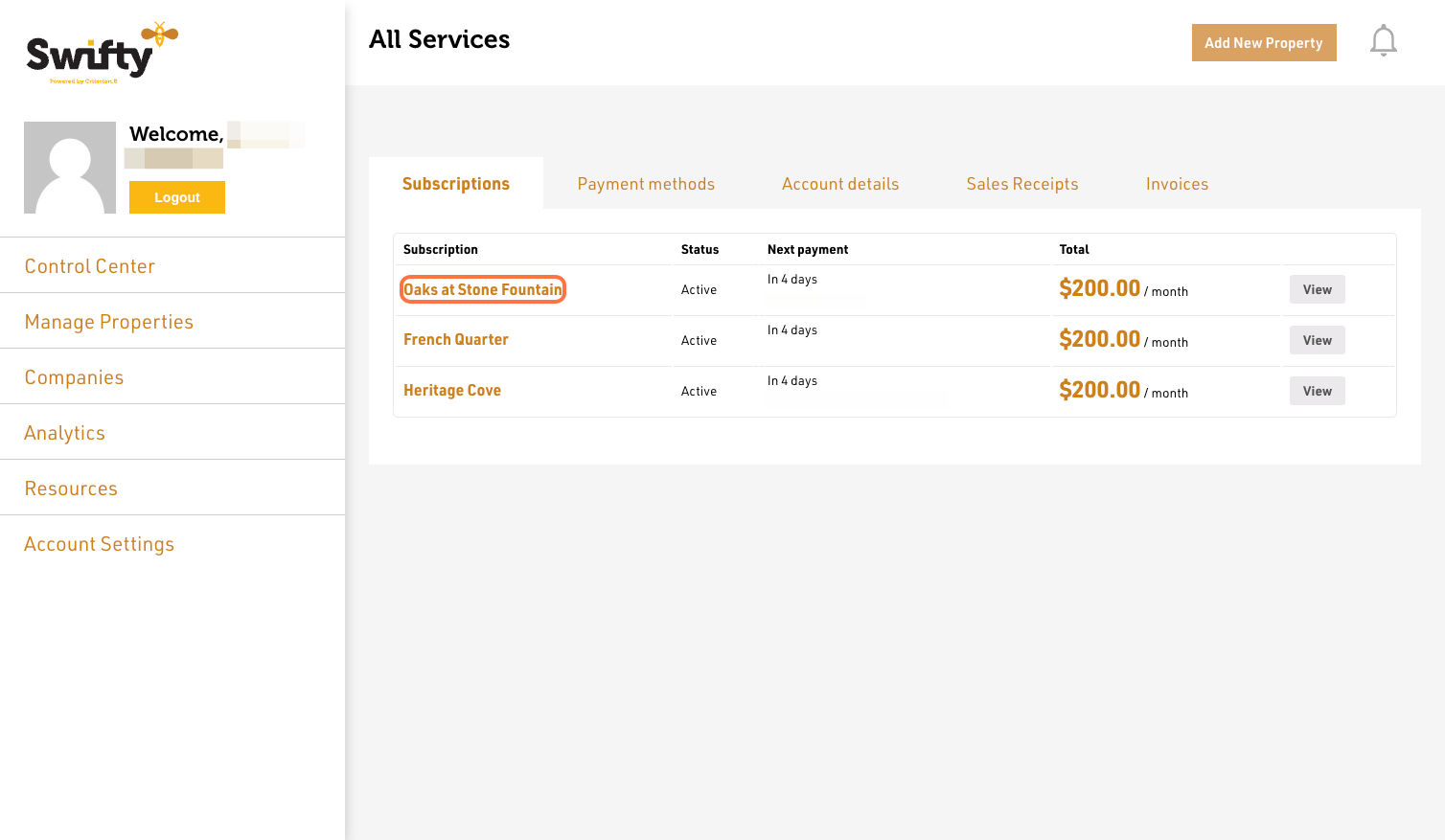
- Click on Property Name
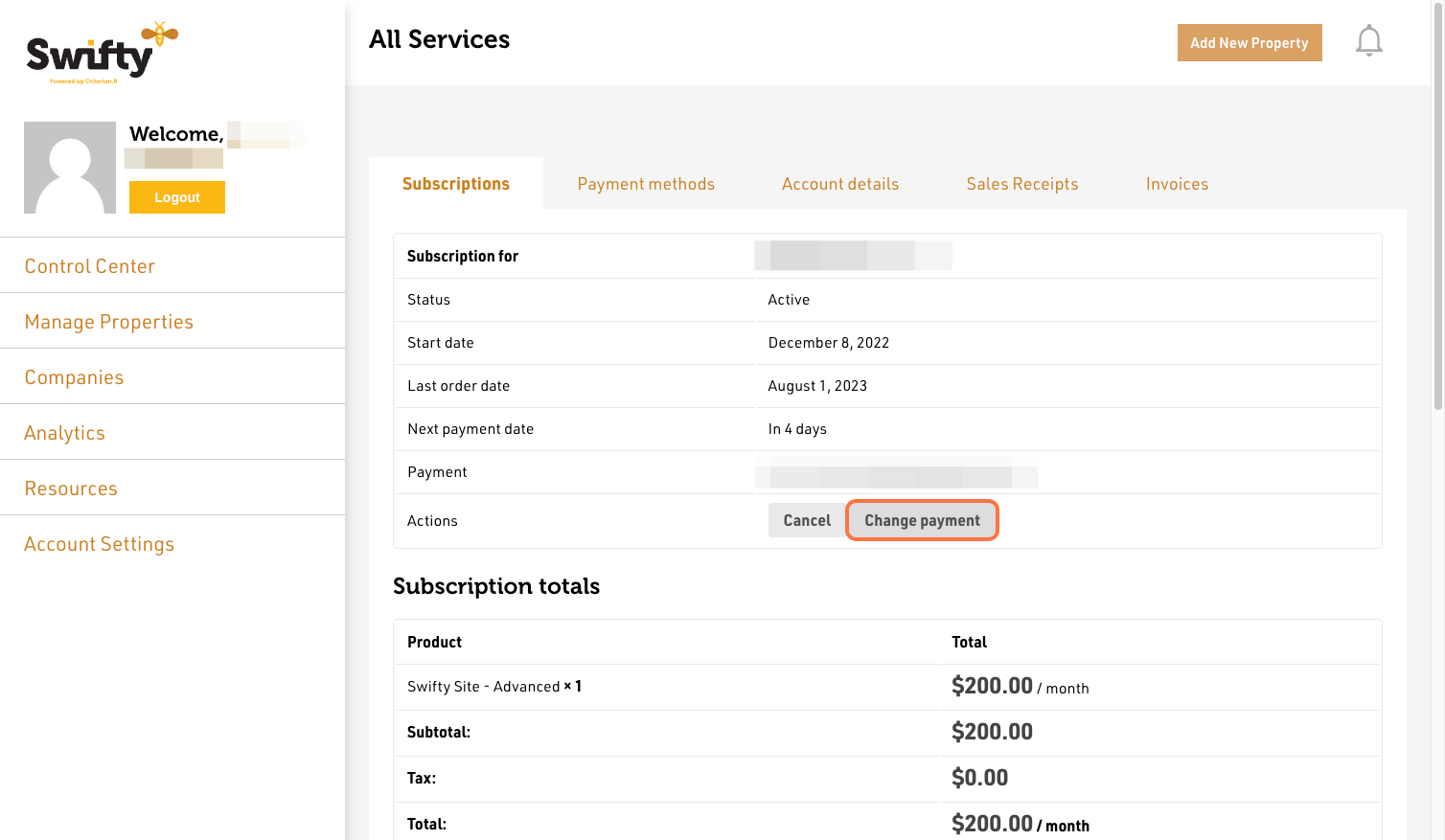
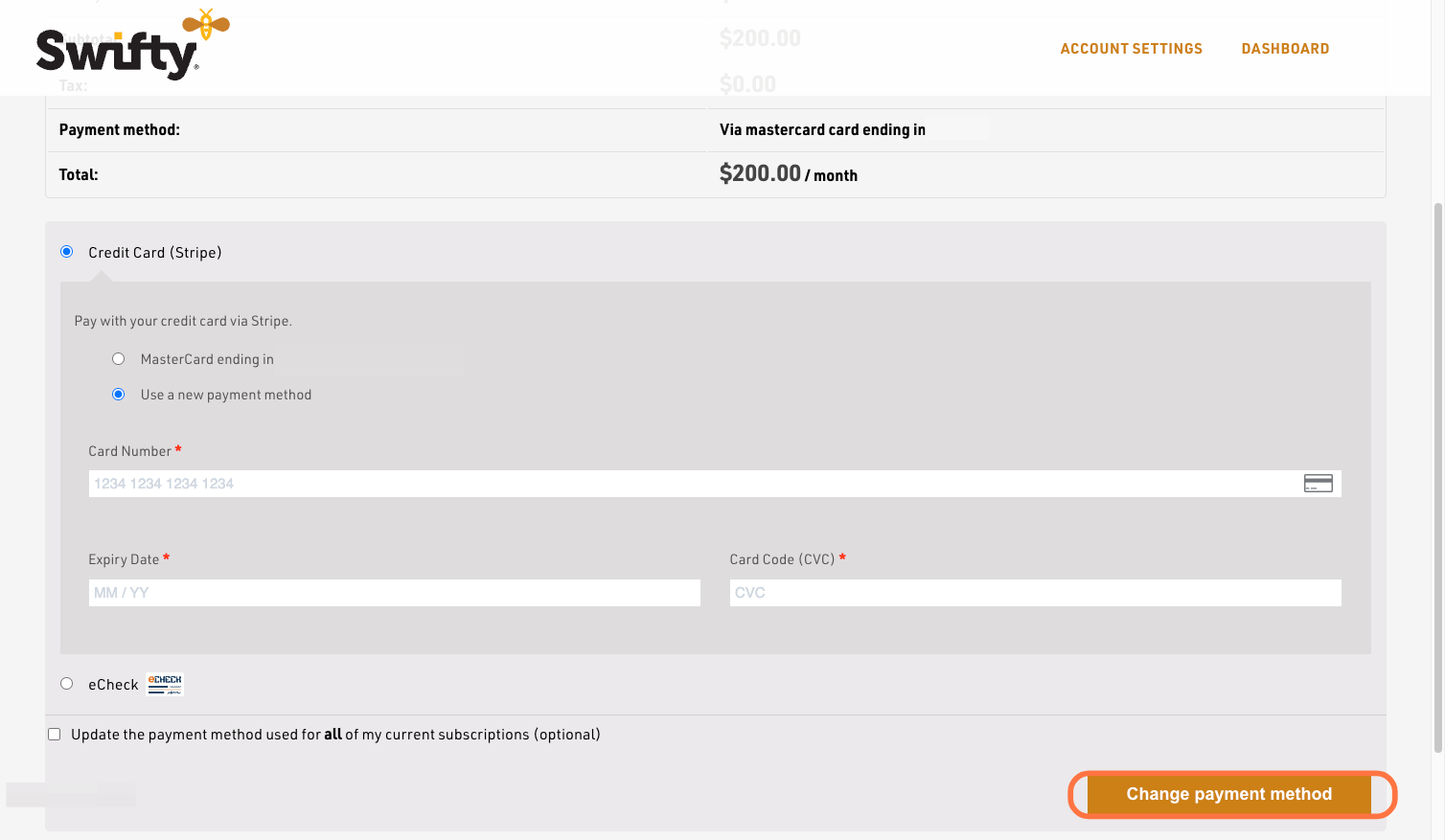
- Click on Change Payment
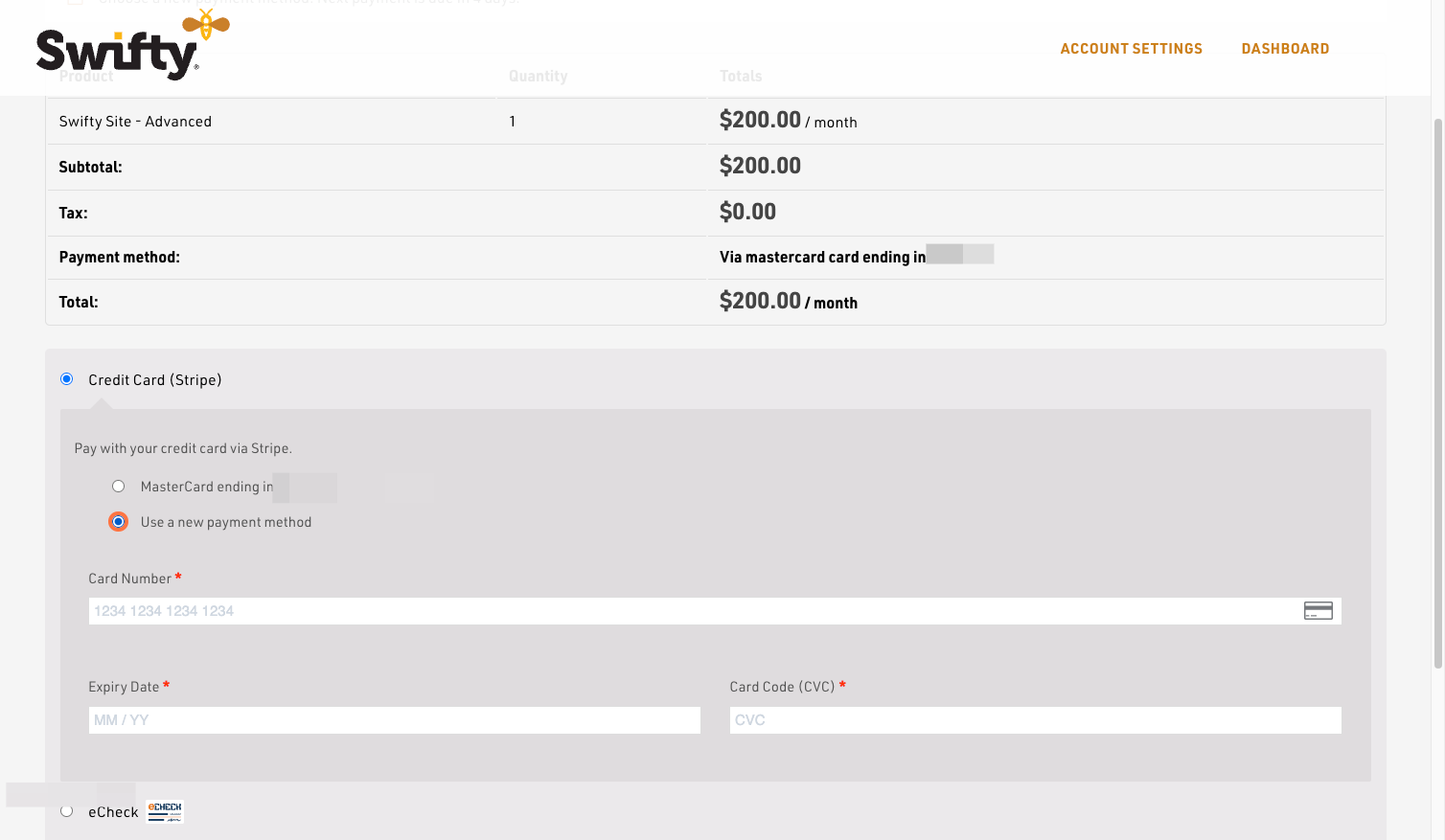
- Select Use a new Payment Method
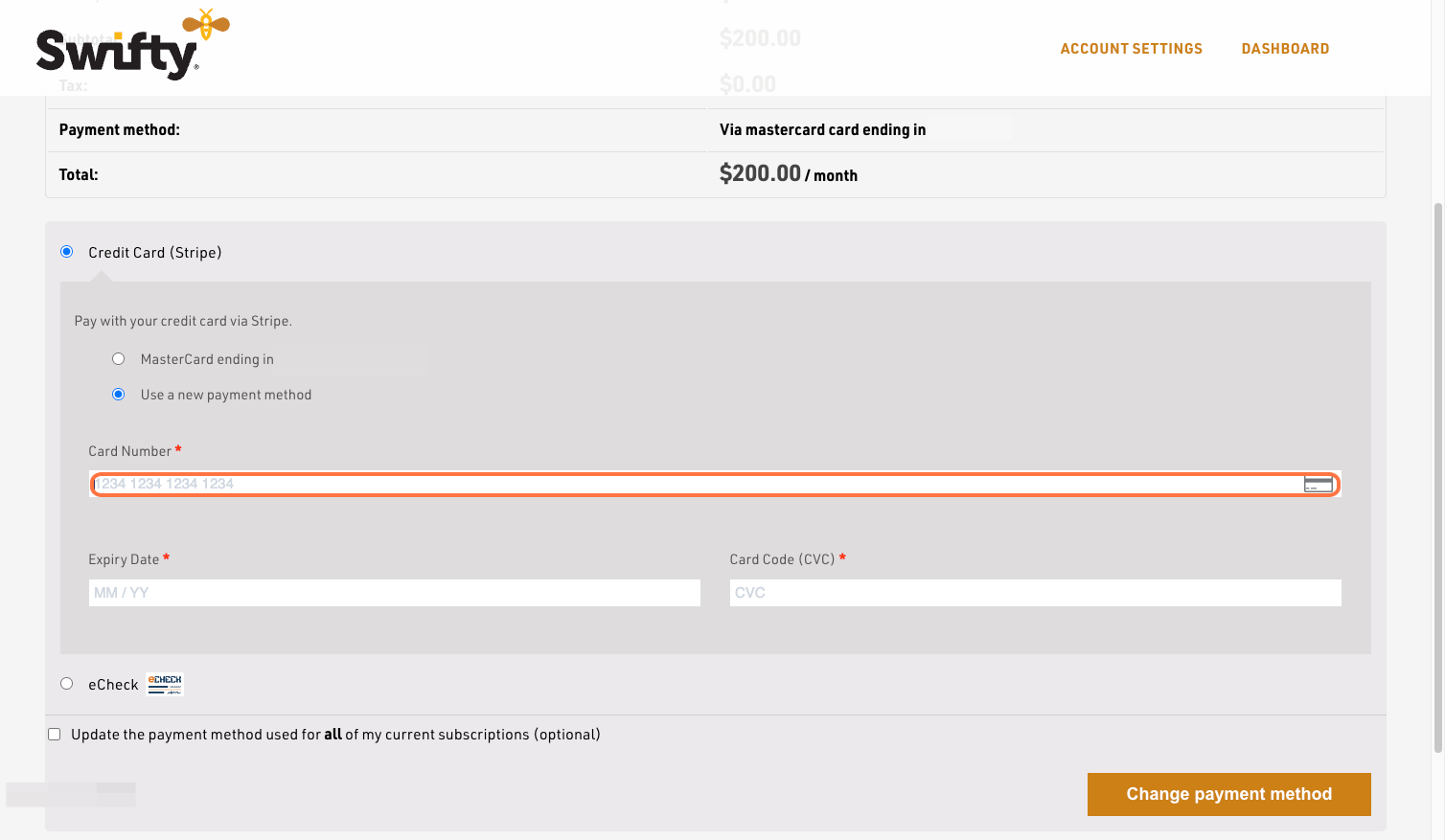
- Type Credit or Debit card number
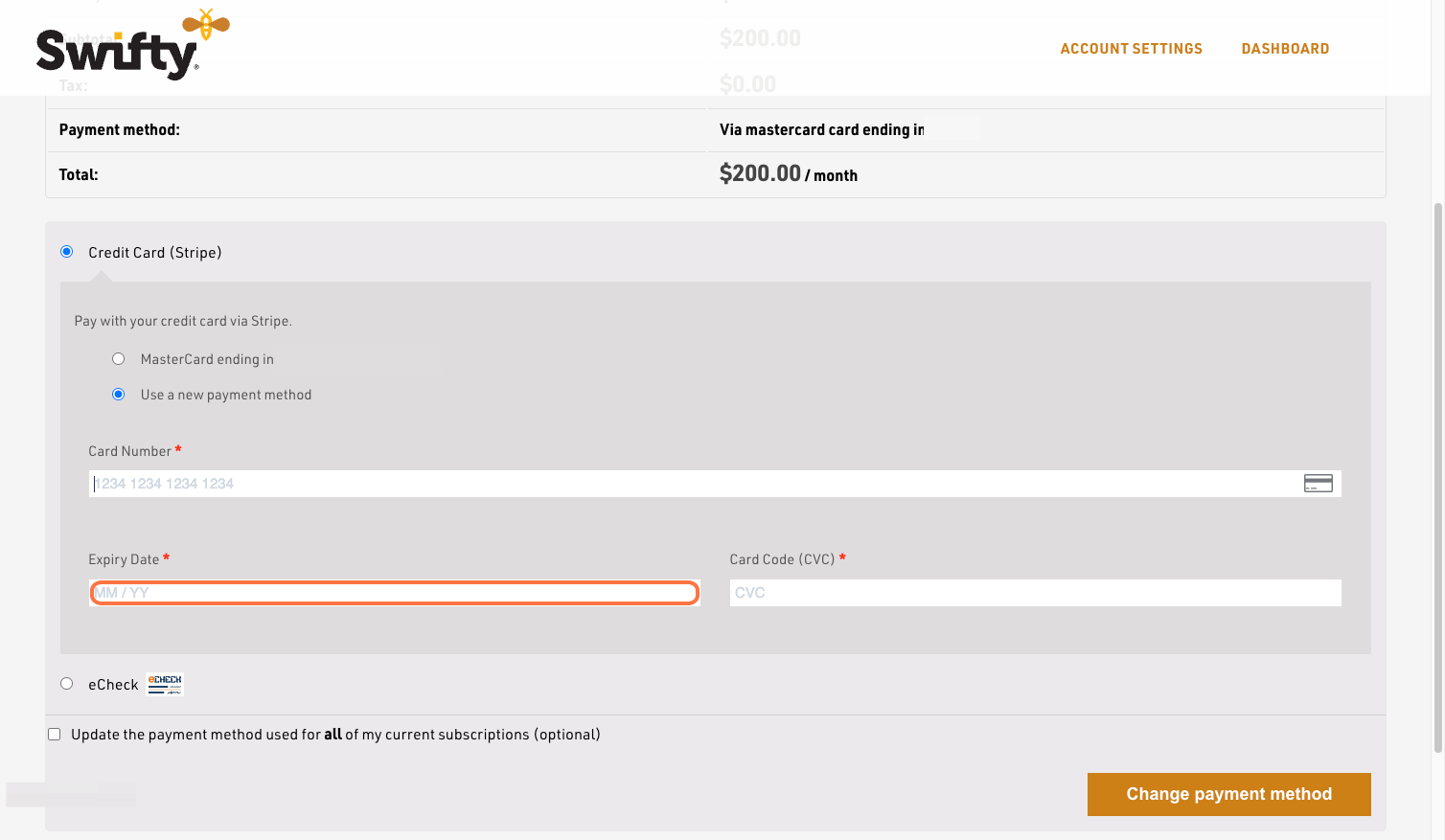
- Type Credit or Debit card expiration date
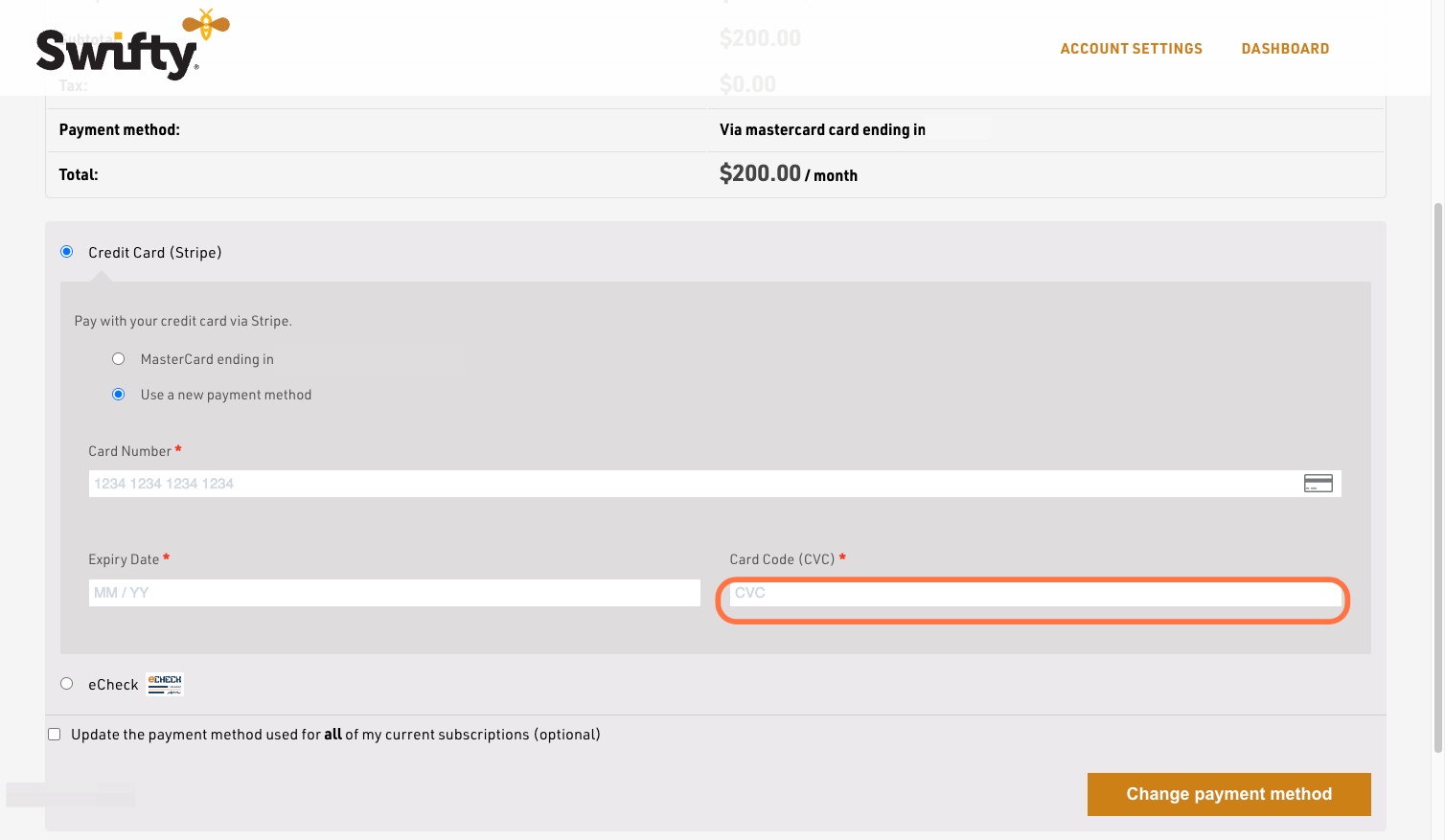
- Type Credit or Debit card CVC/CVV
- Click on Change payment method
Was this article helpful?
Thanks for the feedback.