
How to point your domain to Swifty?
How to Add New Domain
- Login to the Dashboard of your property website at manage.beswifty.com.
- Navigate to Settings > Domain Settings.
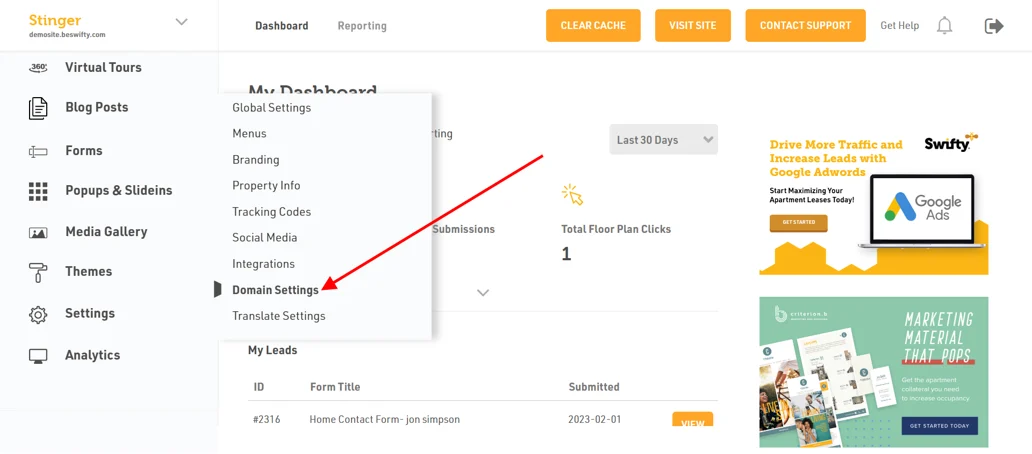
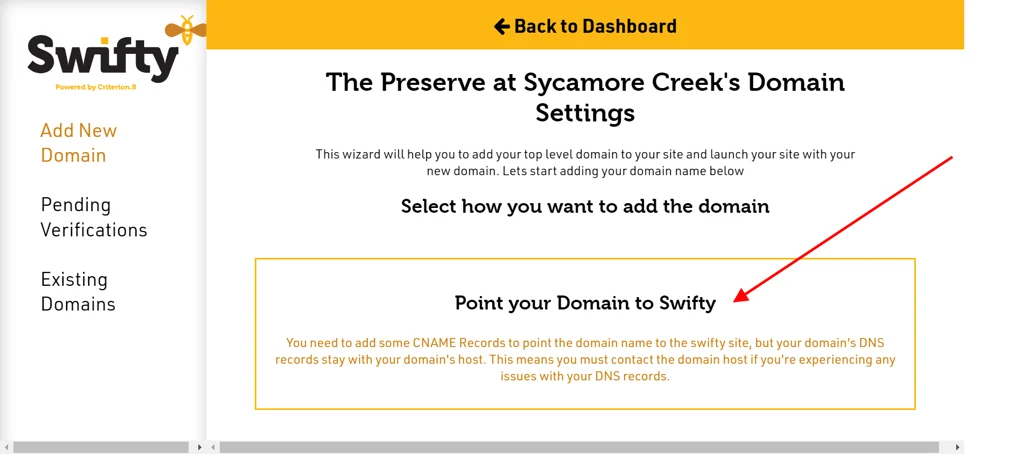
- Add your domain name by clicking on the box that says, "Point your Domain to Swifty".
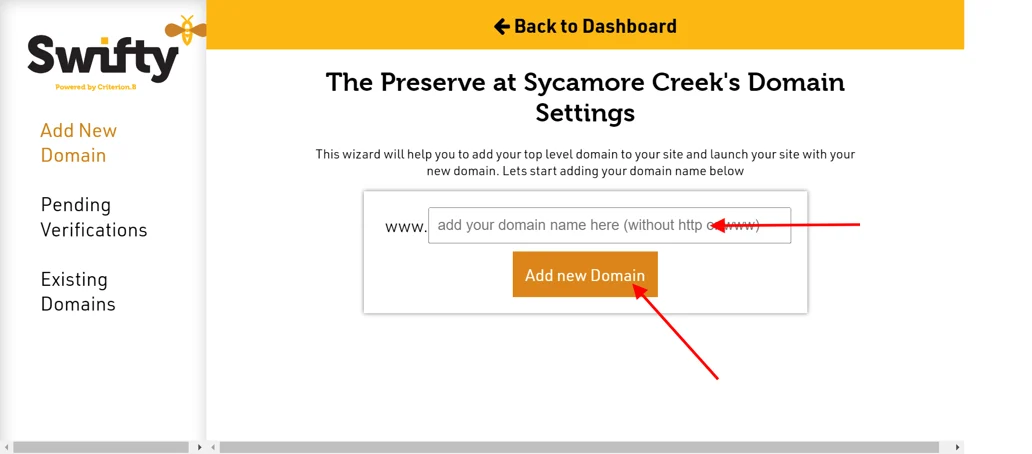
- Next type your Domain Name and click on "Add New Domain".
How to Verify Domain
Settings > Domain Settings
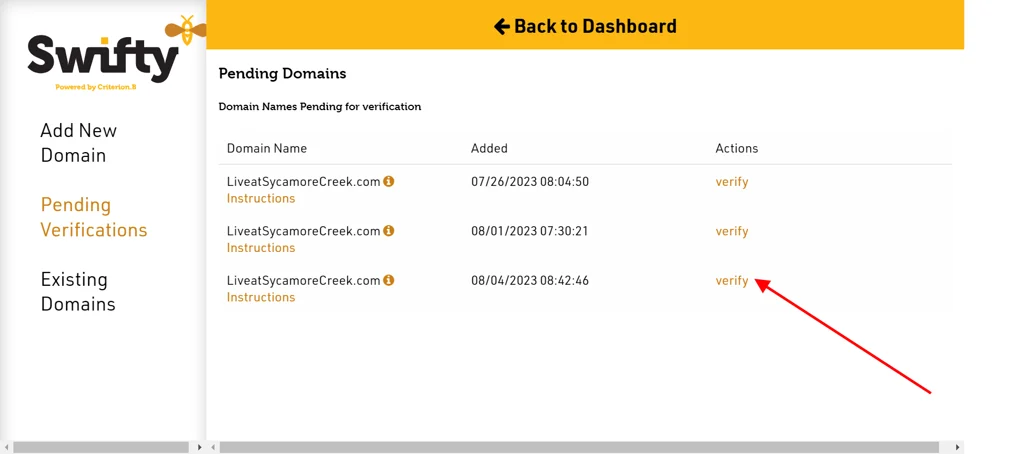
- To verify your domain, click on “Pending Verifications” in the left sidebar of the page.
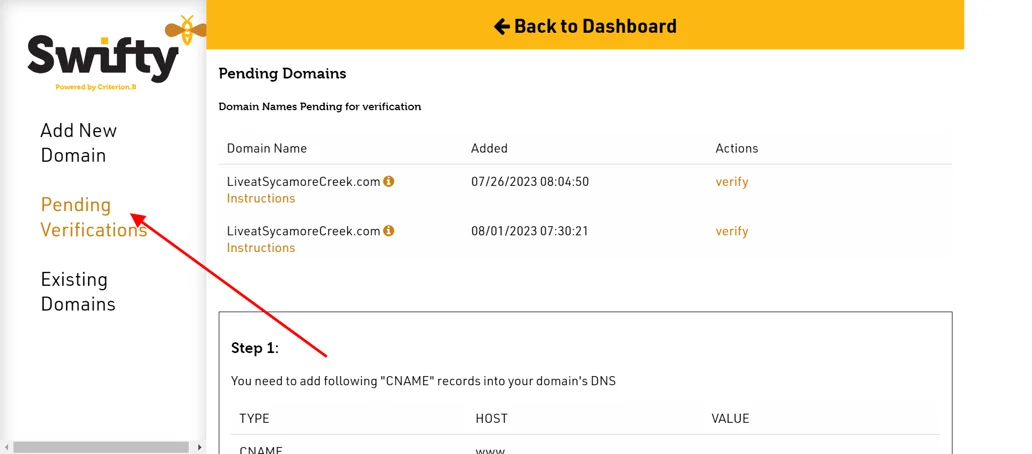
- Here, you will see the domain name you added in the previous step.
- Click on the "i" icon which will provide you the instructions.
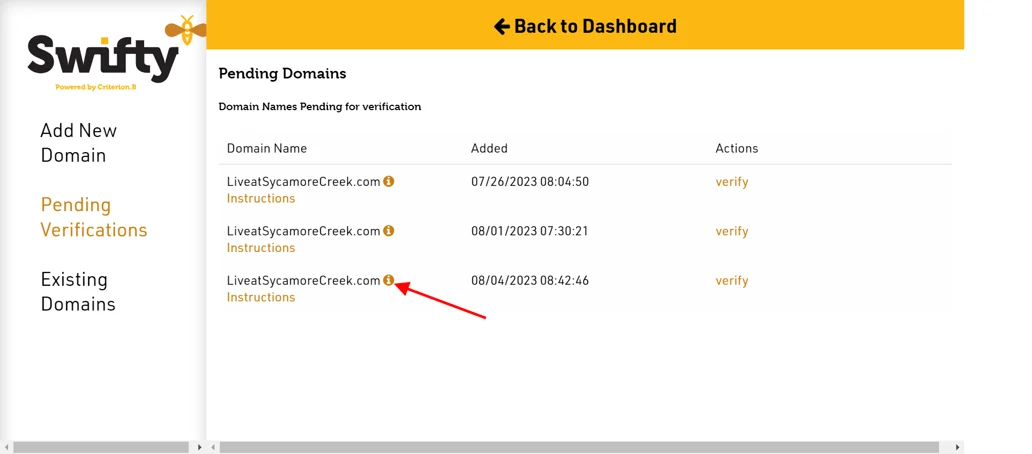
- Next, follow Step 1 and Step 2 as guided.
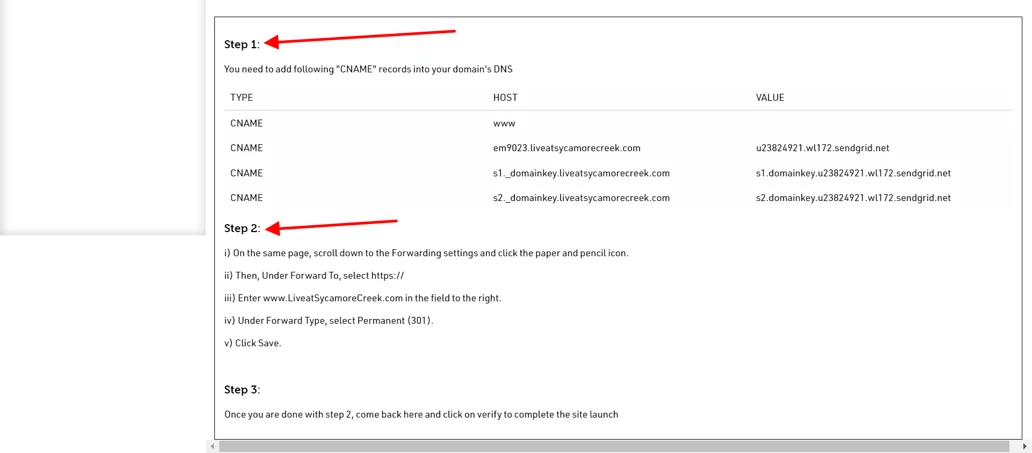
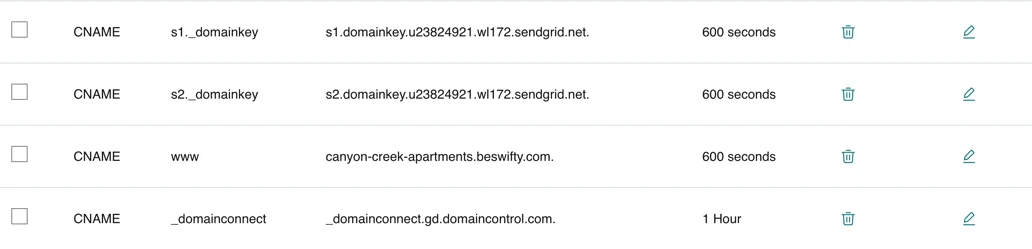
- For example, if your domain registrar is Godaddy, then Step 1 will look like this:
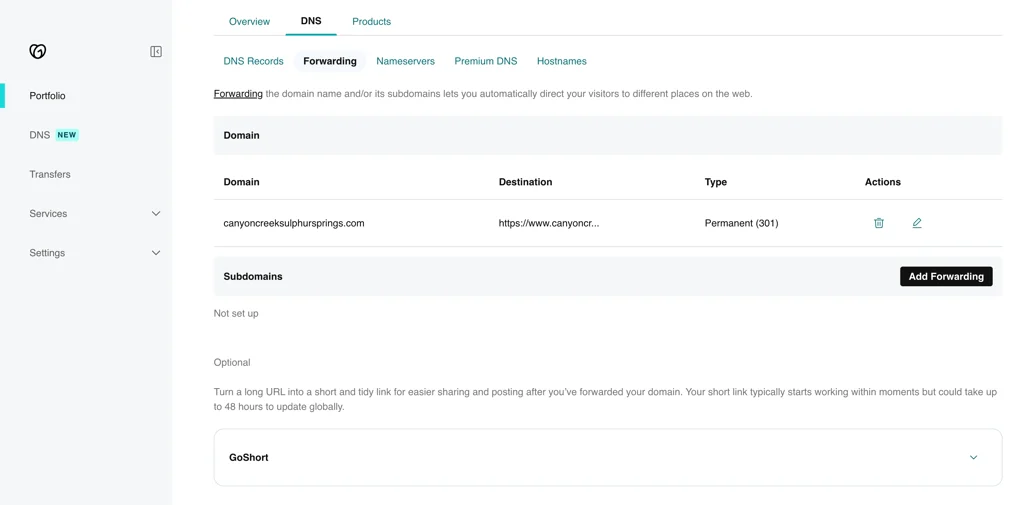
- And Step 2 will look like this:
- After completing both the steps successfully click on "Verify".
How to check Existing Domains
Settings > Domain Settings
- After Verifying your Domain, you can check whether your domain is added or not
- Click on the "Existing Domains" option in the left sidebar.
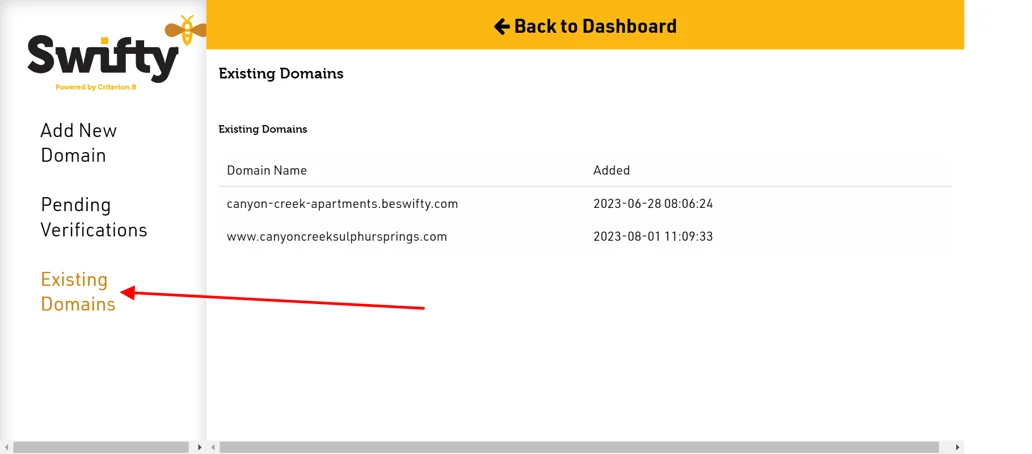
- Then you can check whether the particular domain name has been added and when it was added.
Was this article helpful?
Thanks for the feedback.