
How to Change Your Site Theme?
- Login to the Dashboard of your property at manage.beswifty.com
- Navigate to Themes in the left sidebar.
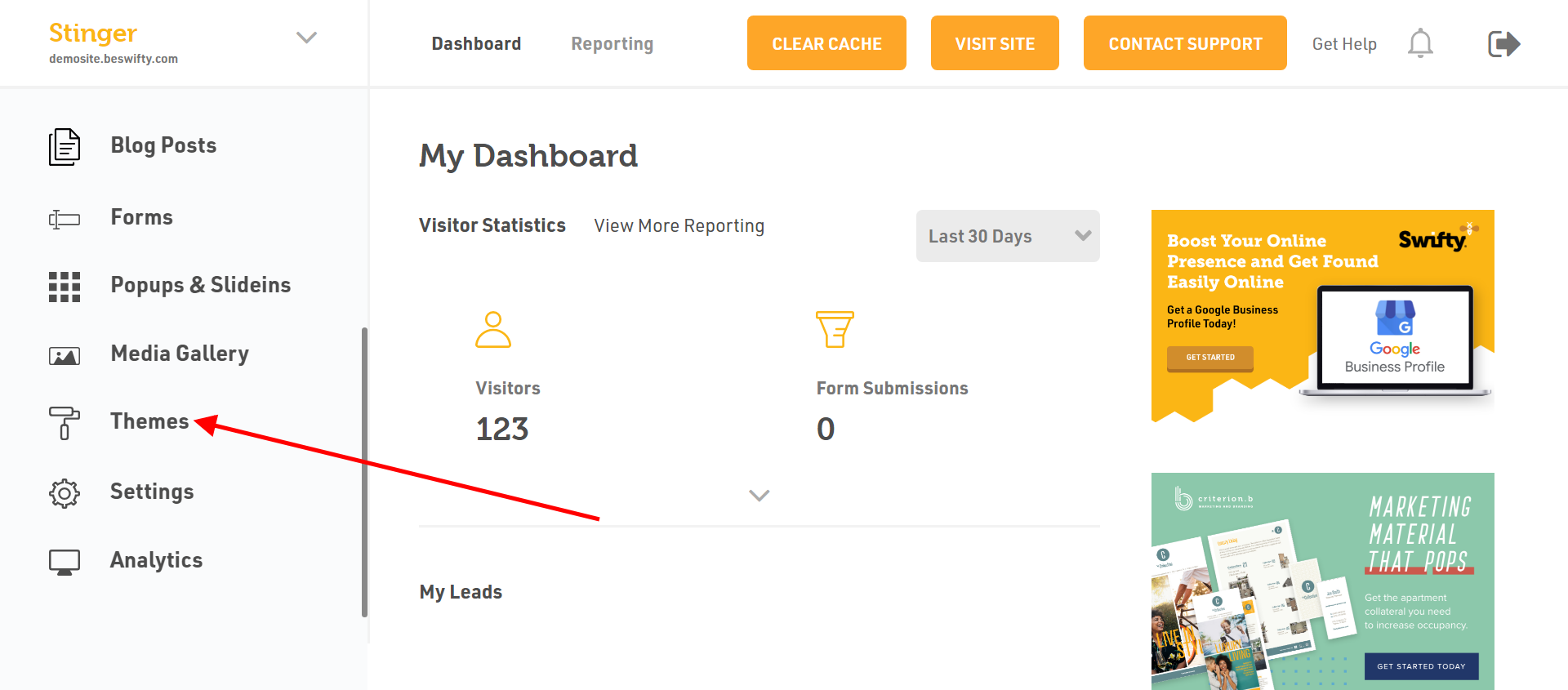
- Youll see a collection of available themes. Browse through the collection until you find a theme that youd like to apply to your website.
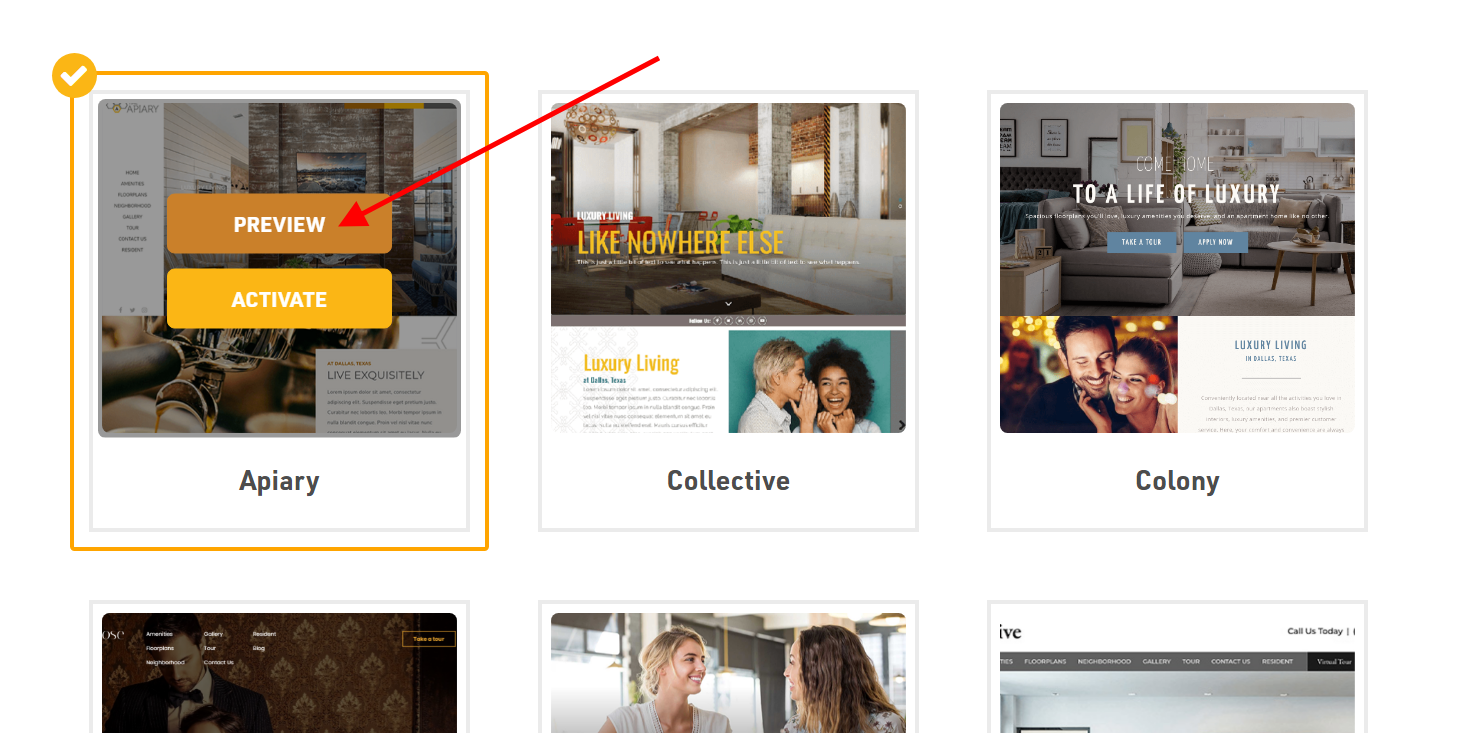
- Once youve identified the new theme you wish to use, click on the Preview button to view a sample of how your website will look with the new theme applied.
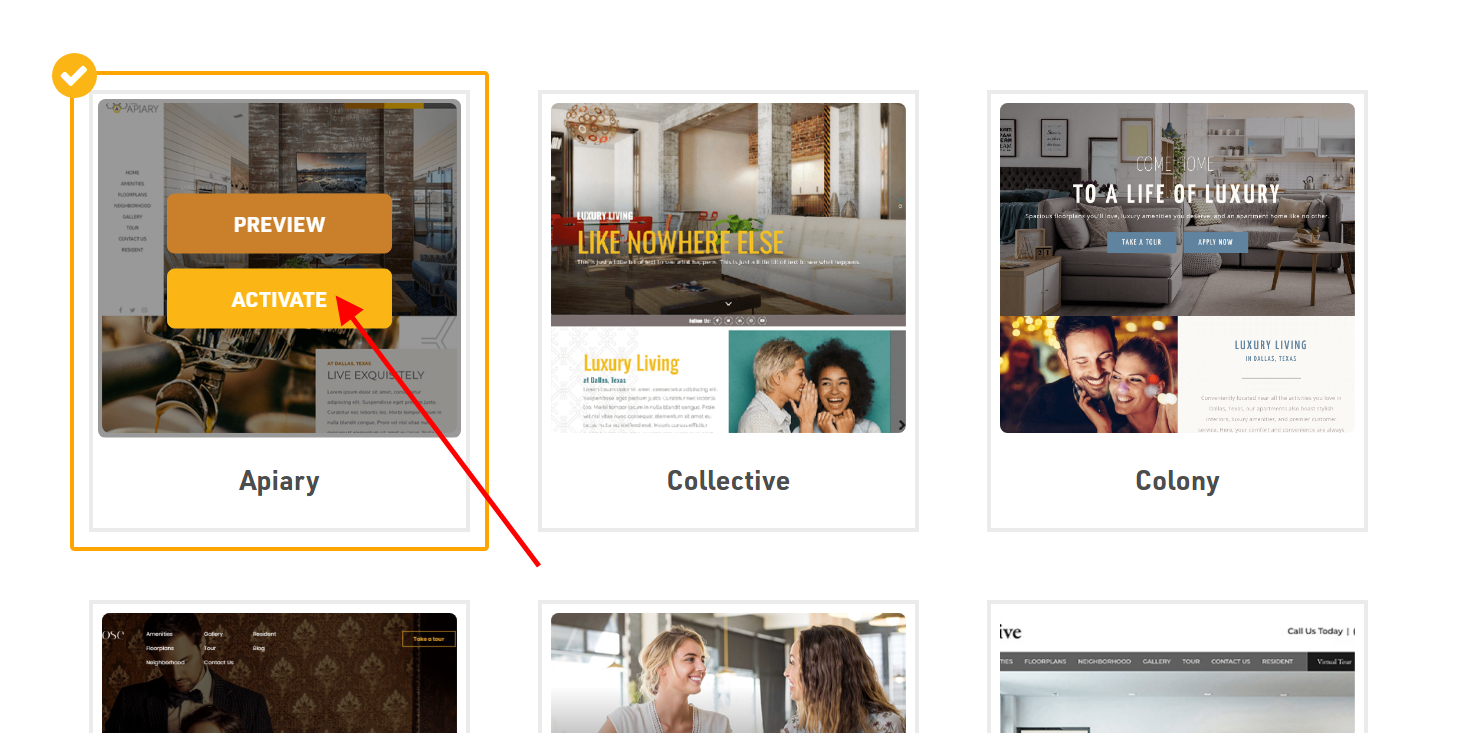
- If youre happy with the preview, click Activate on the chosen theme.
- Wait for the process to complete. The time it takes to apply the new theme can vary depending on the complexity of the theme and the size of your website.
- Once the theme change is complete, you can visit your website to see the new theme in action.
Remember: You can always change your theme again by following these same steps.
Was this article helpful?
Thanks for the feedback.