
How to Add or Edit Pet Policy page?
How to Add External Link?
- Login to the dashboard of your property website at manage.beswifty.com.
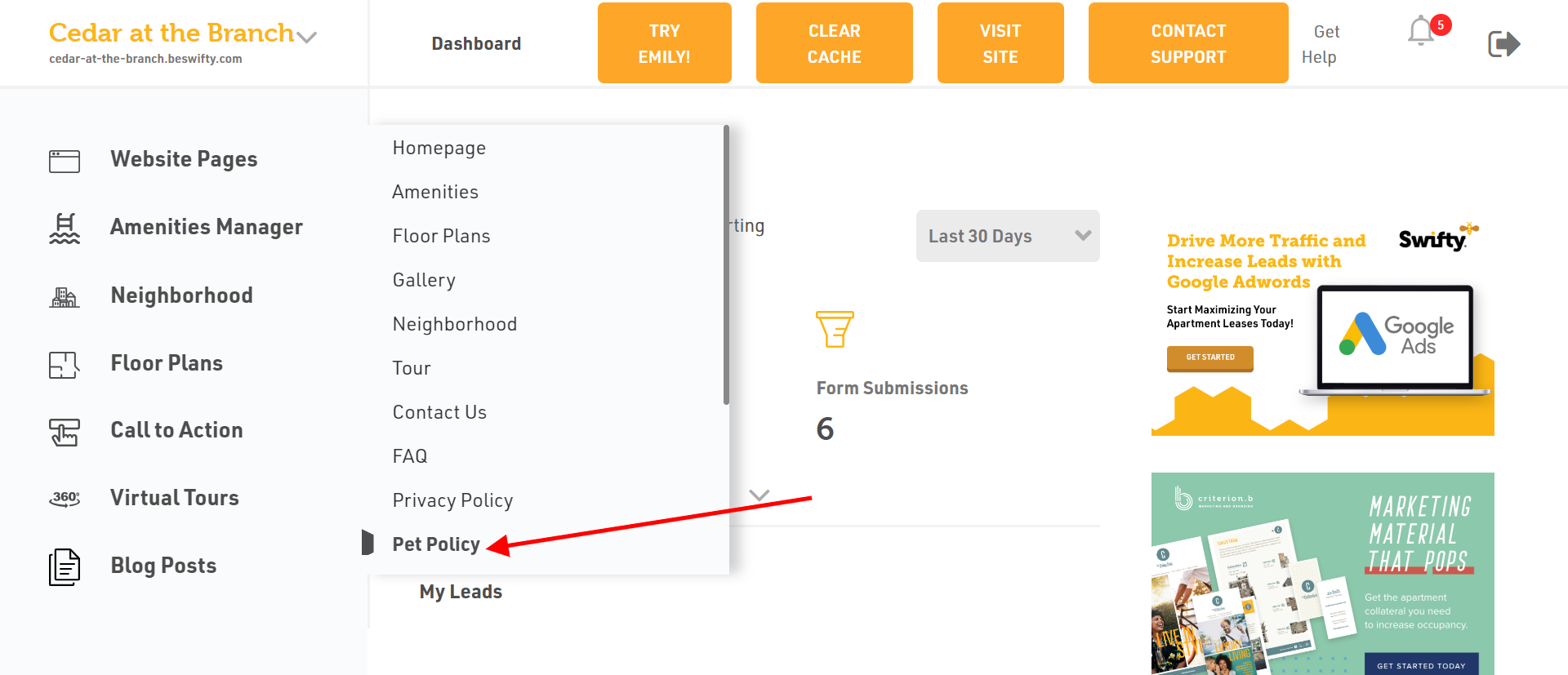
- Navigate to Website Pages > Pet Policy.
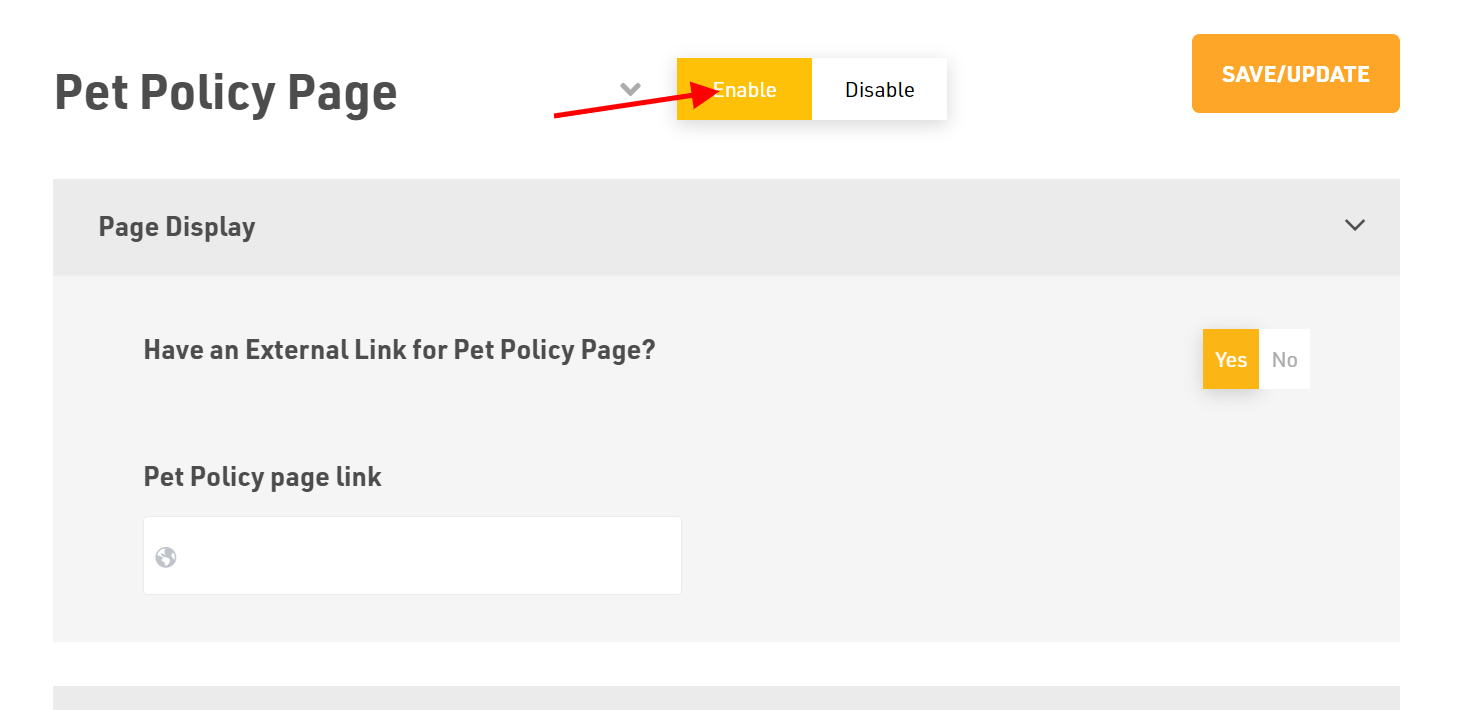
- To make the page visible in your site map, toggle Enable.
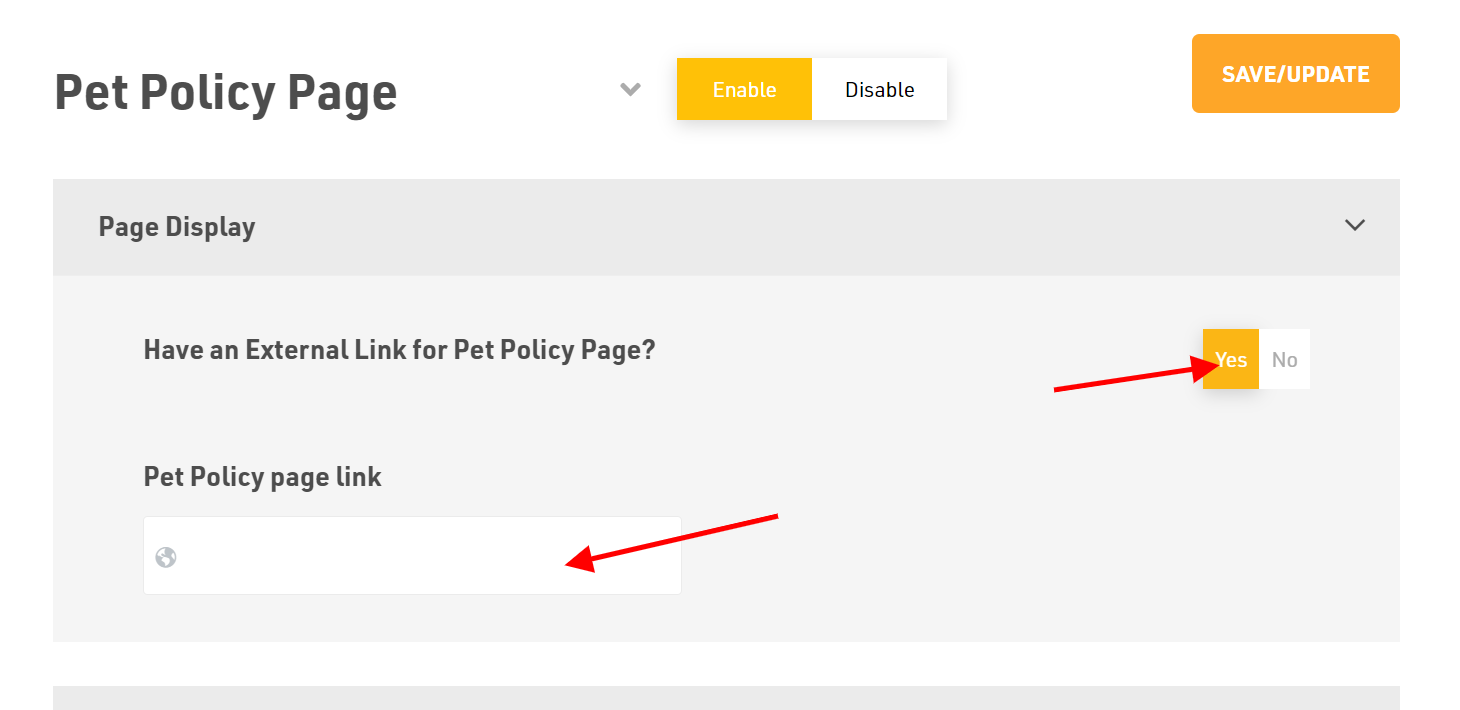
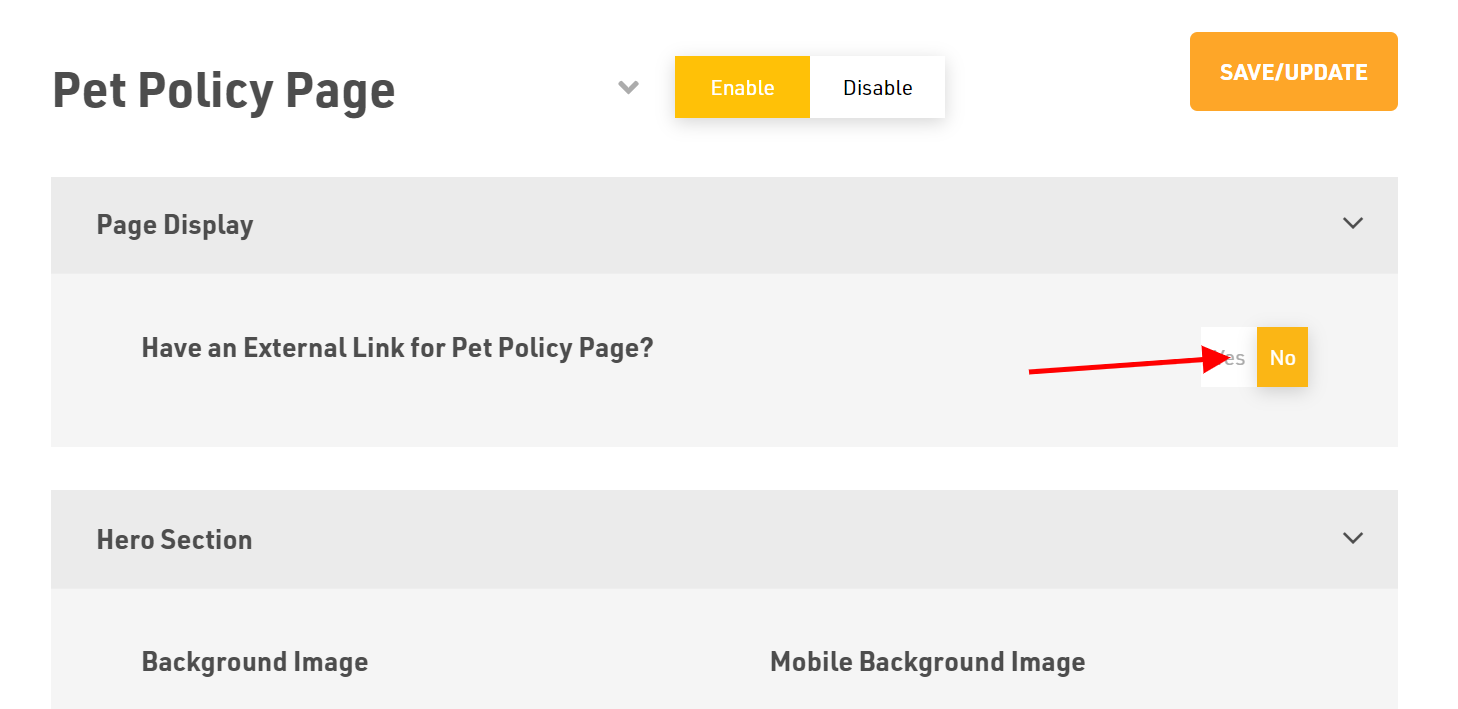
- If your Pet Policy page connects to another page outside the website, then enable Yes for External Link.
- Paste the Pet Policy page link in the box.
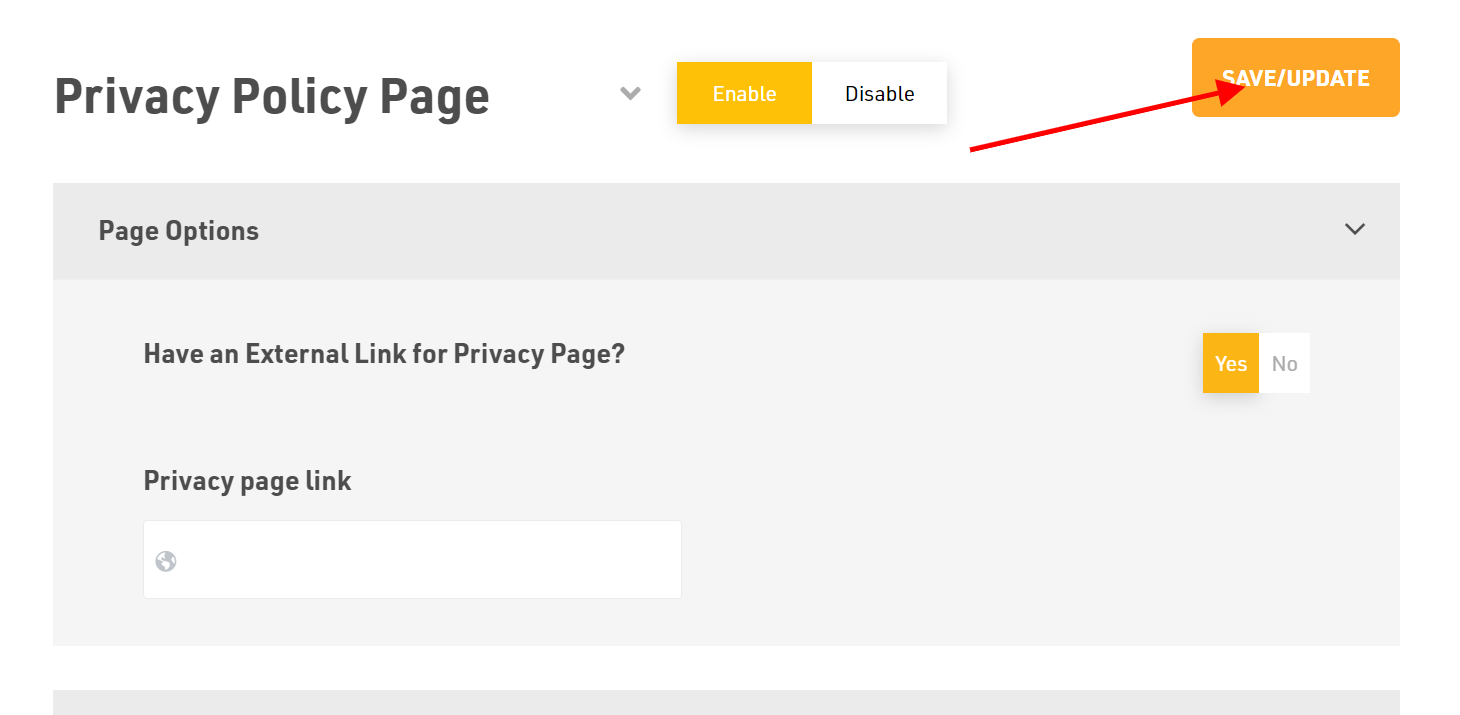
- Click the Save/Update button in the top right corner once finished.
How to Add a Hero Section?
- Toggle No when it asks for an external link for the pet policy page.
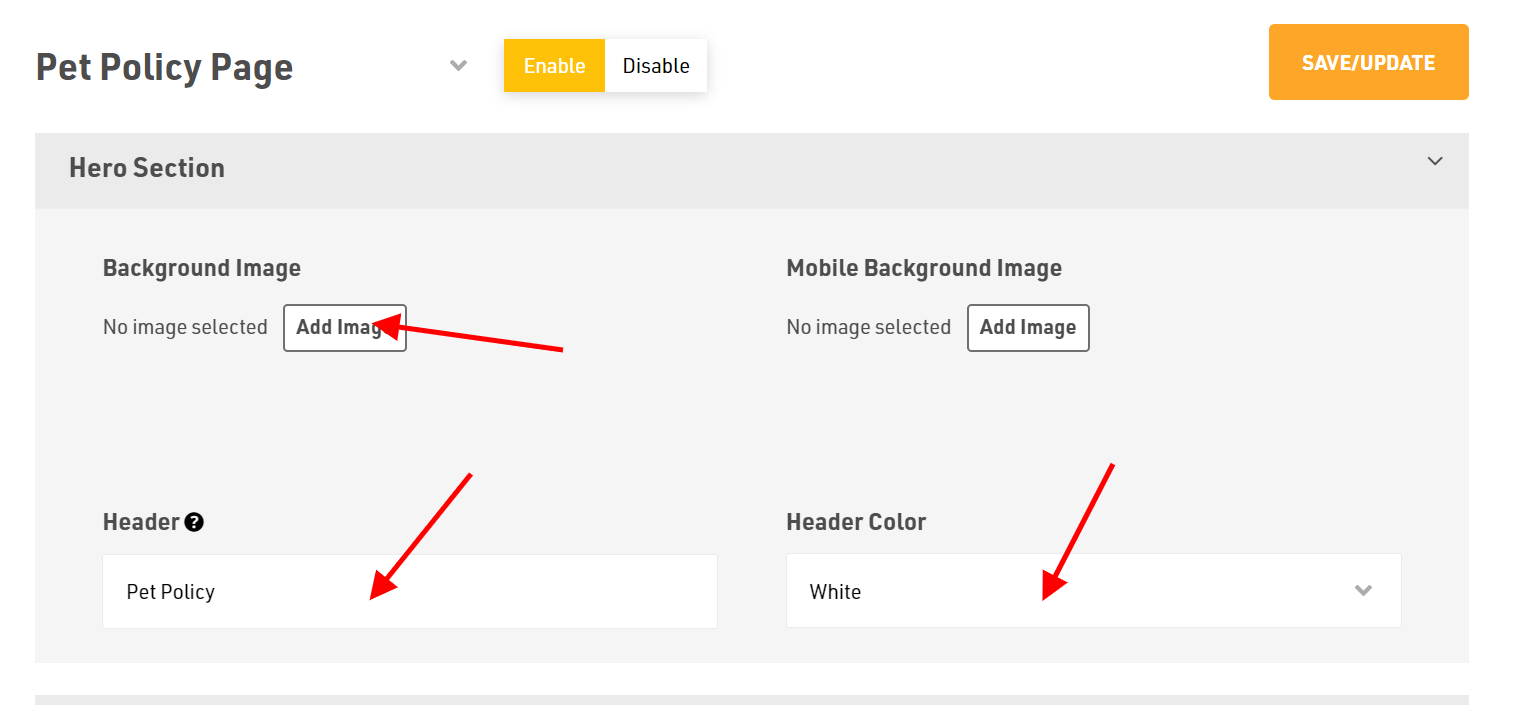
- To add visuals in the Hero Section, click Add Image to upload the desired background image from your device.
- Write your header by typing into the Header field.
- Finally, select your Header Color from the drop-down menu.
How to Add Content?
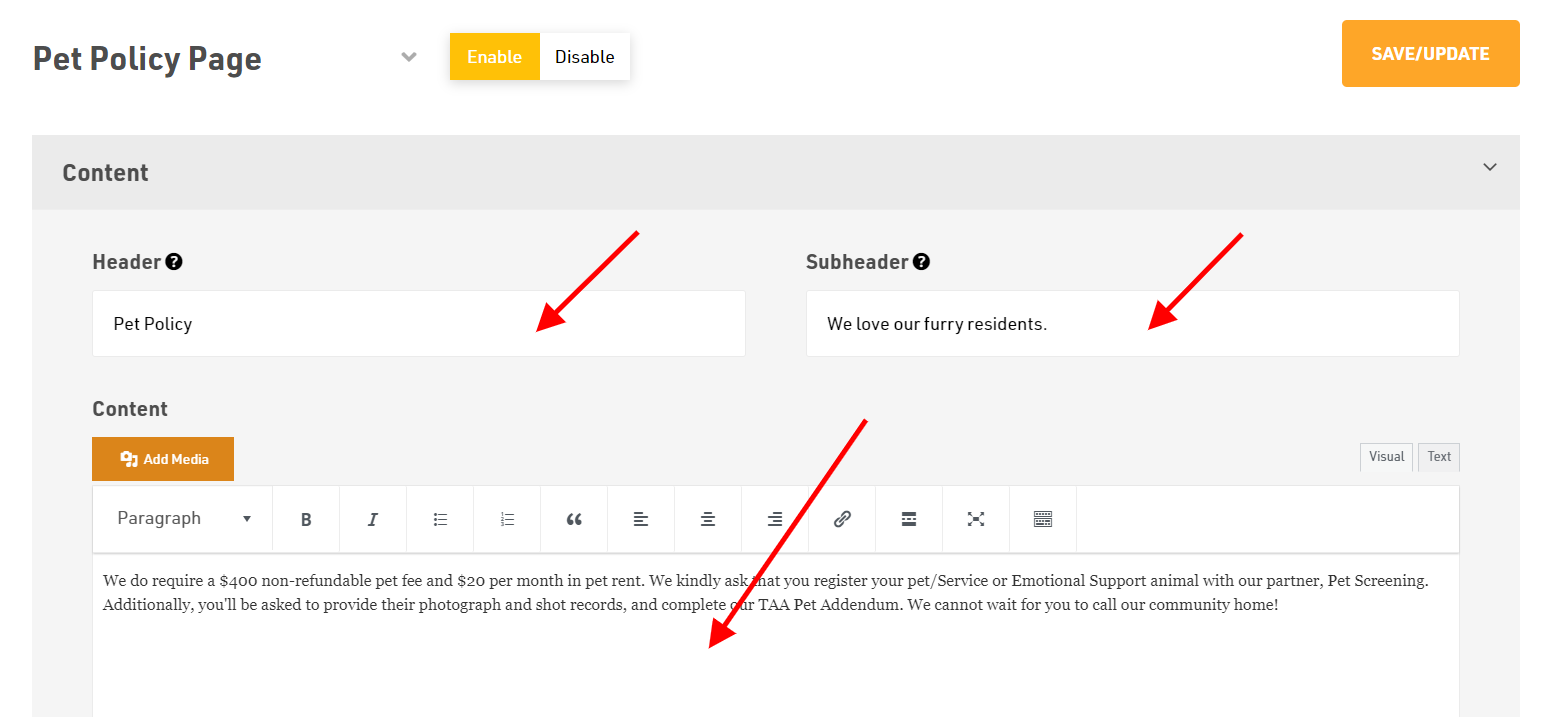
- Write the Header and Sub-header as per your choice.
- Add the content and edit it using the different options available.
How to Add Pet Policy Details?
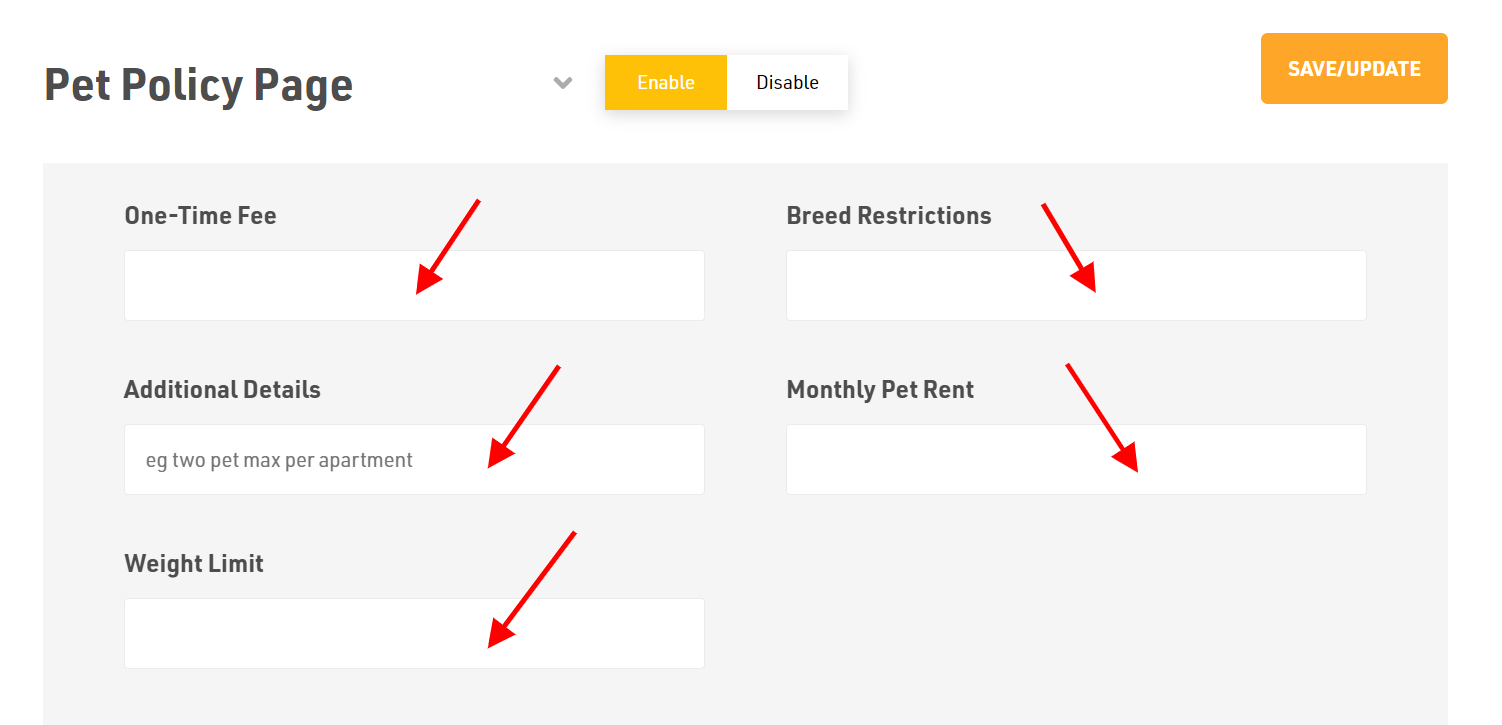
- Tick mark the box for Allowed Pets.
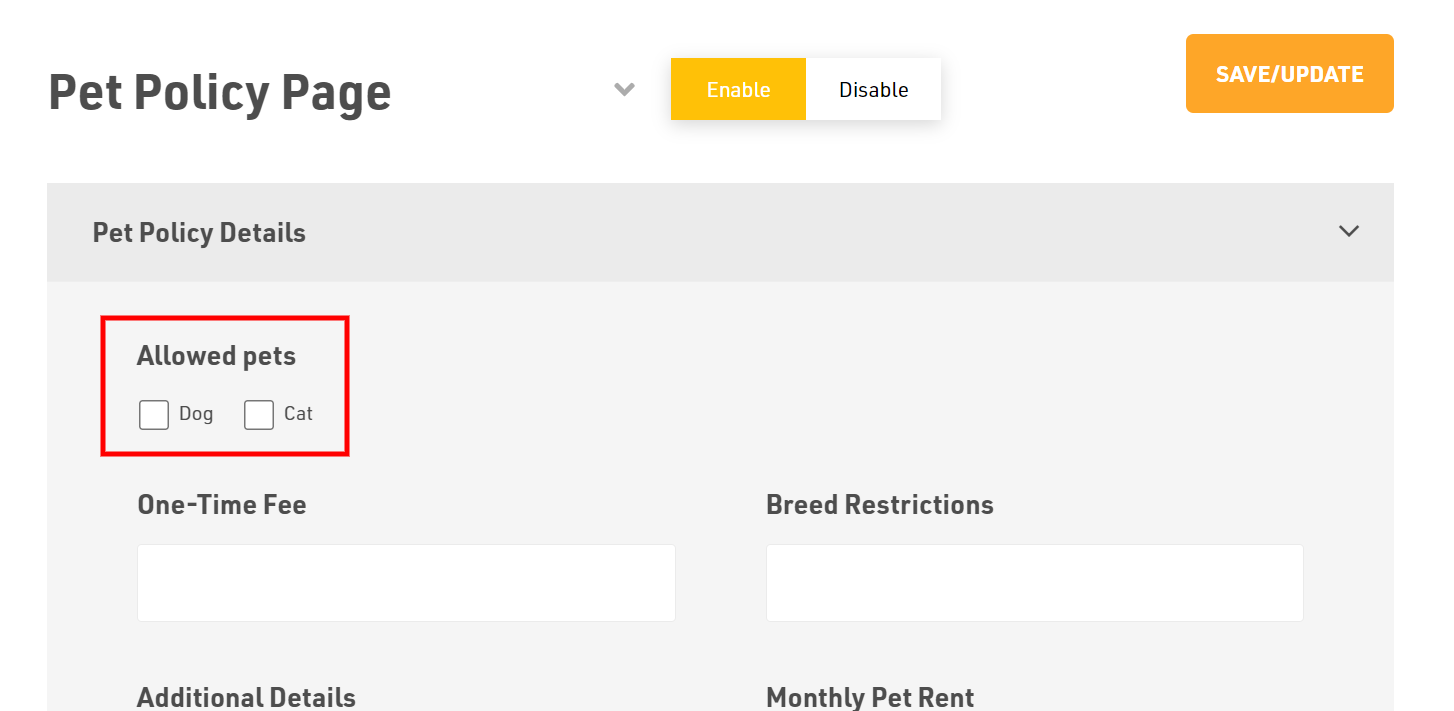
- Next provide the One Time Fee, Breed Restrictions, Additional Details, Monthly Pet Rent and Weight Limit of the pets.
How to add an Search Engine Optimization (SCO) section?
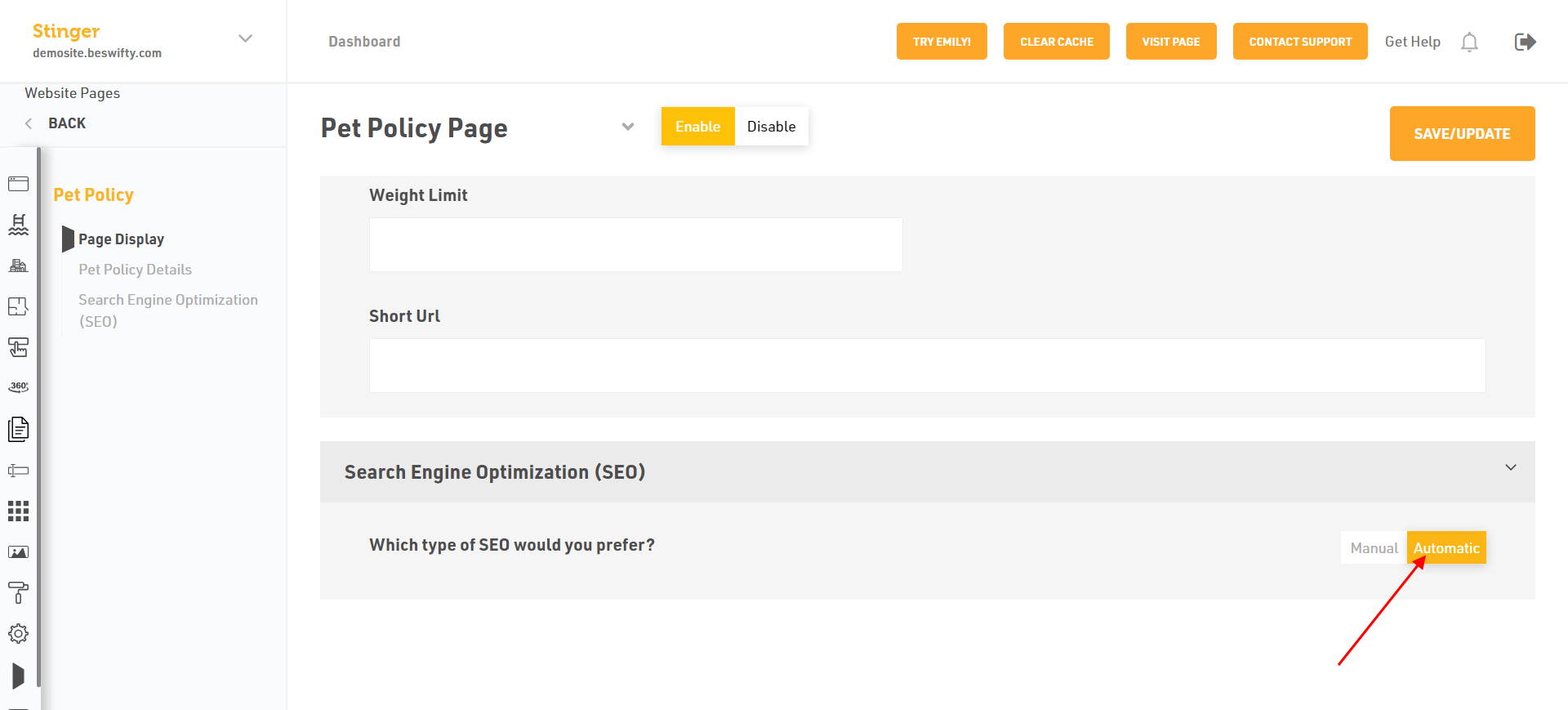
- You have two type of Search Engine Optimization (SCO) Manual or Automatic. If you want to select Automatic just click on it.
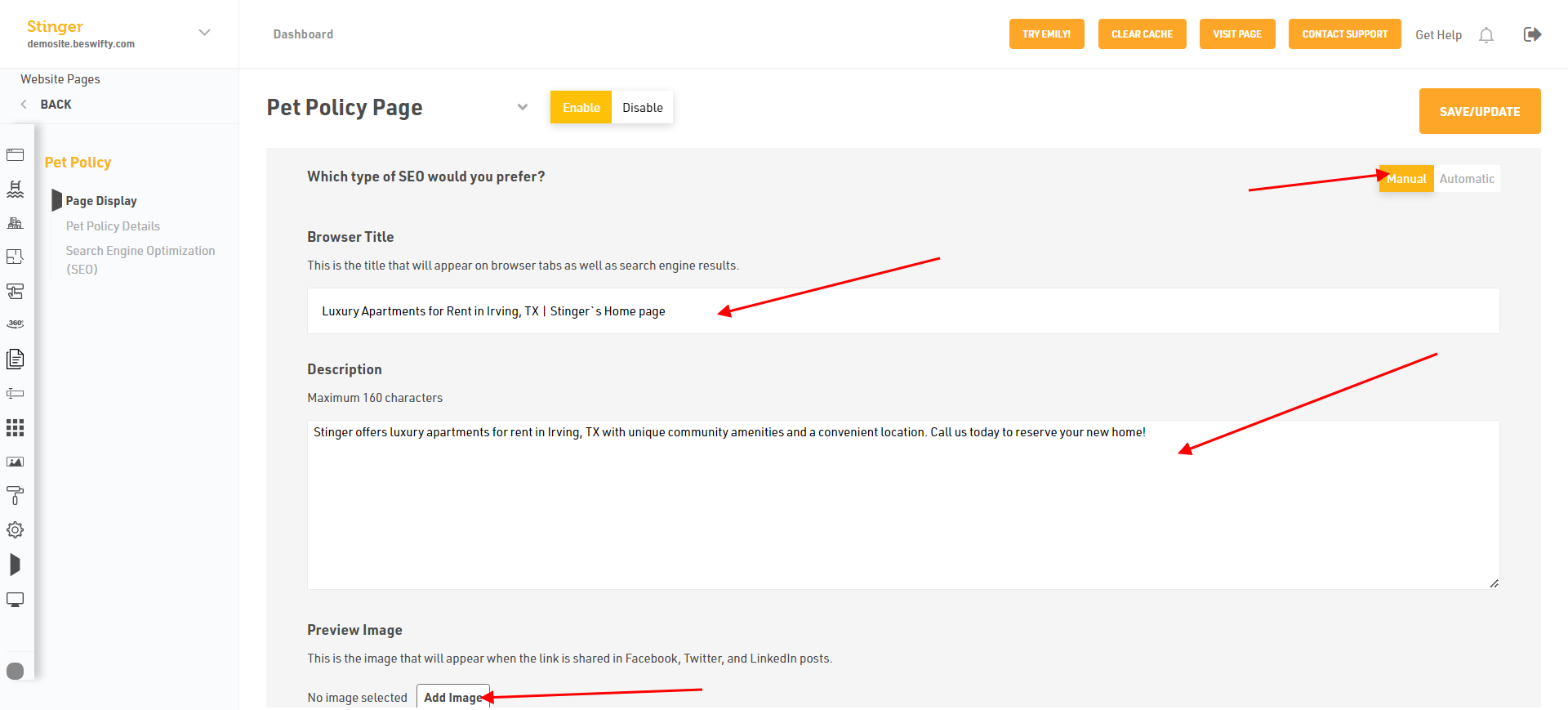
- Or select Manual to add Browser Title.
- Then, Type the Description Maximum 160 character an Add Preview Image.
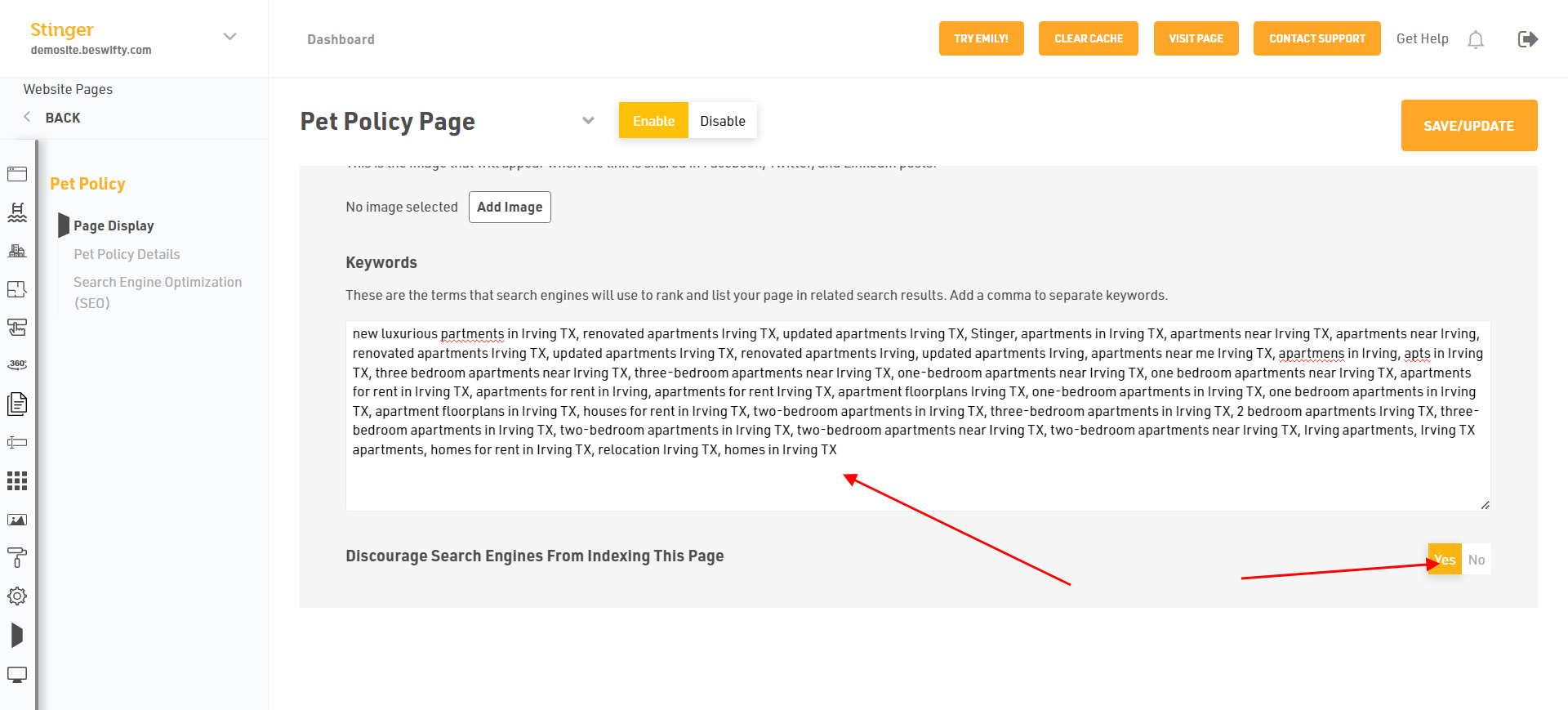
- You can add the Keywords. Discourage search Engine from Indexing this page. Click Yes or No.
Don't forget to Save/Update
Make sure to click the Save/Update button in the top right corner once finished.
Was this article helpful?
Thanks for the feedback.