
How to Add or Edit FAQ page?
How to Add a Hero Section?
- Login to the dashboard of your property website at manage.beswifty.com.
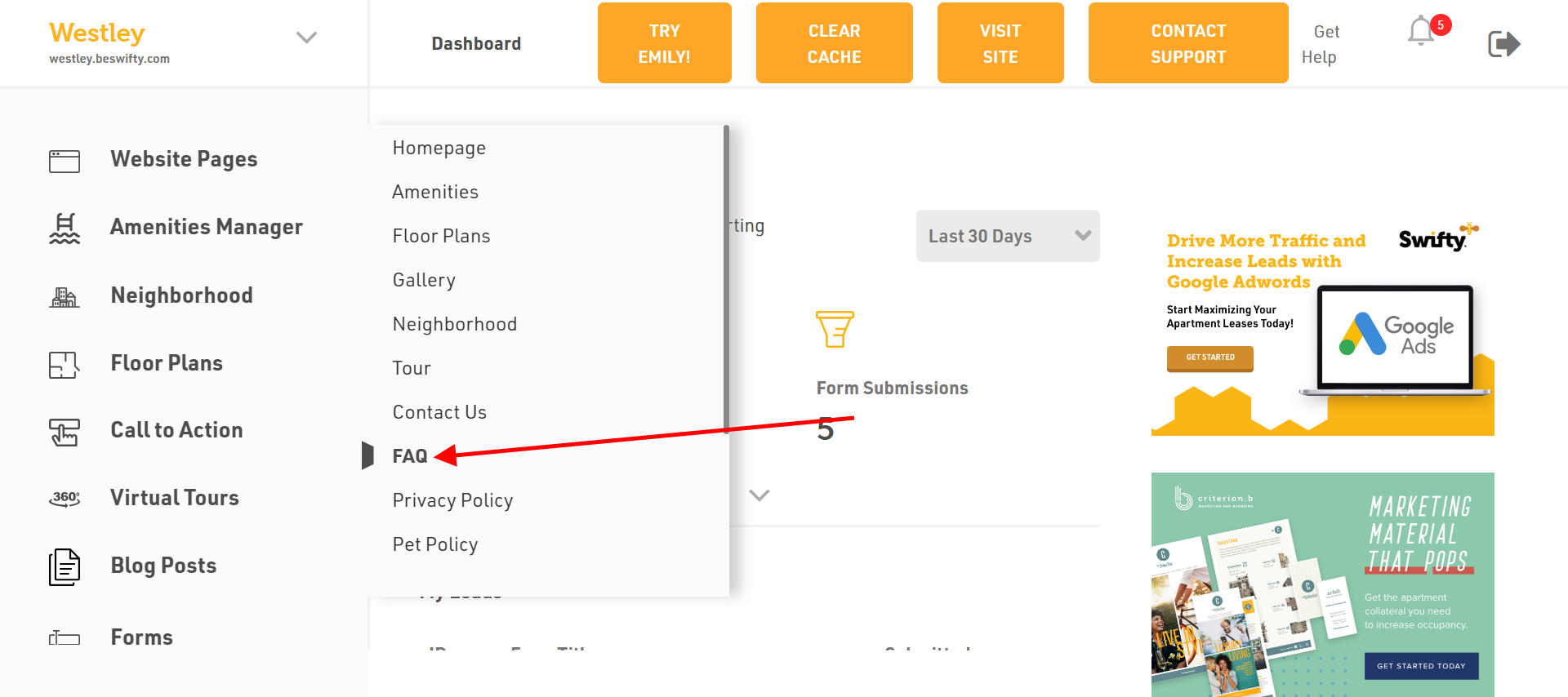
- Navigate to Website Pages > FAQ.
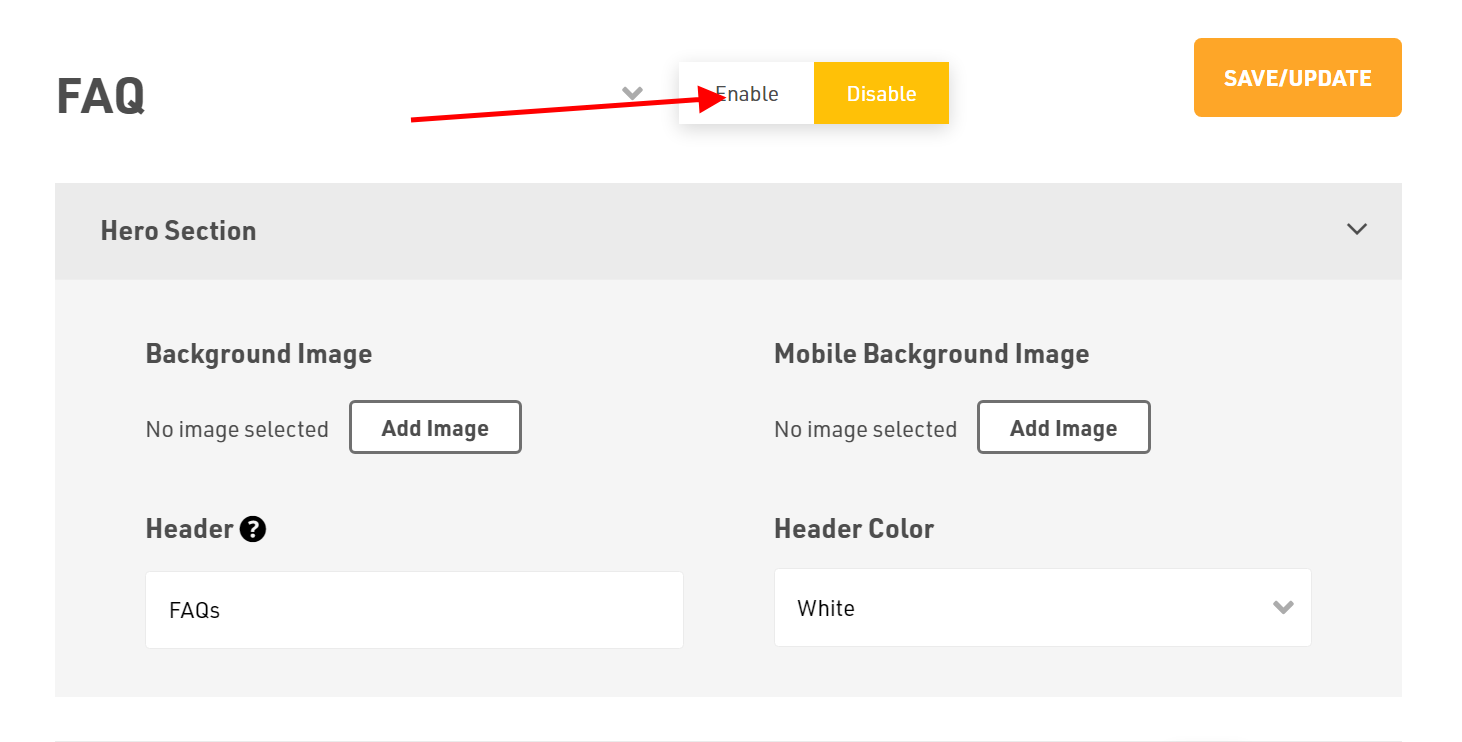
- Toggle Enable to ensure the page is visible in the Site Map.
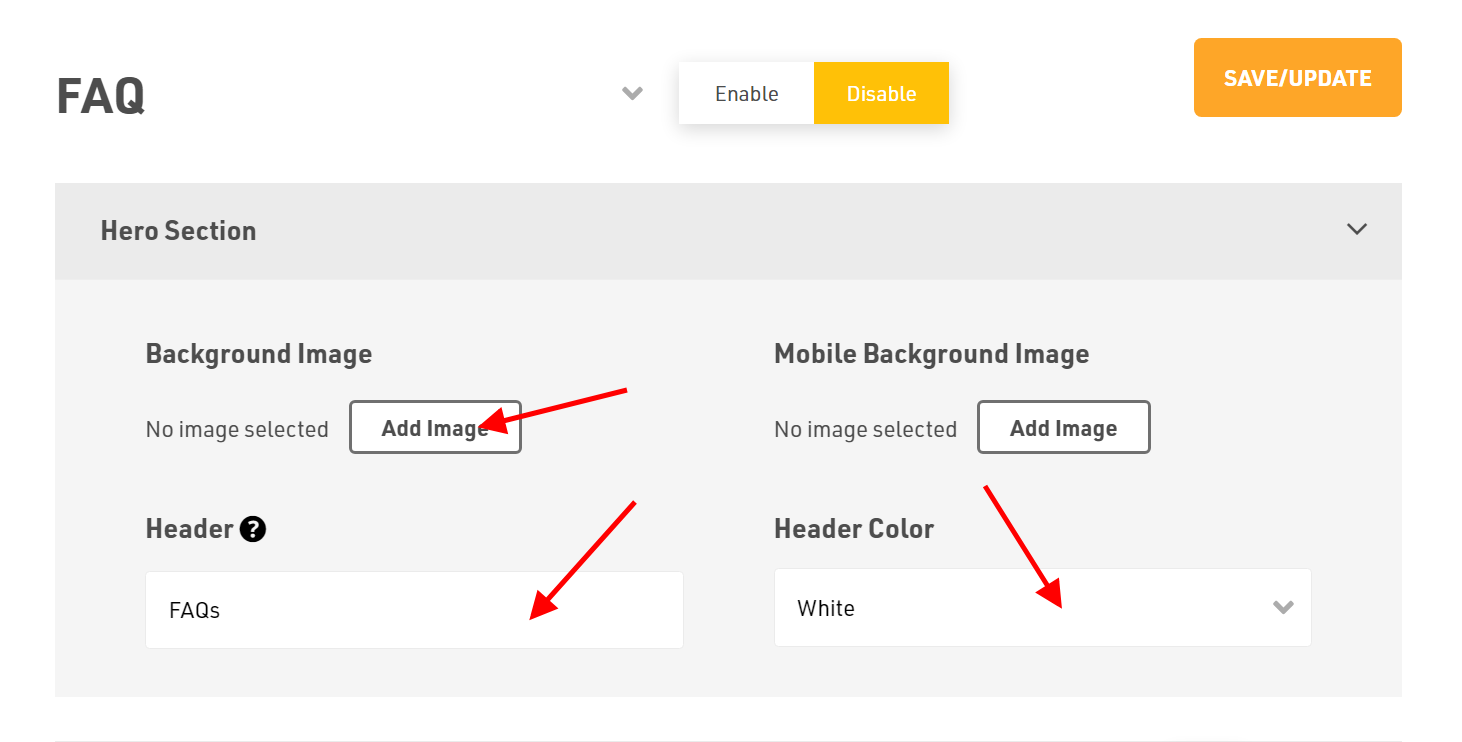
- To add visuals in the Hero Section, click Add Image to upload the desired background image from your device.
- Craft a catchy header by typing into the Header field. For a shortcut, use our Generate Content AI feature to provide the best one for you.
- Finally, select your Header Color from the drop-down menu.
How to Add an Intro Section?
- Decide if you want this section to be visible on your homepage by selecting Show or Hide.
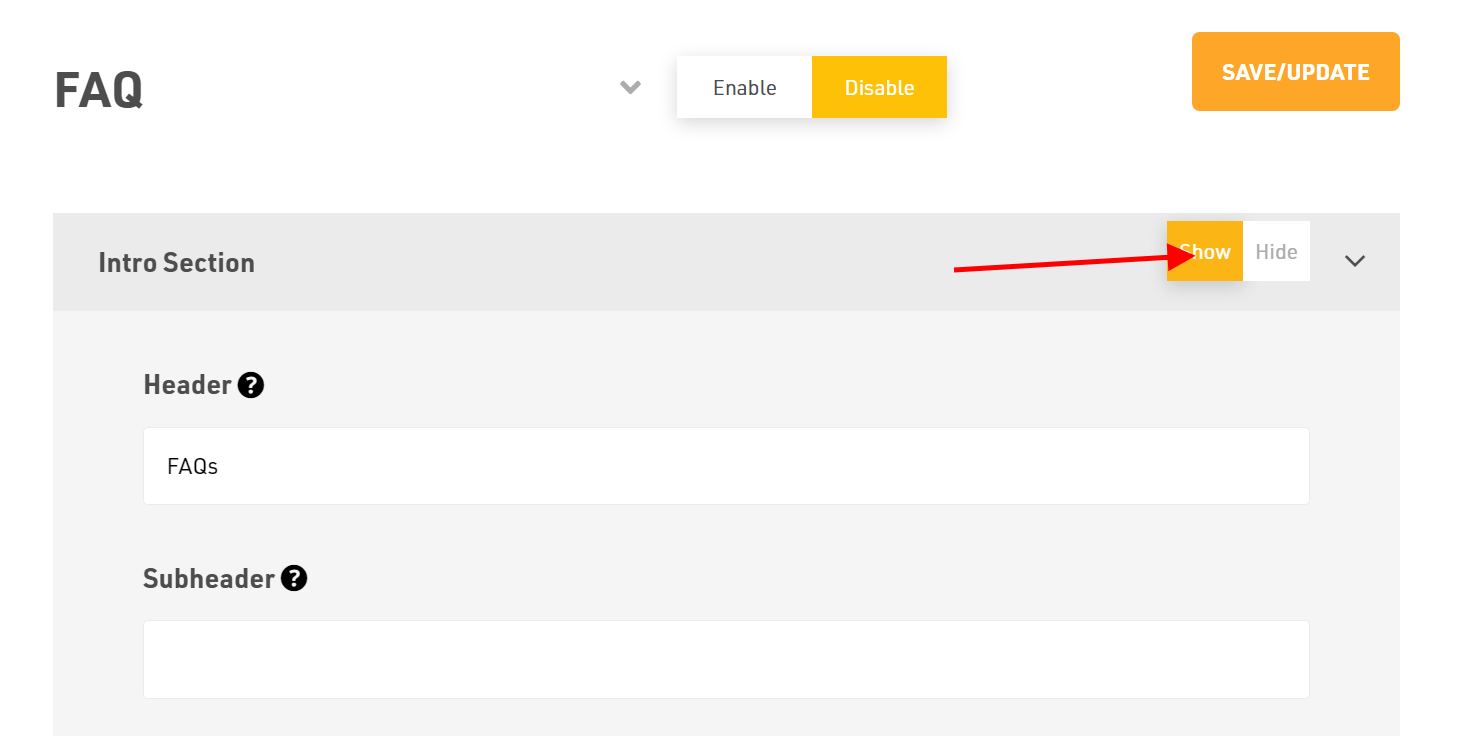
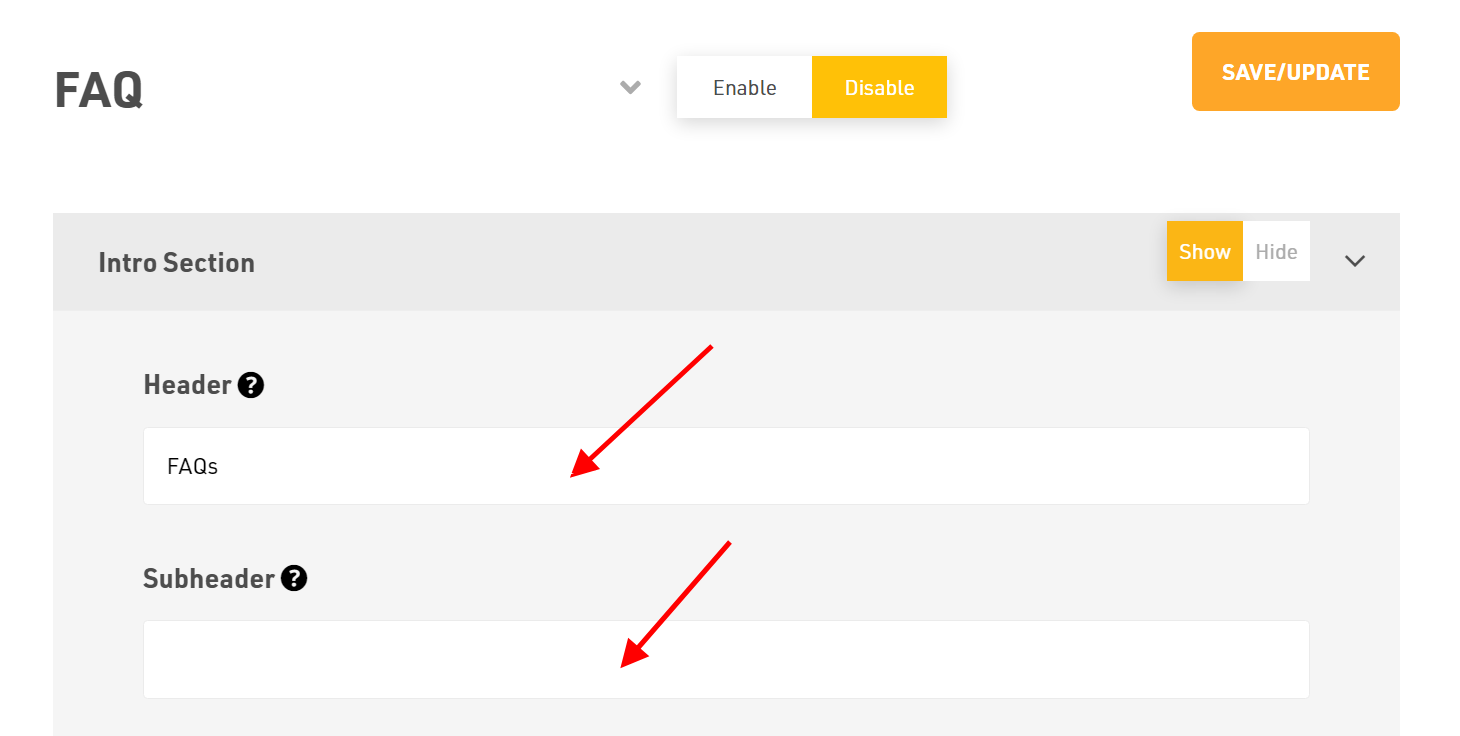
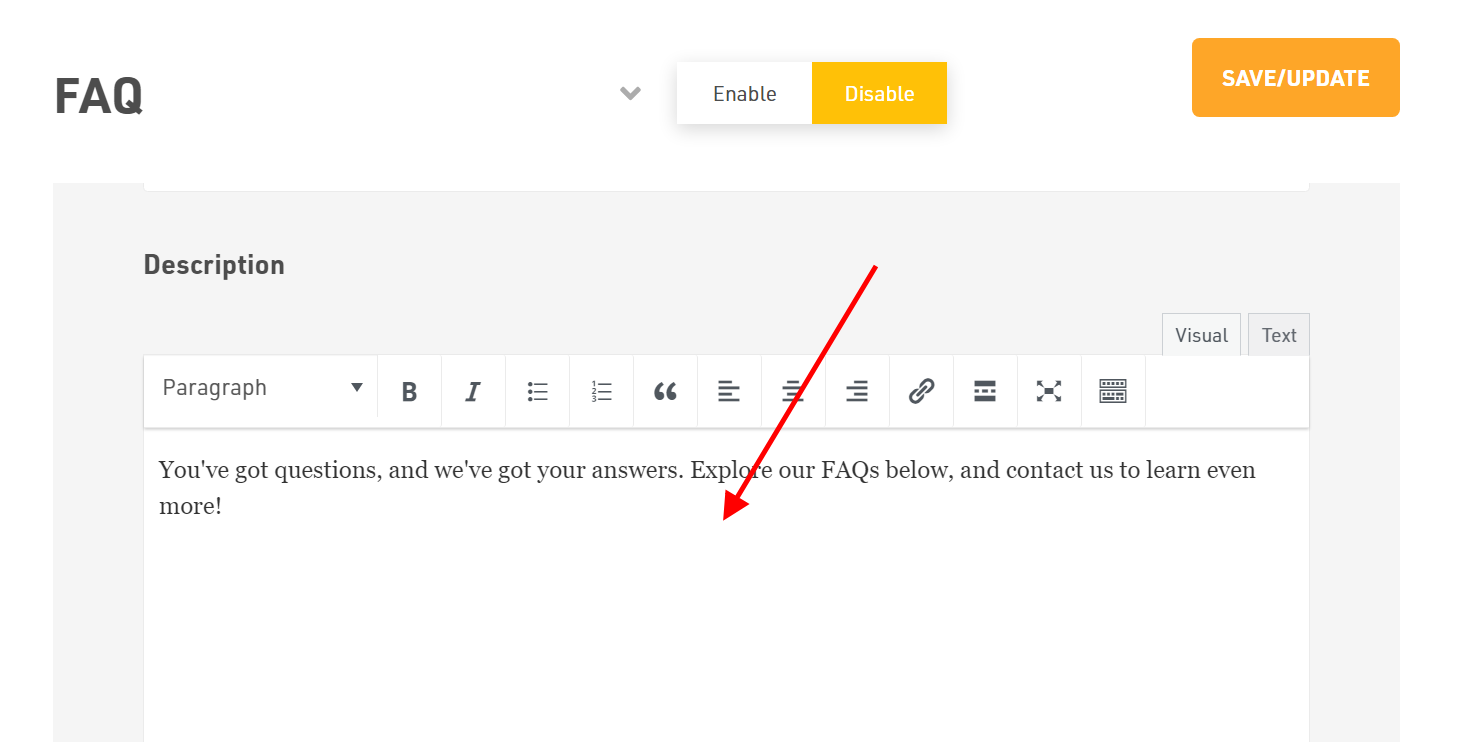
- Write your Header, Sub-header and Description.
How to Add a FAQ Section?
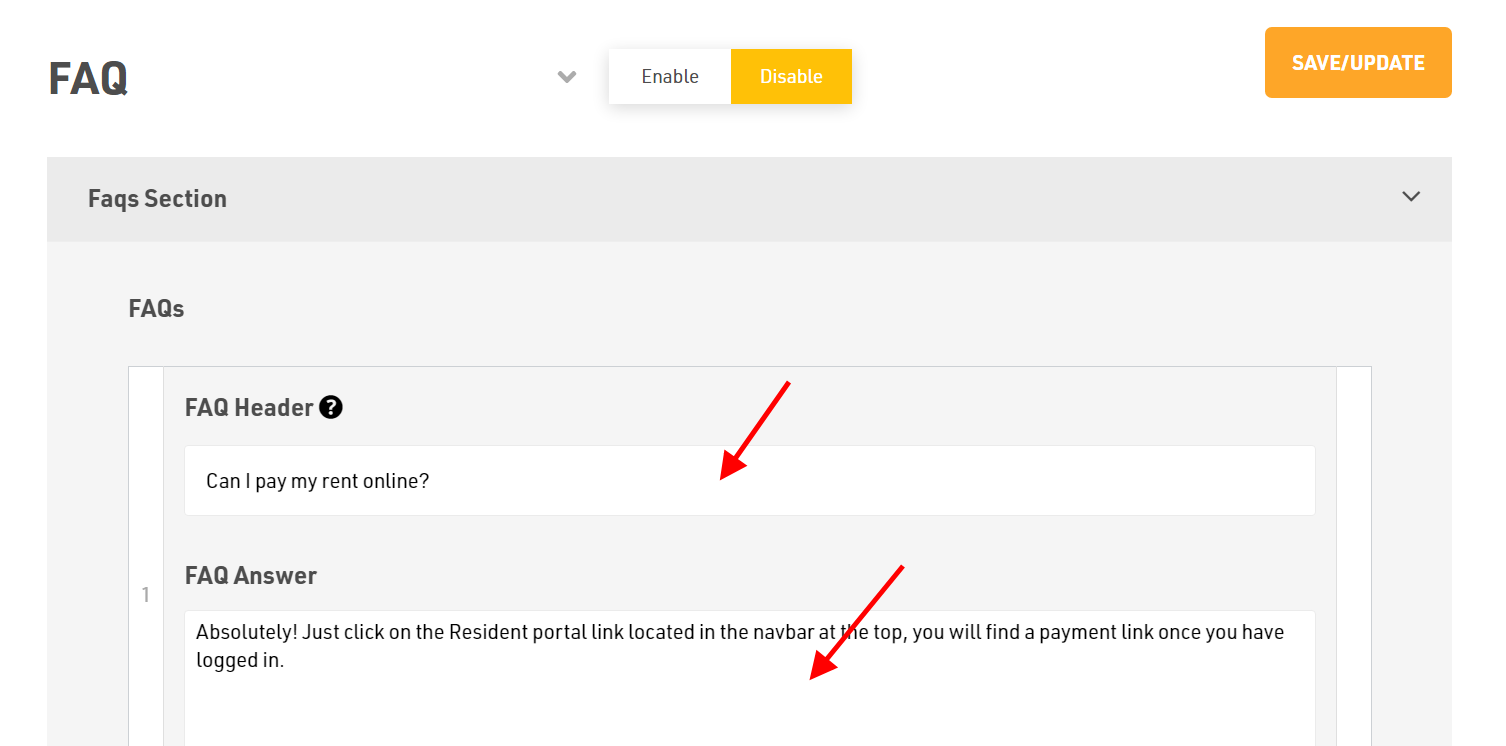
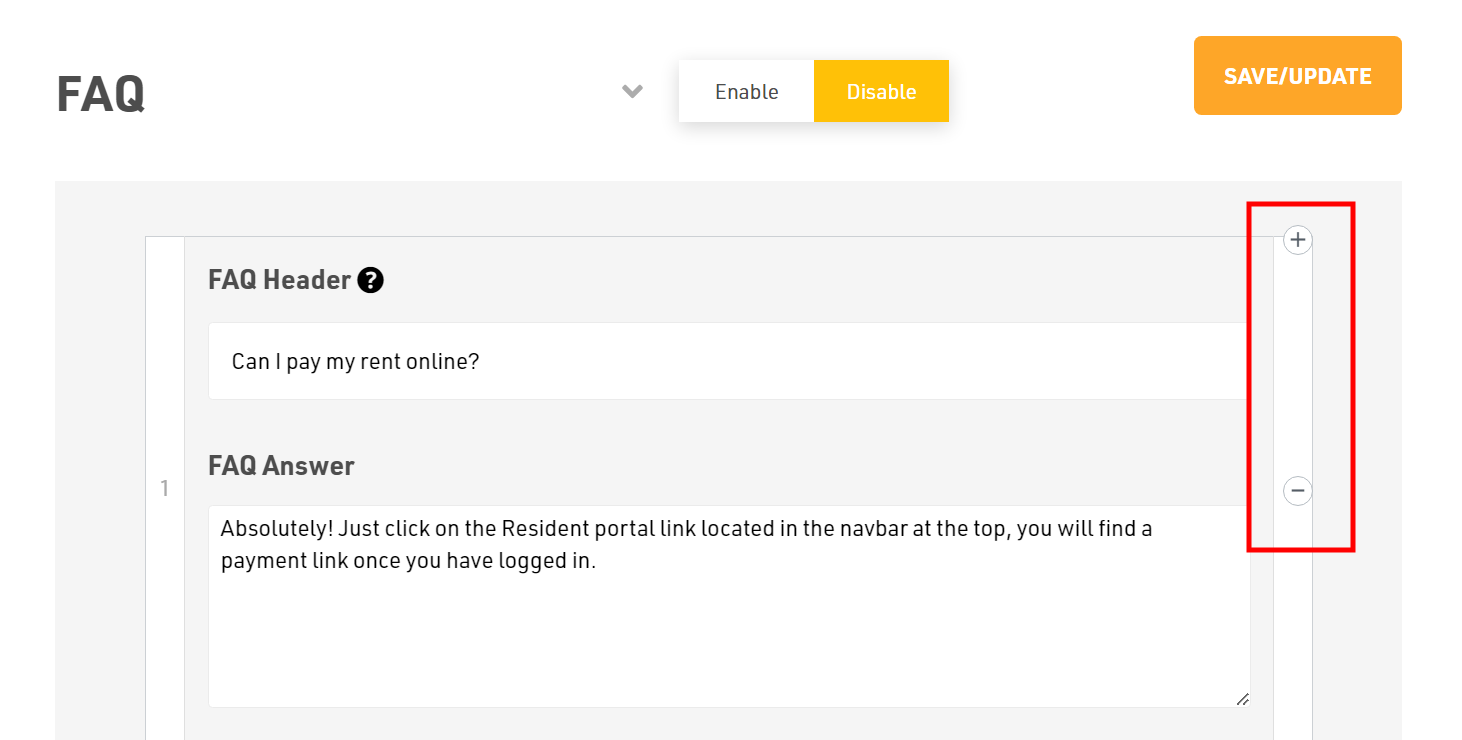
- Add the Header and FAQ Answer.
- To add a new FAQ, click on Add FAQ.
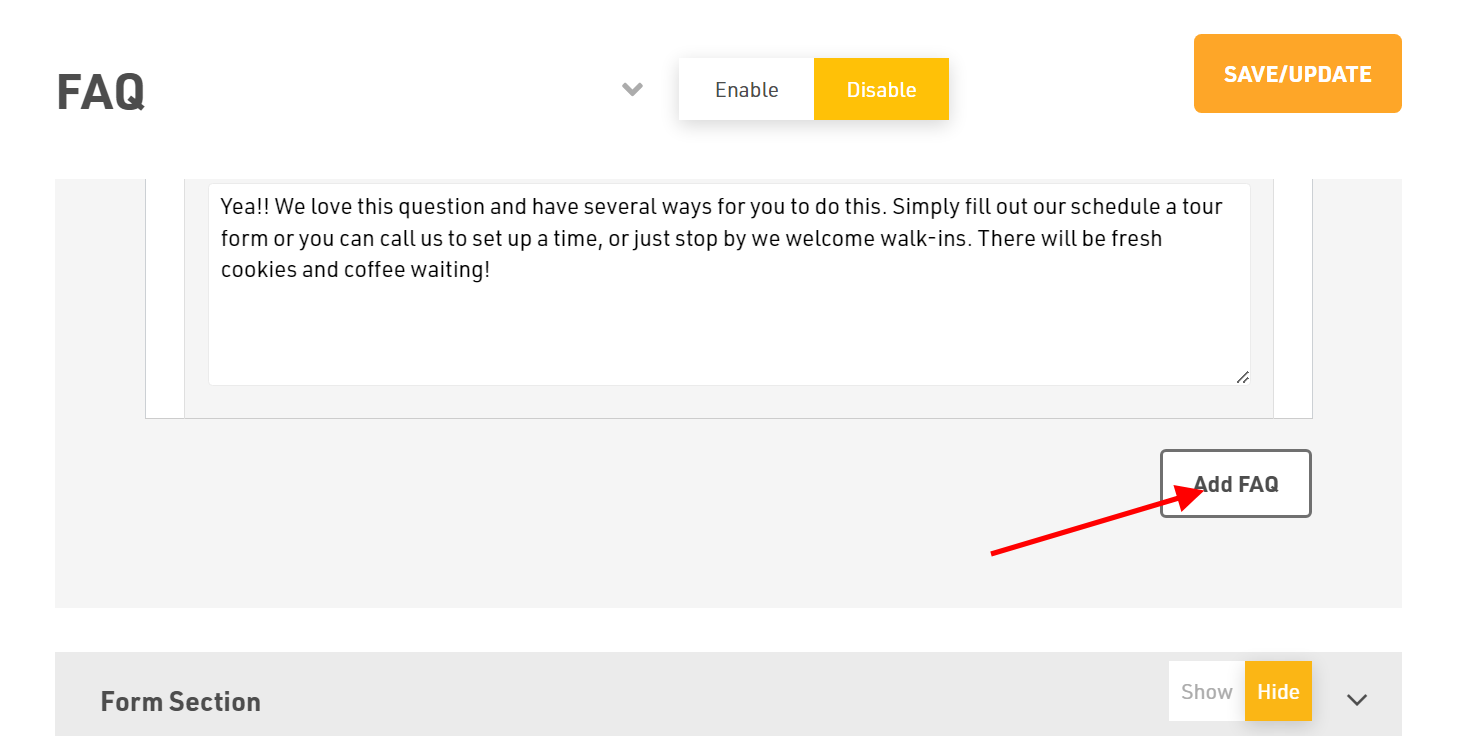
- To add or remove the FAQ's, click on (+) sign or (-) sign.
How to Add a Form Section?
- Decide if you want this section to be visible on your homepage by selecting either Show or Hide.
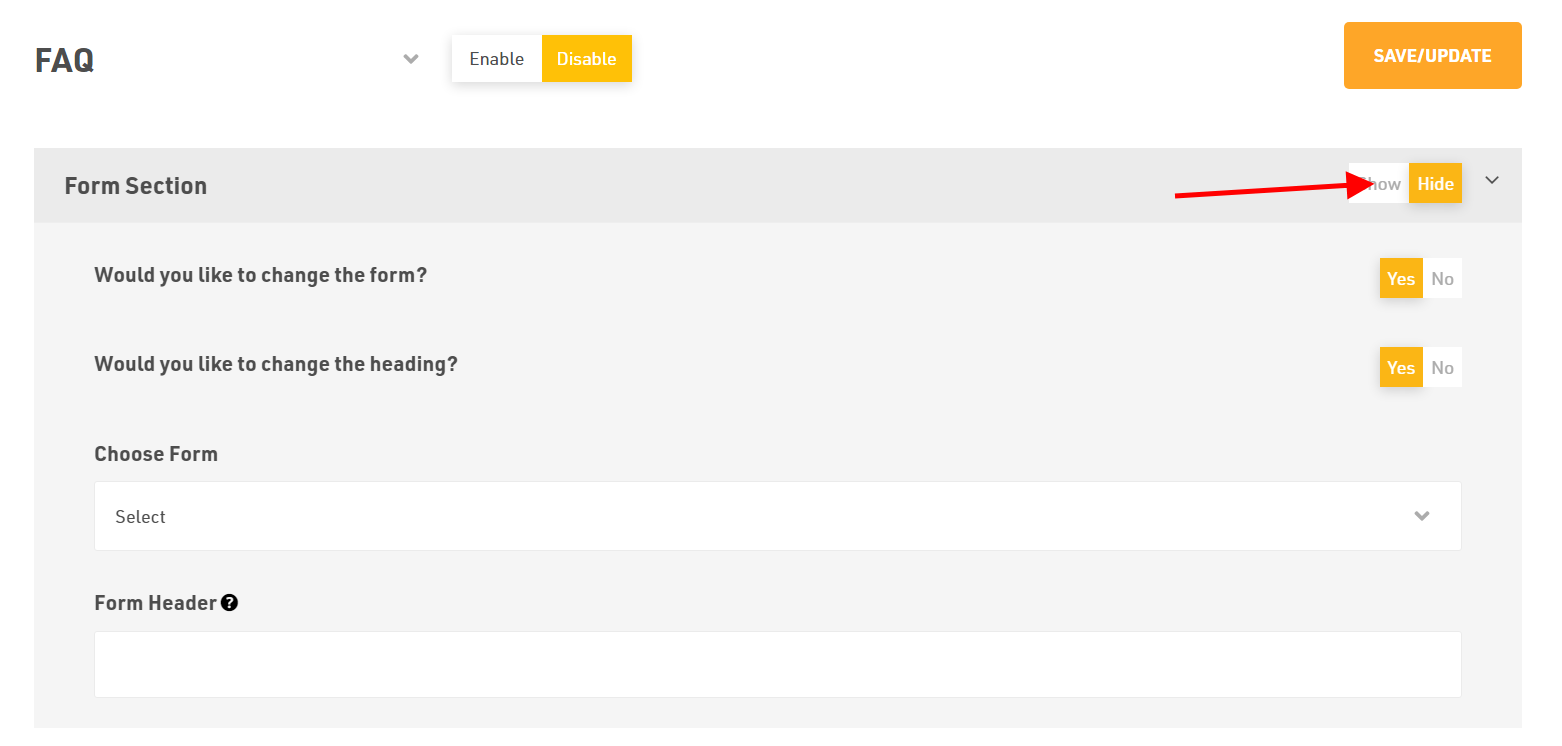
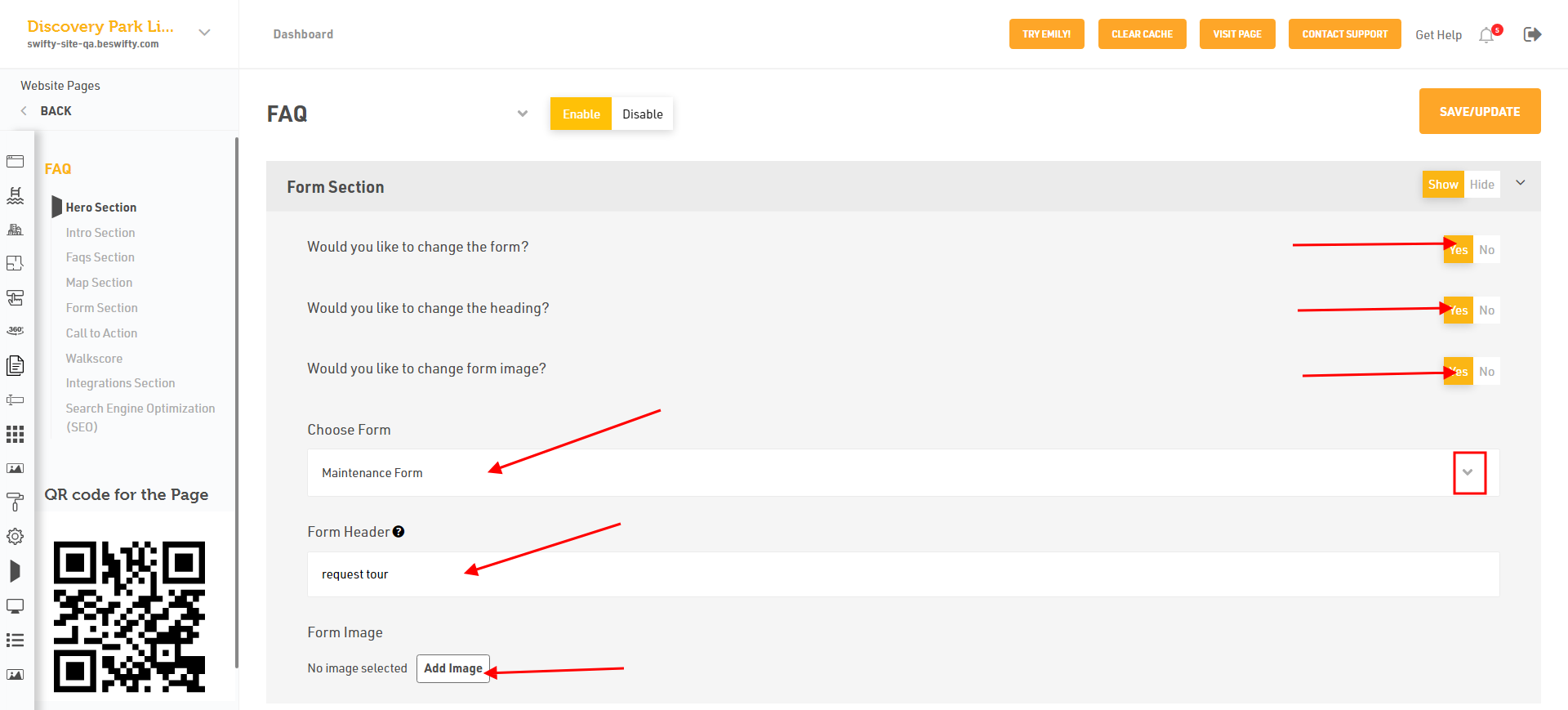
- Select Yes or No if you want to modify the current form. If you selected Yes, pick the desired form from the dropdown menu.
- To alter the form's Heading, select Yes, then input your preferred Form Header.
- And you can also change form section image form here select Yes to change.
How to Add a Map Section?
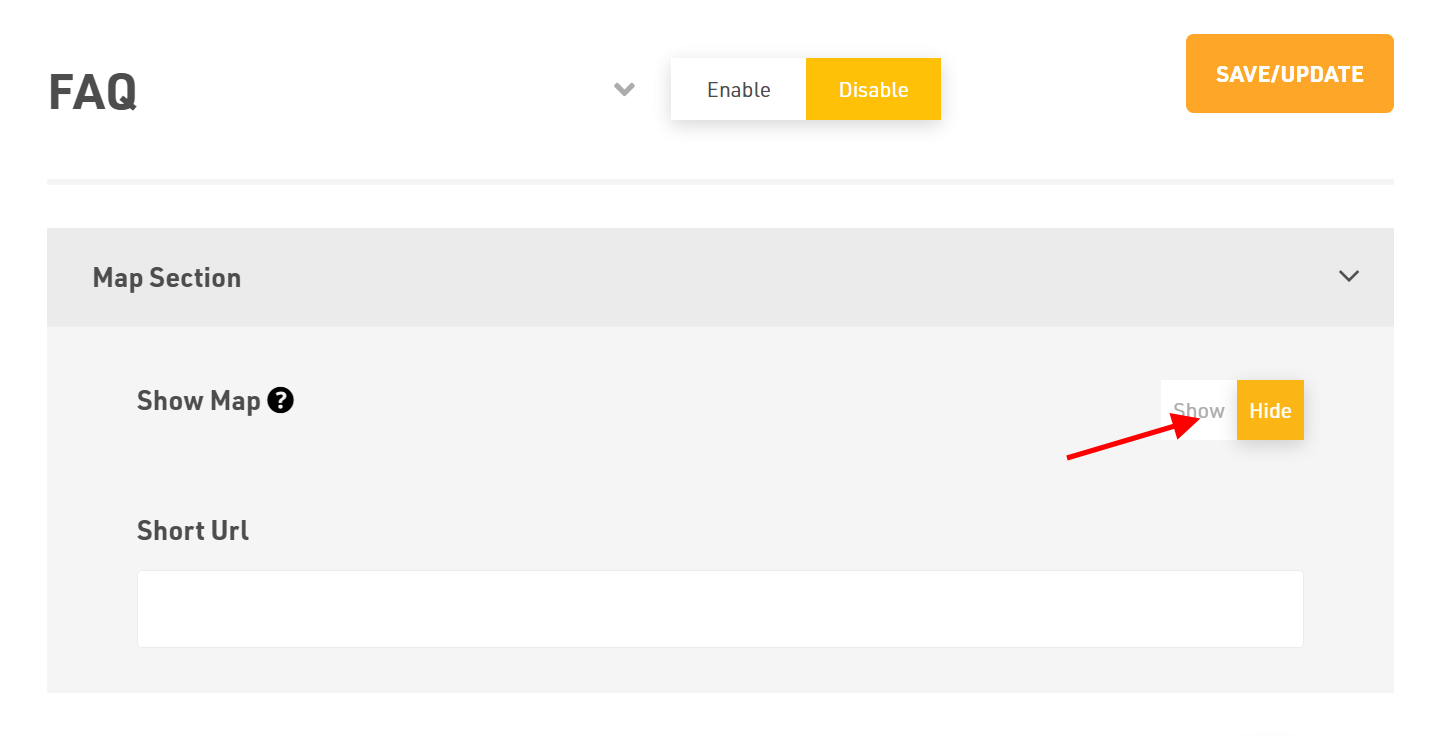
Decide if you want this section to be visible on your homepage by selecting either Show or Hide.
How to Add a CTA Section?
- Decide if you want this section to be visible on your homepage by selecting either Show or Hide.
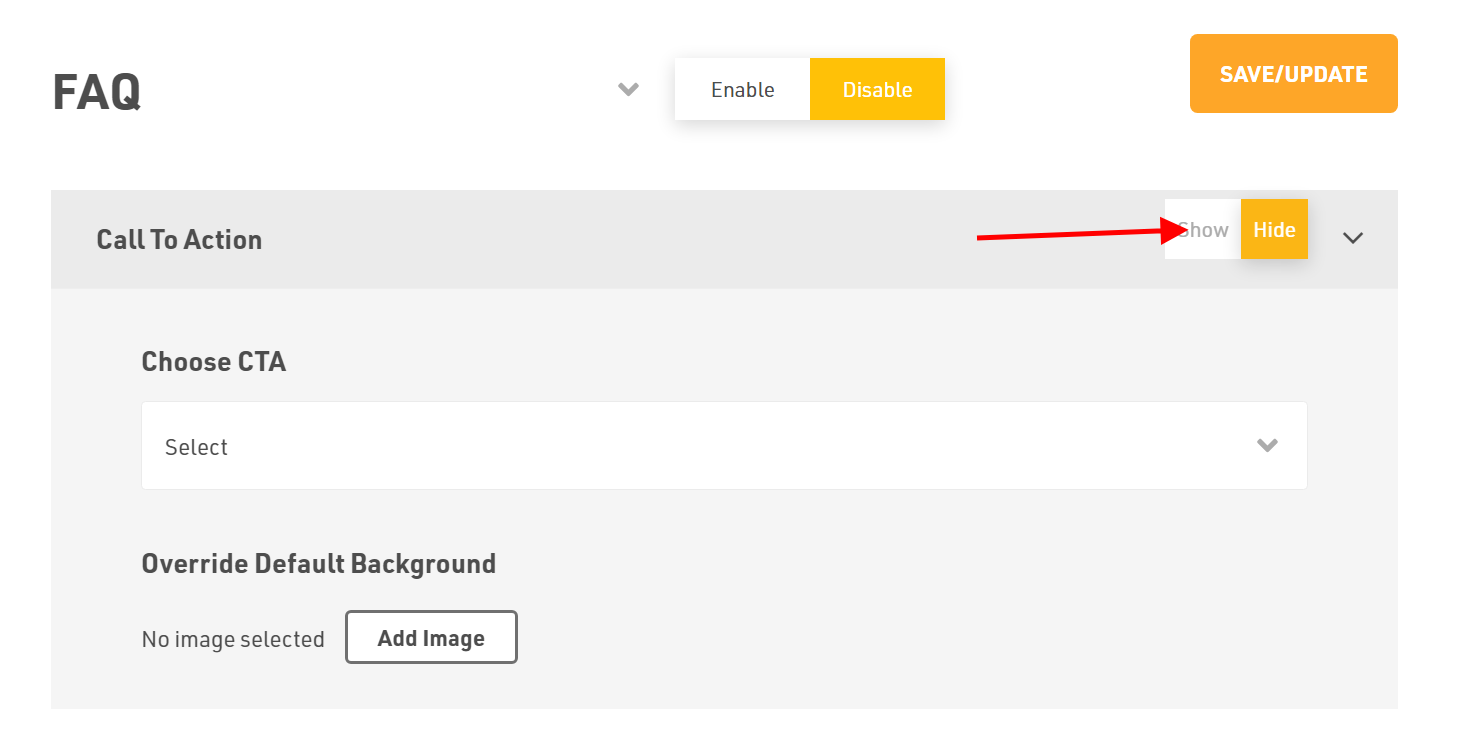
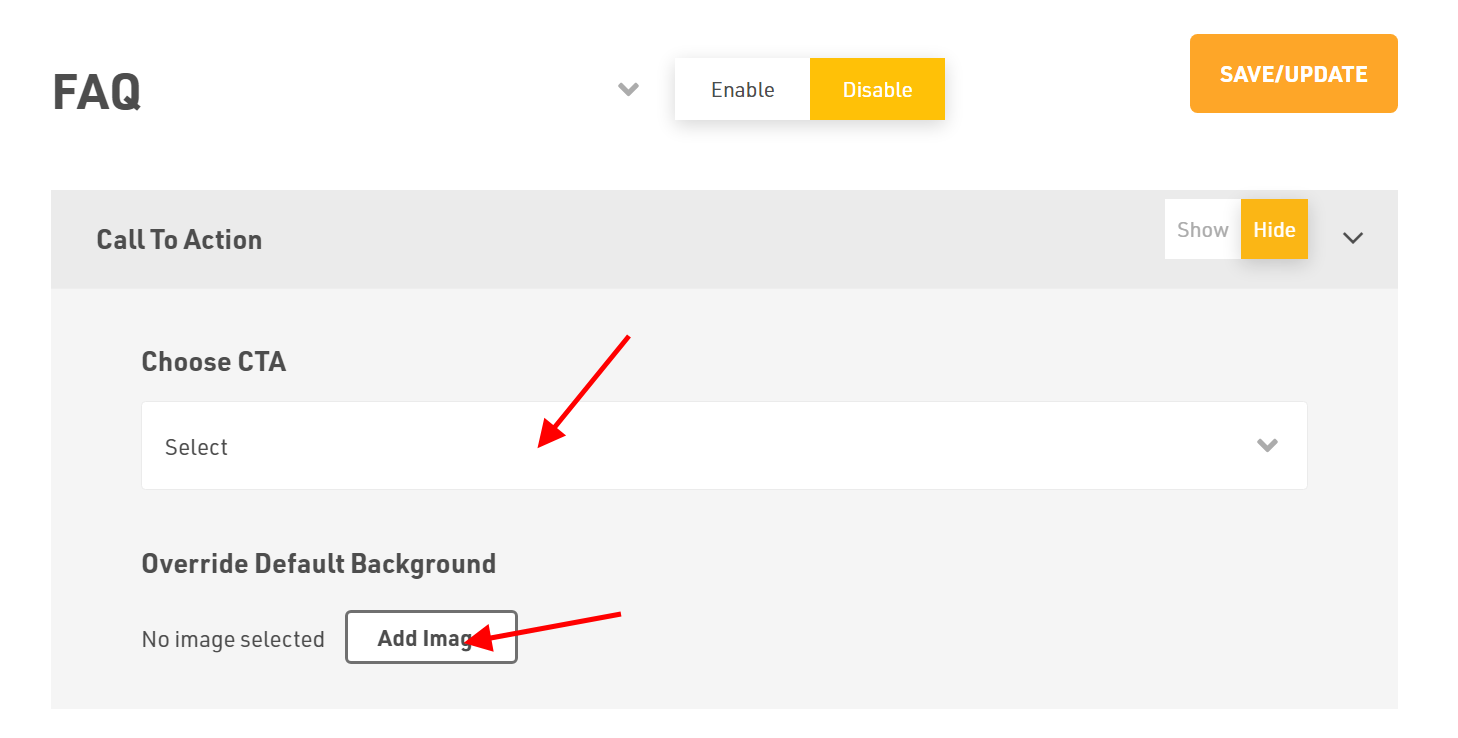
- Select CTA from the drop-down menu.
- If you'd like to Override Default Background, click Add Image, then upload your preferred file from your device.
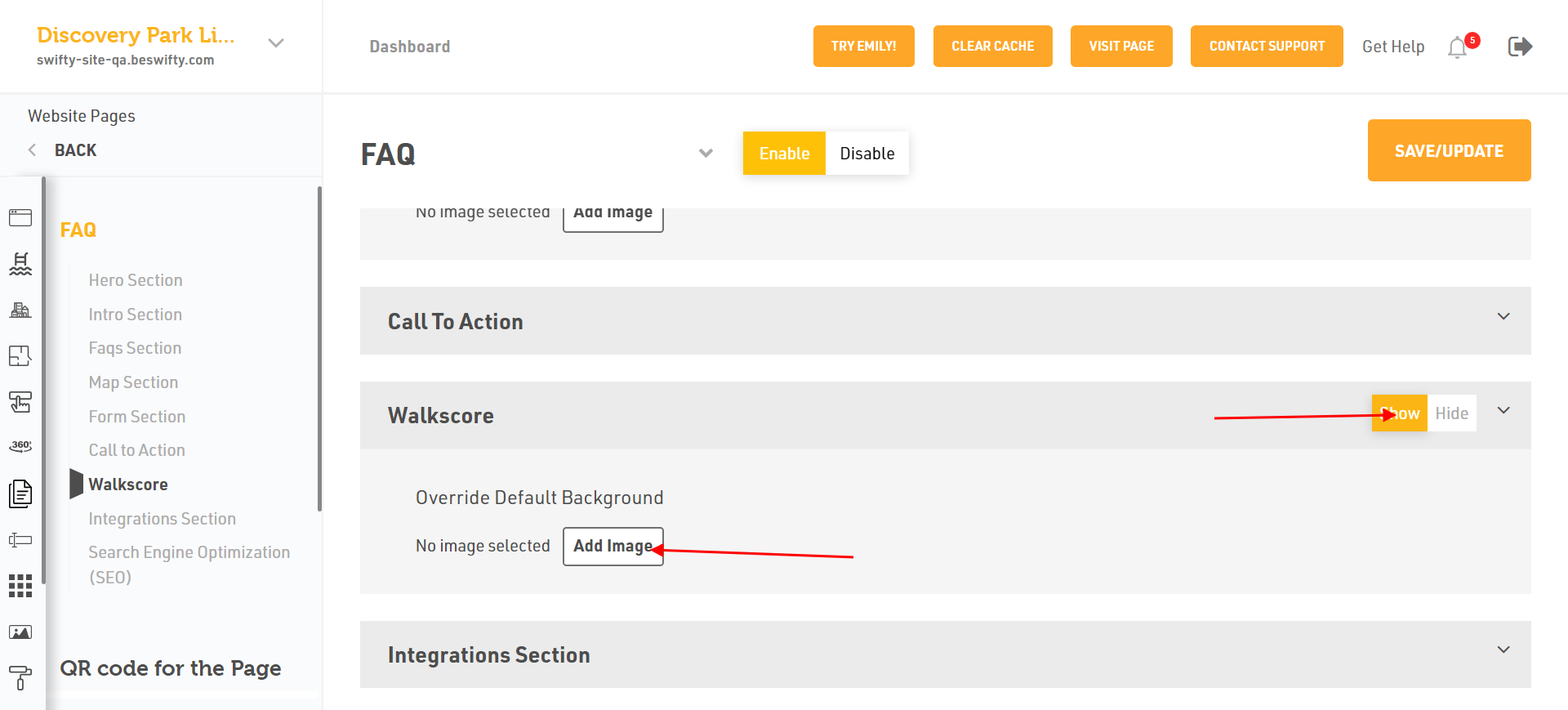
How to Add an Walk Score Section?
- Decide if you want this section to be visible on your homepage by selecting either Show or Hide.
- If you'd like to Override Default Background, click Add Image, then upload your preferred file from your device.
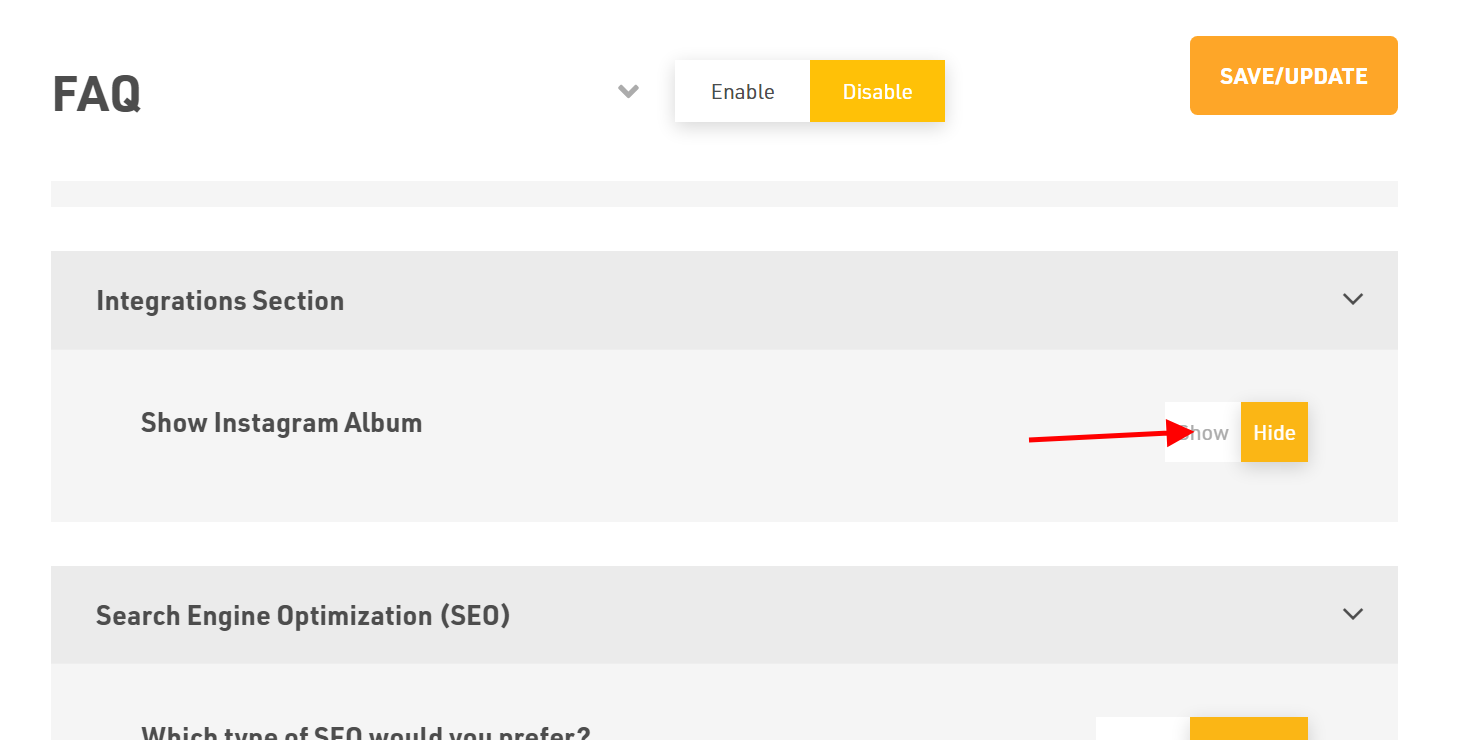
How to Add an Integrations Section?
Select whether to Show or Hide the Instagram Album and Engrain Sight Map on the front-end of your website.
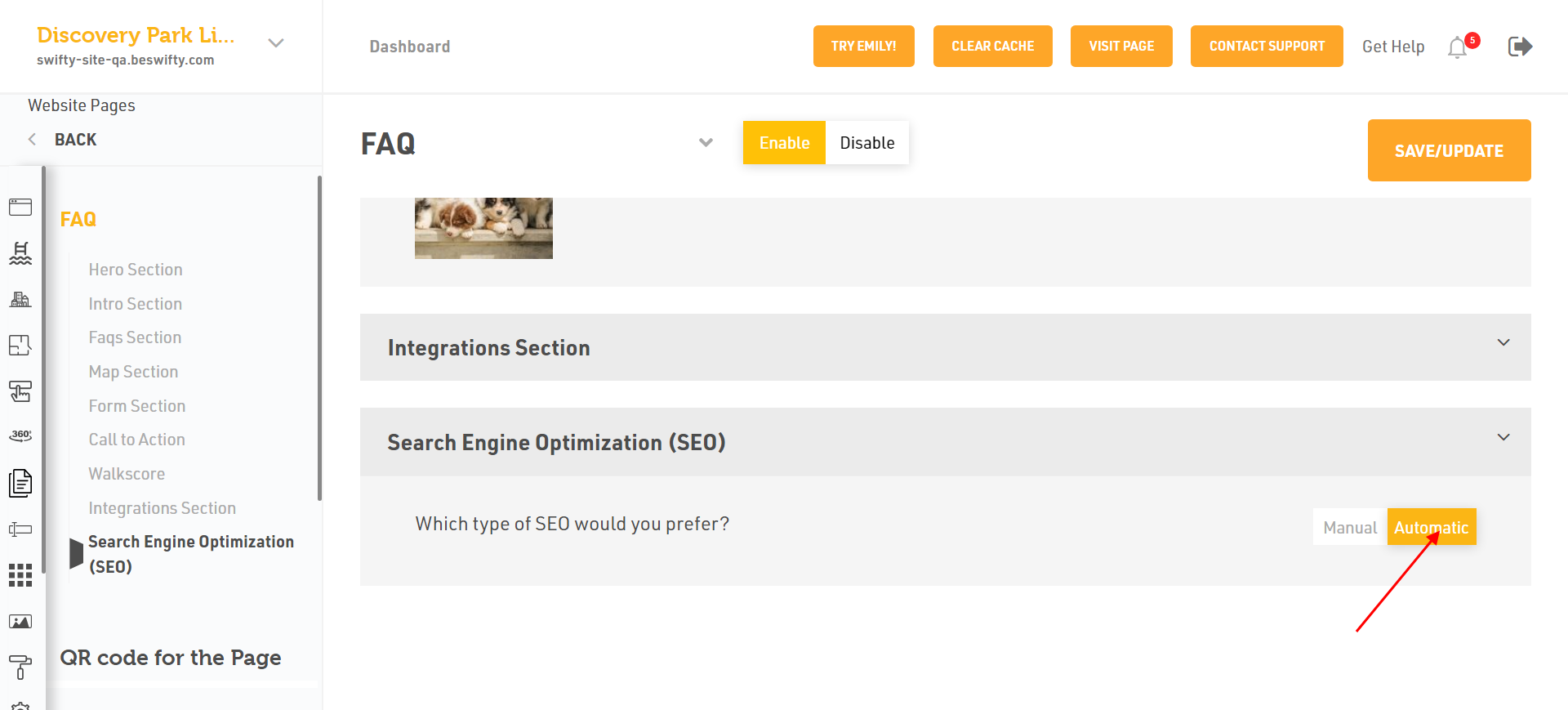
How to Add an Search Engine Optimization (SCO) section?
- You have two types of Search Engine Optimization (SCO) Manual or Automatic. If you want to select Automatic just click on.
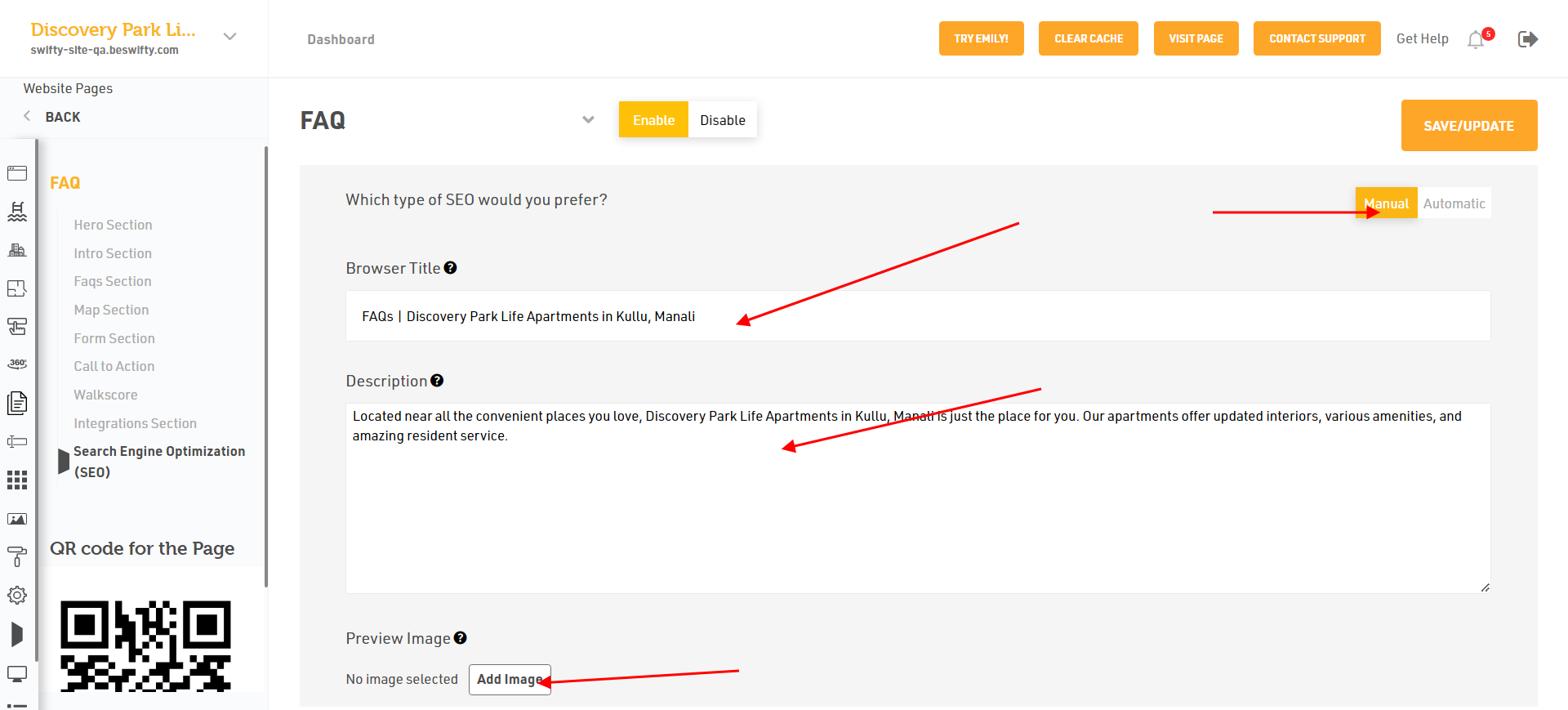
- Or select Manual to add the Browser title.
- Then, type the description Maximum 160 characters an Add Preview Image.
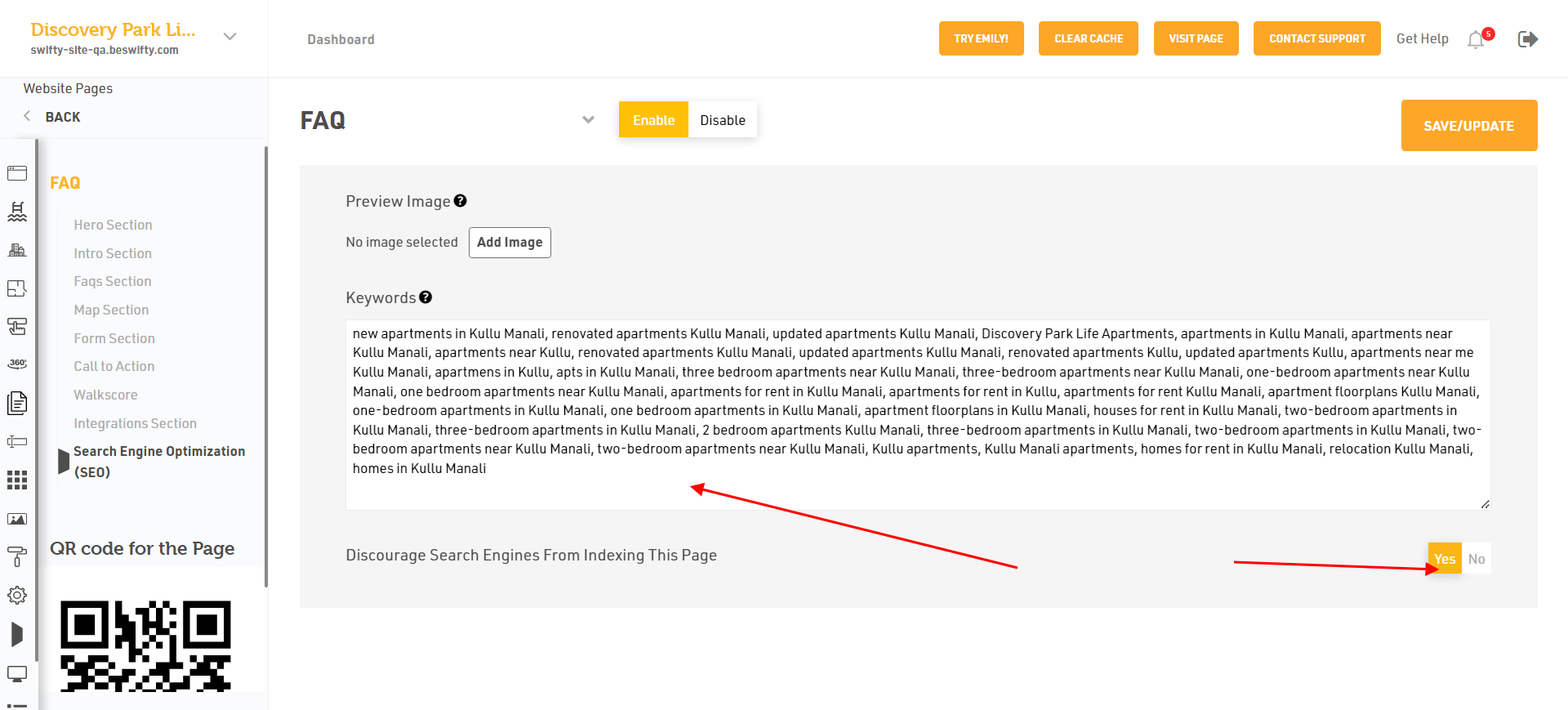
- You can add the Keywords. Discourage Search From Indexing this page, Click on Yes or No.
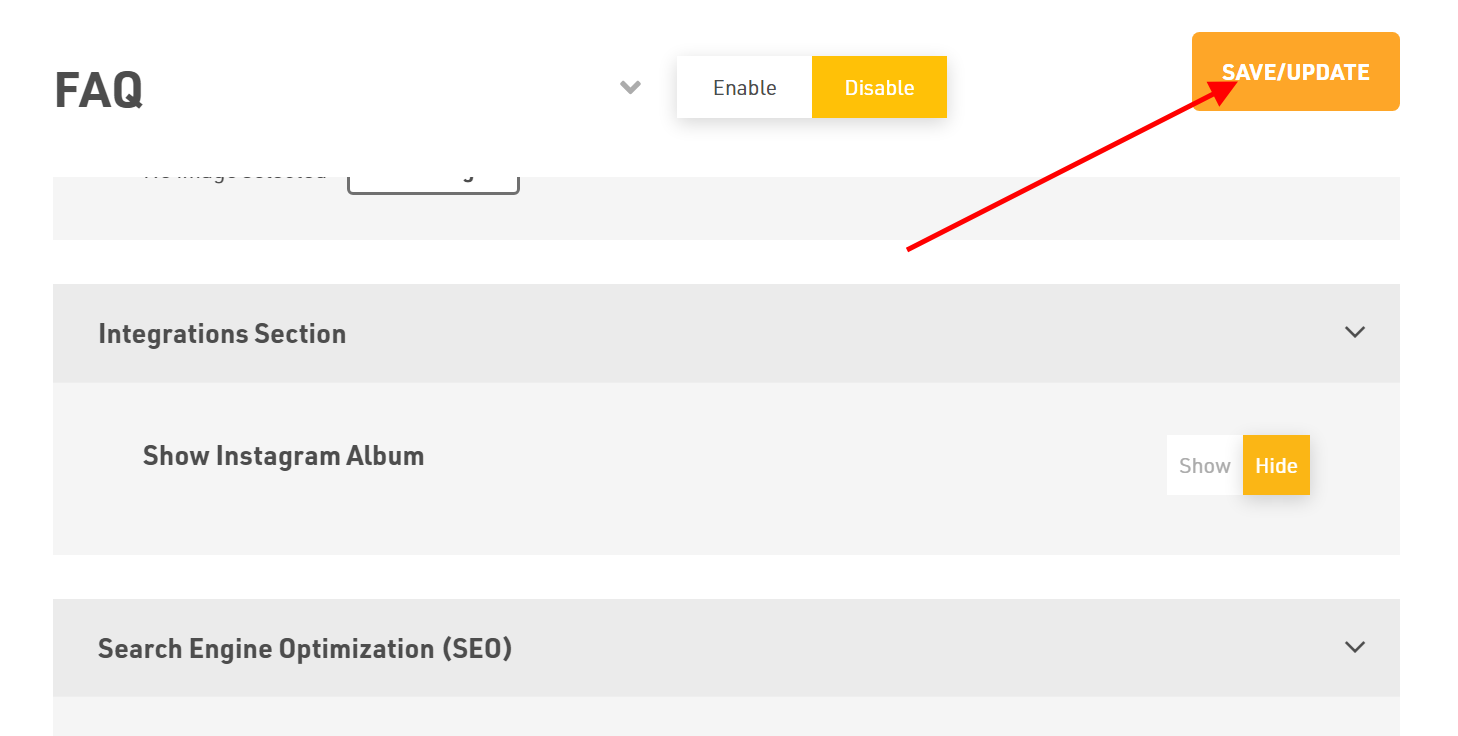
Don't forget to Save/Update
Make sure to click the Save/Update button in the top right corner once finished.
Was this article helpful?
Thanks for the feedback.