
How to add or edit Community or Resident Amenities?
How to add or edit Community Amenities
- Login to the dashboard of your property website at manage.beswifty.com
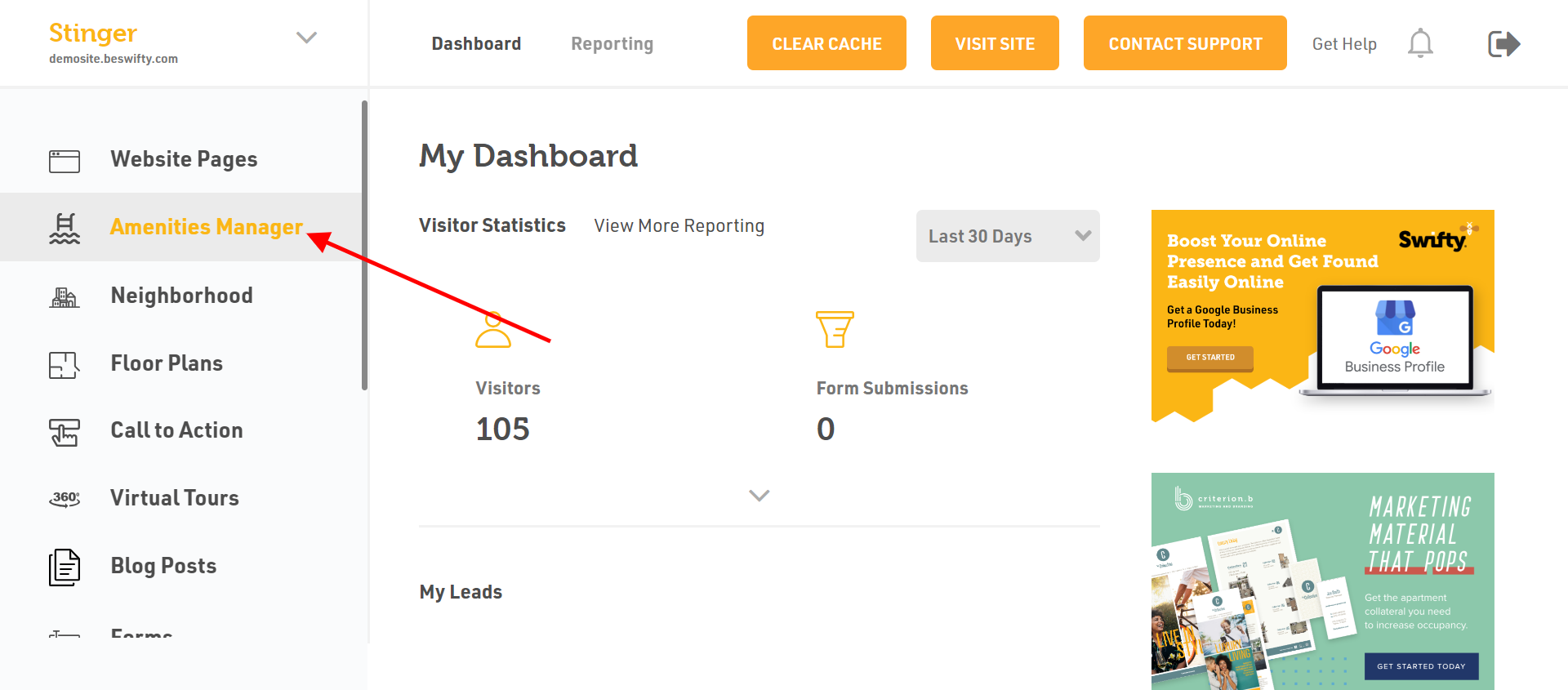
- Navigate to Amenities Manager.
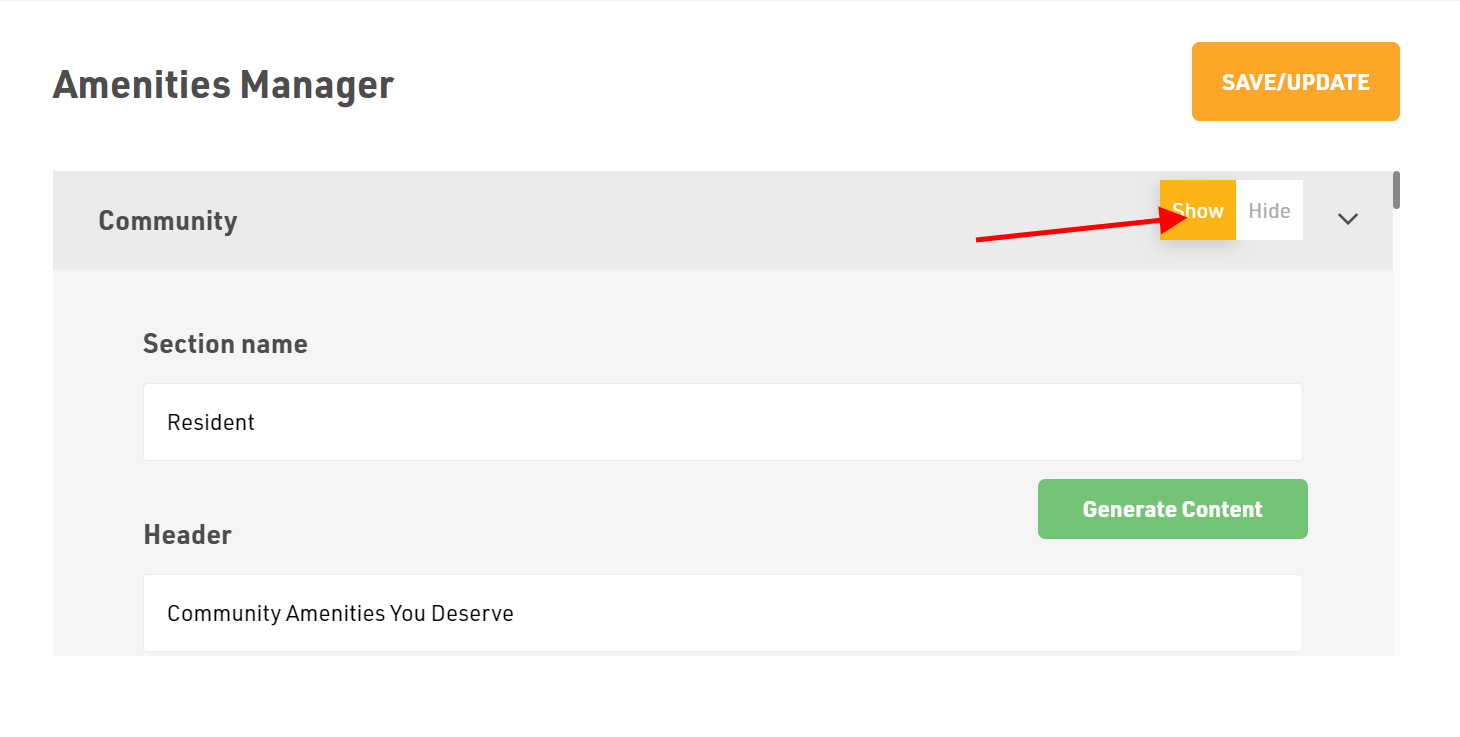
- In Community Amenities, first choose whether to Show or Hide this section on the website.
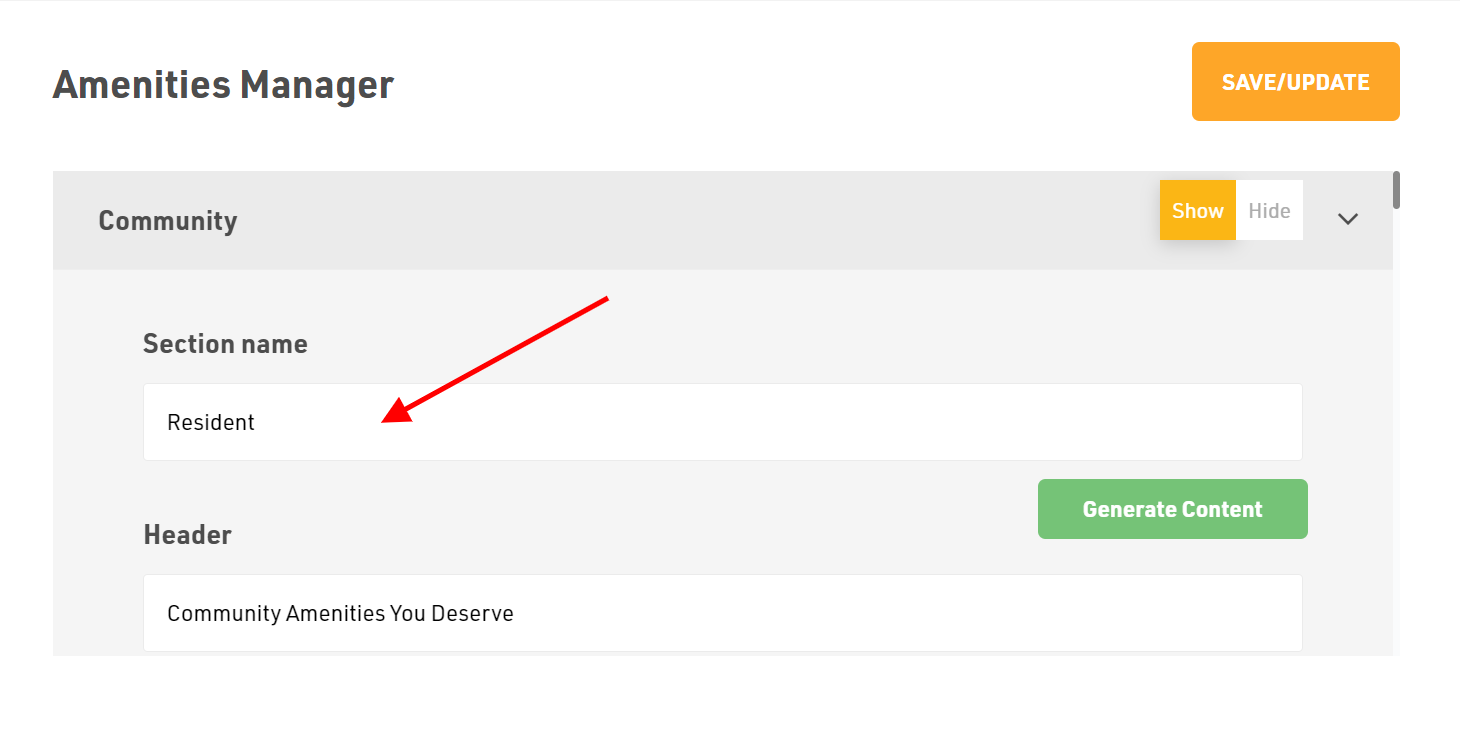
- Next type the Section name.
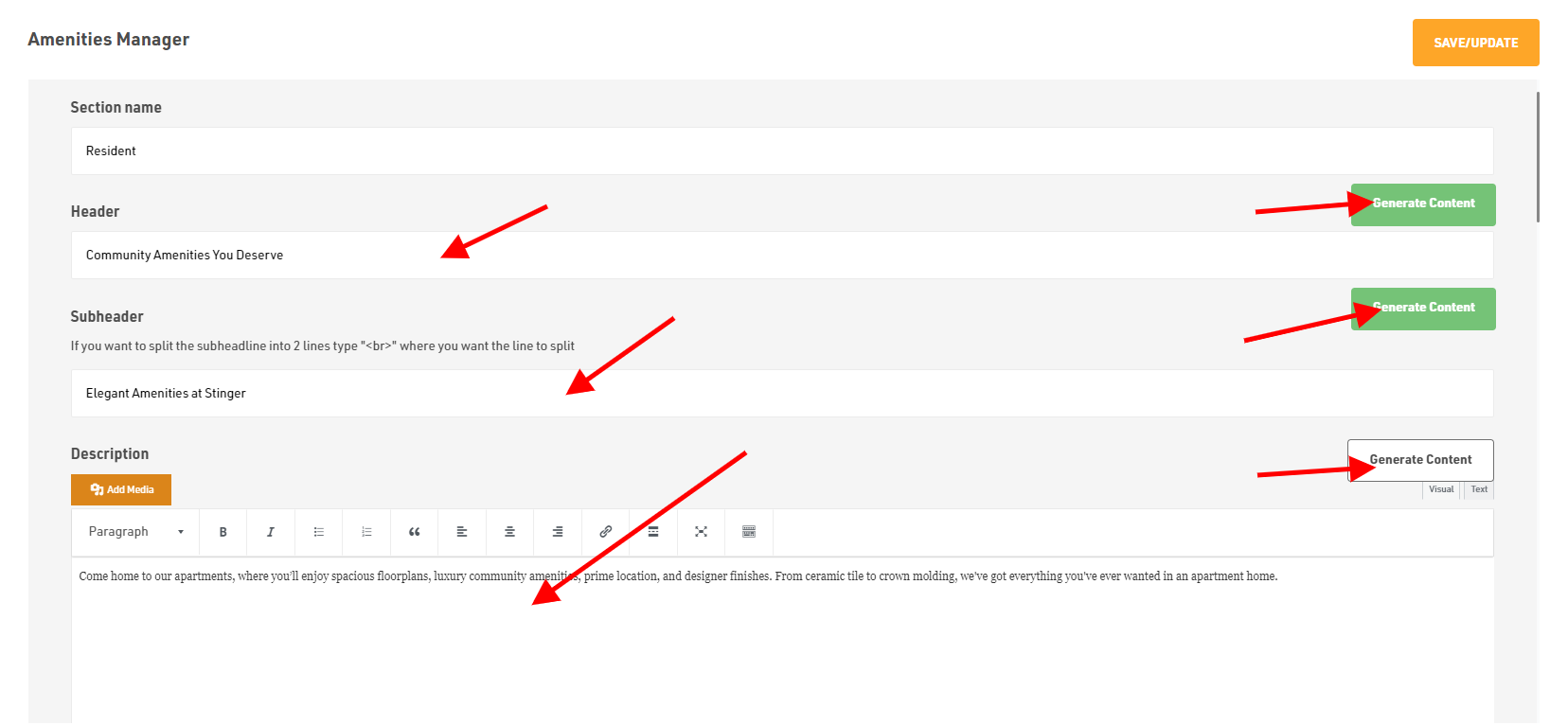
- Then fill the Header, Sub-header and Description. You can type your own content or else use our Generate Content AI option which will generate relevant text as per your content.
- Next apply the Section Image by clicking on Add Image and upload files from your device.
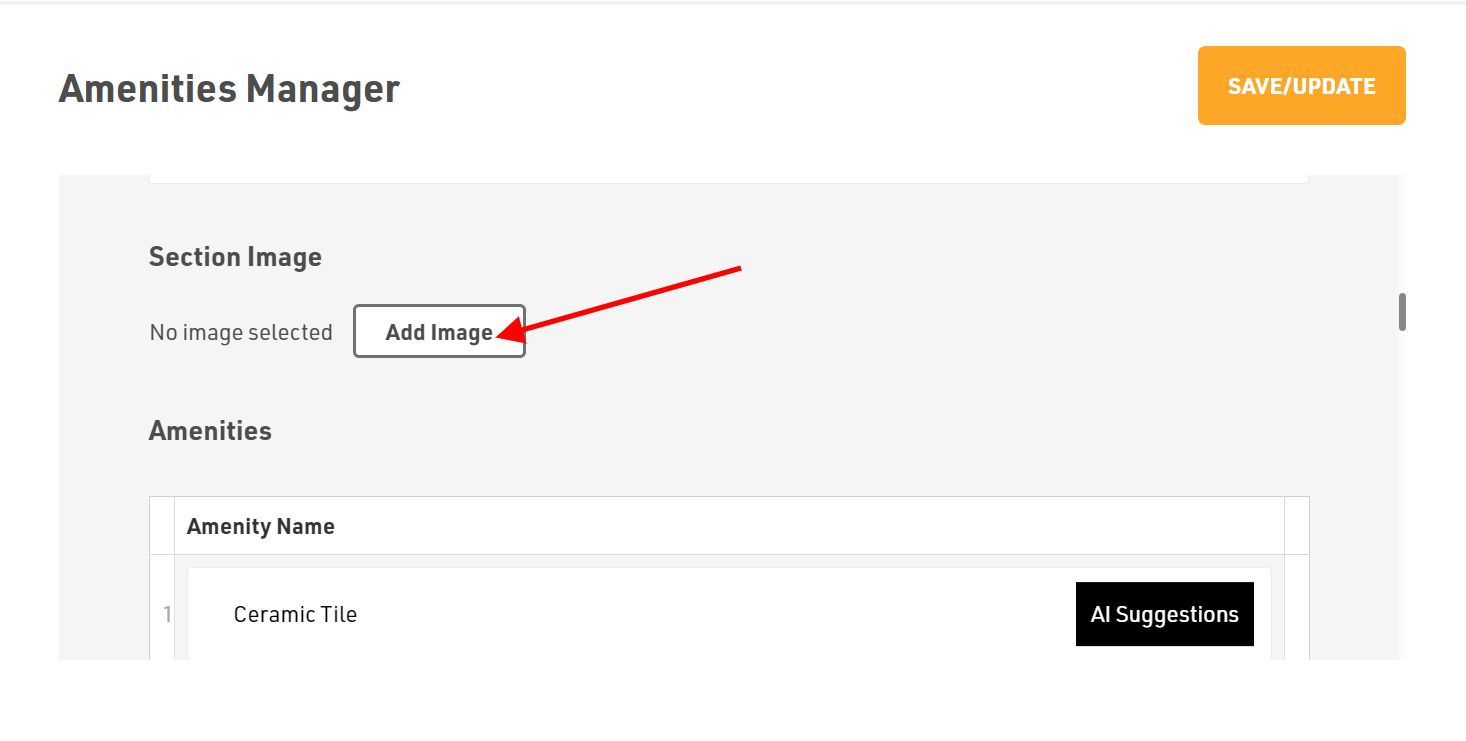
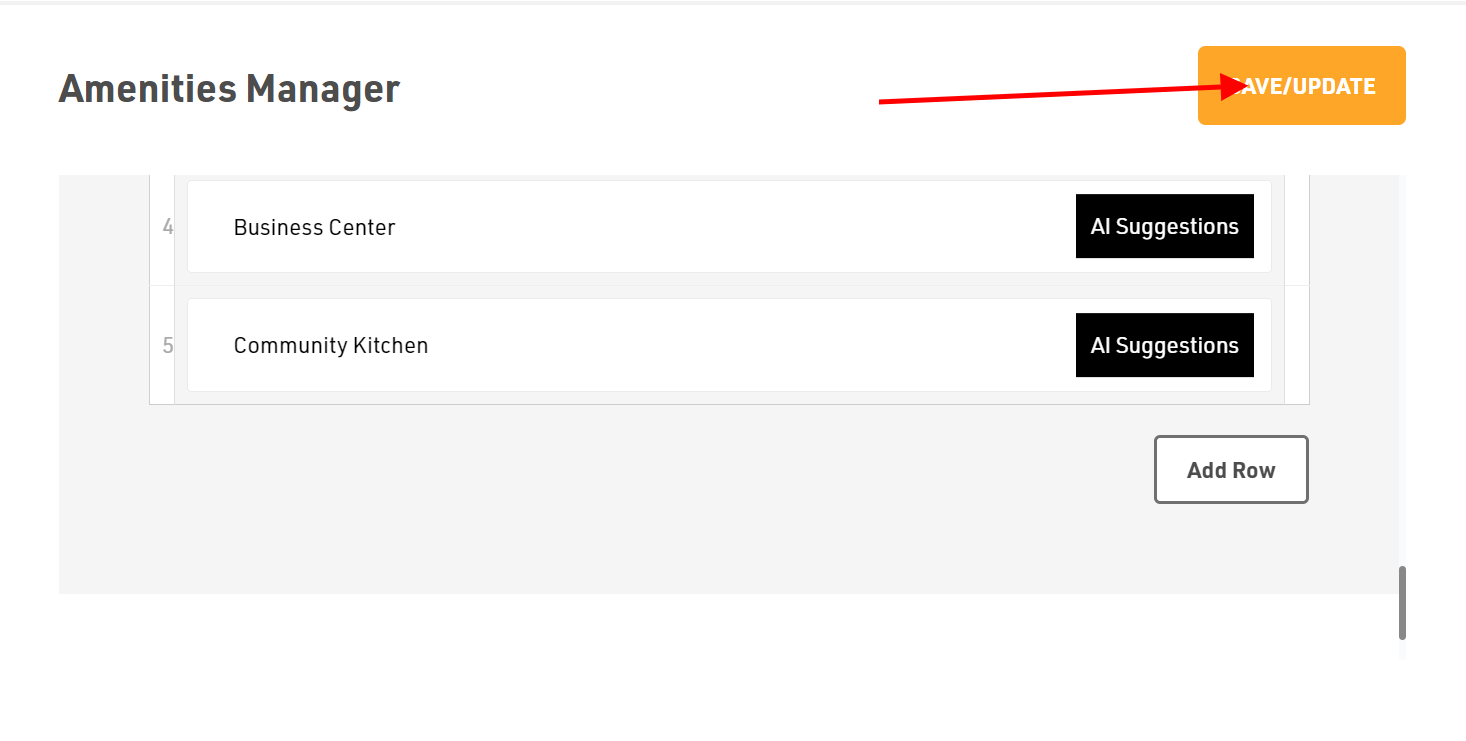
- Last comes the Amenities in which you can type or generate it using our AI feature by clicking on AI Suggestions.
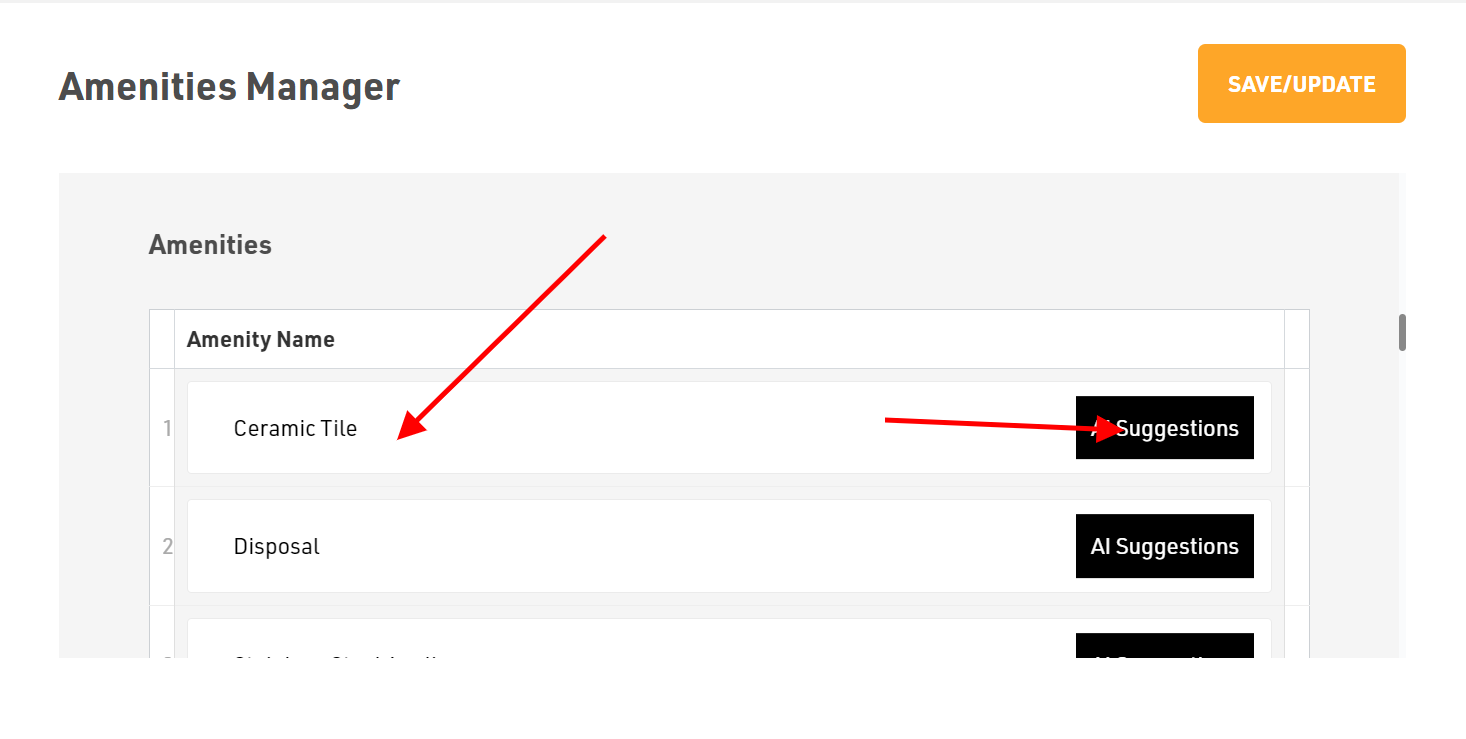
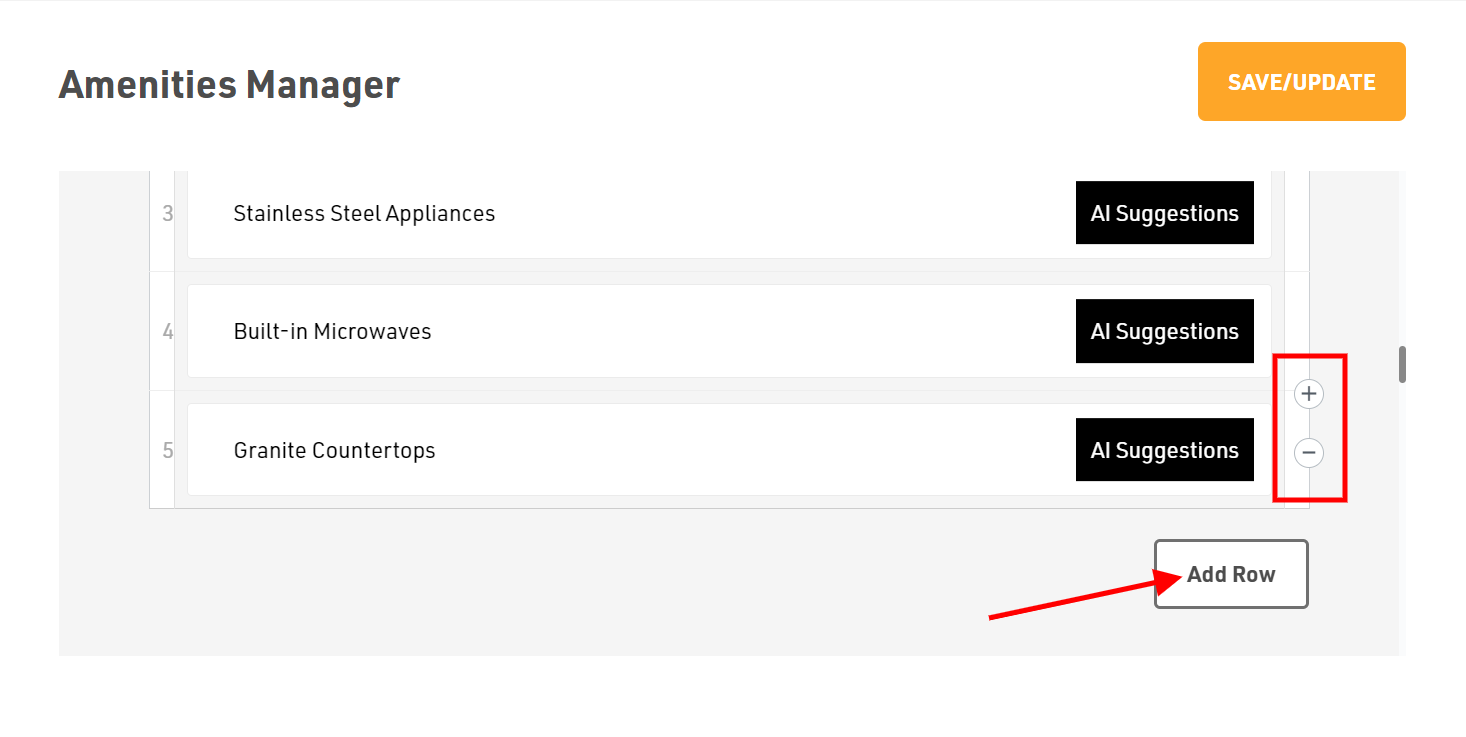
- Whenever you want to add or remove new amenities click on Add Row or you can click on + or - sign available on the right side of the Amenities name.
How to add or edit Resident Amenities
Dashboard > Amenities Manager
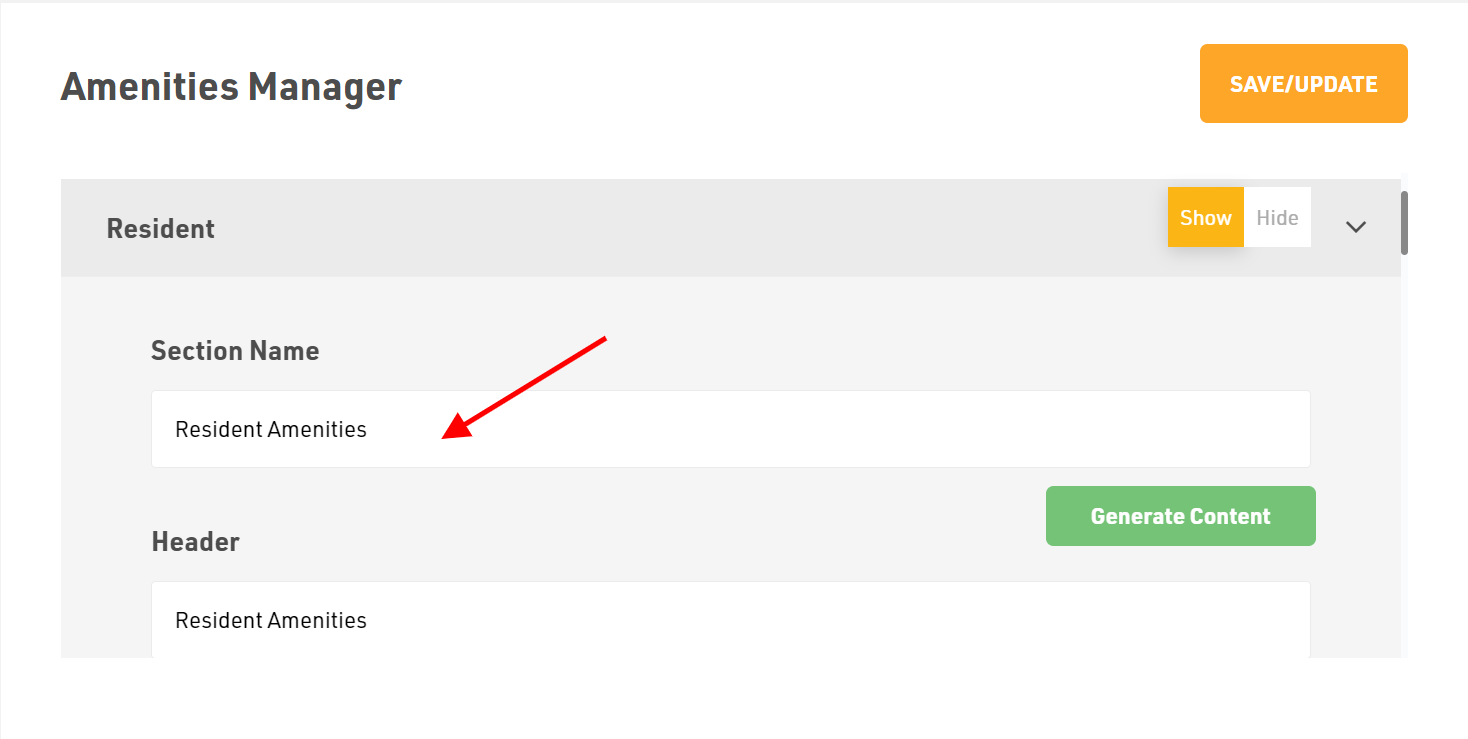
- First click on the Resident in the left sidebar and choose whether to Show or Hide this section in the website.
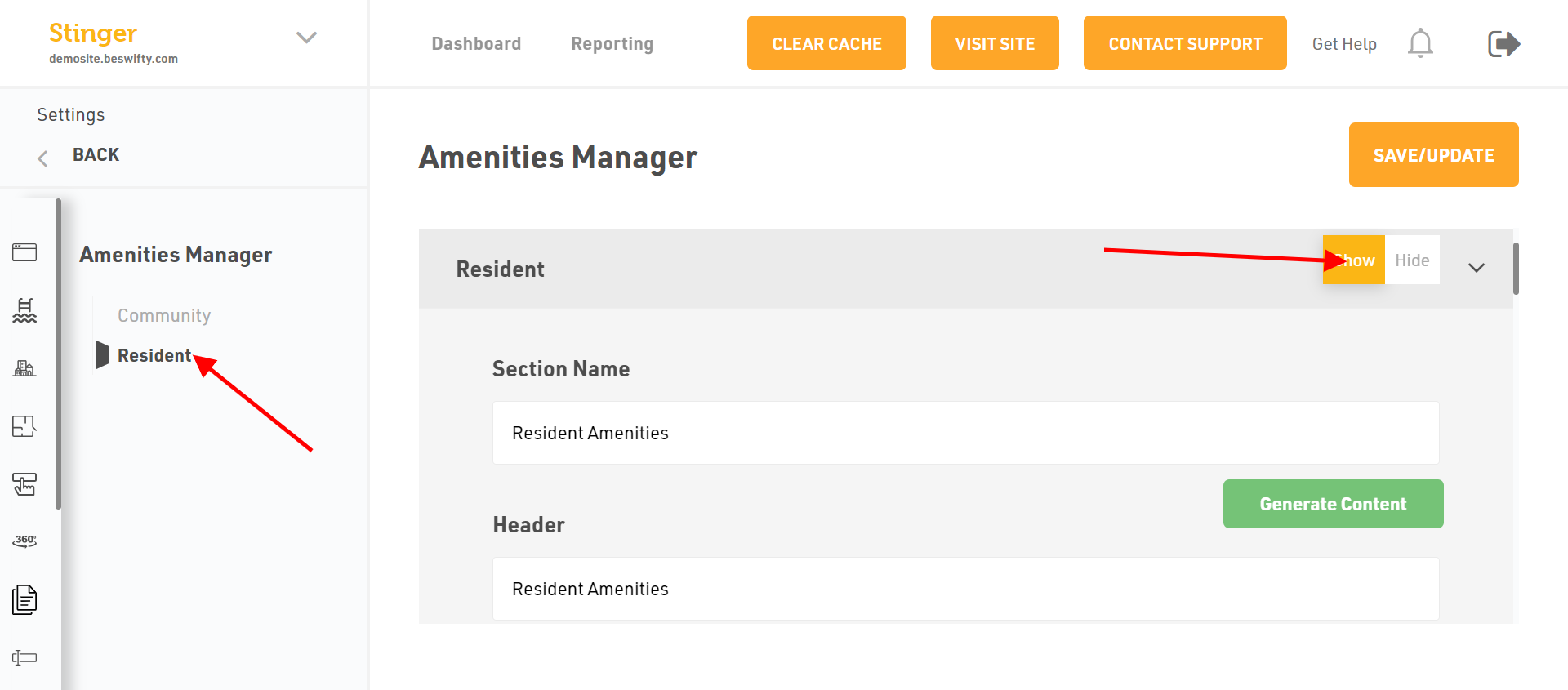
- Next type the Section name.
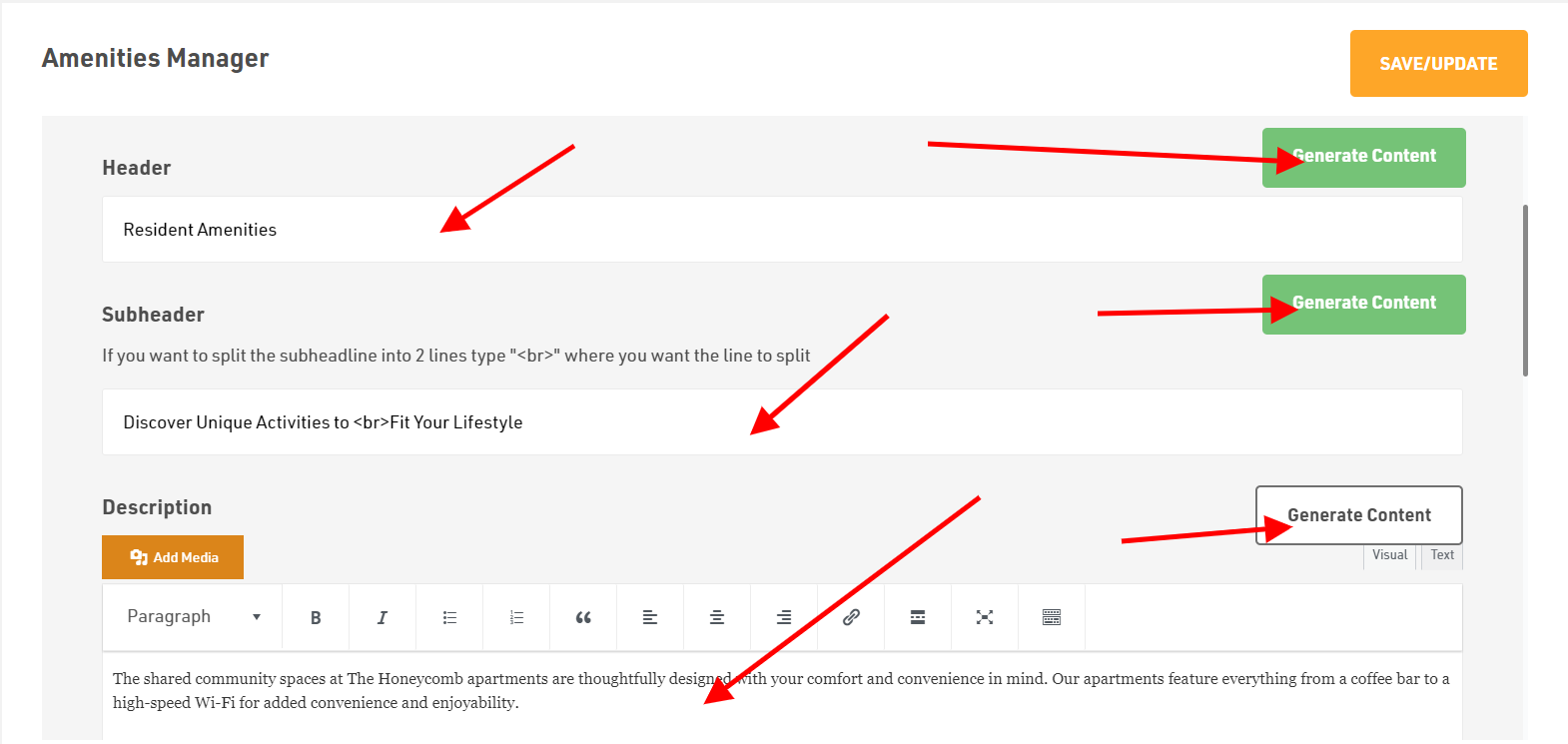
- Then fill the Header, Sub-header and Description. You can type your own content or else use our Generate Content AI option which will generate relevant text as per your content.
- Next apply the Section Image by clicking on Add Image and upload files from your device.
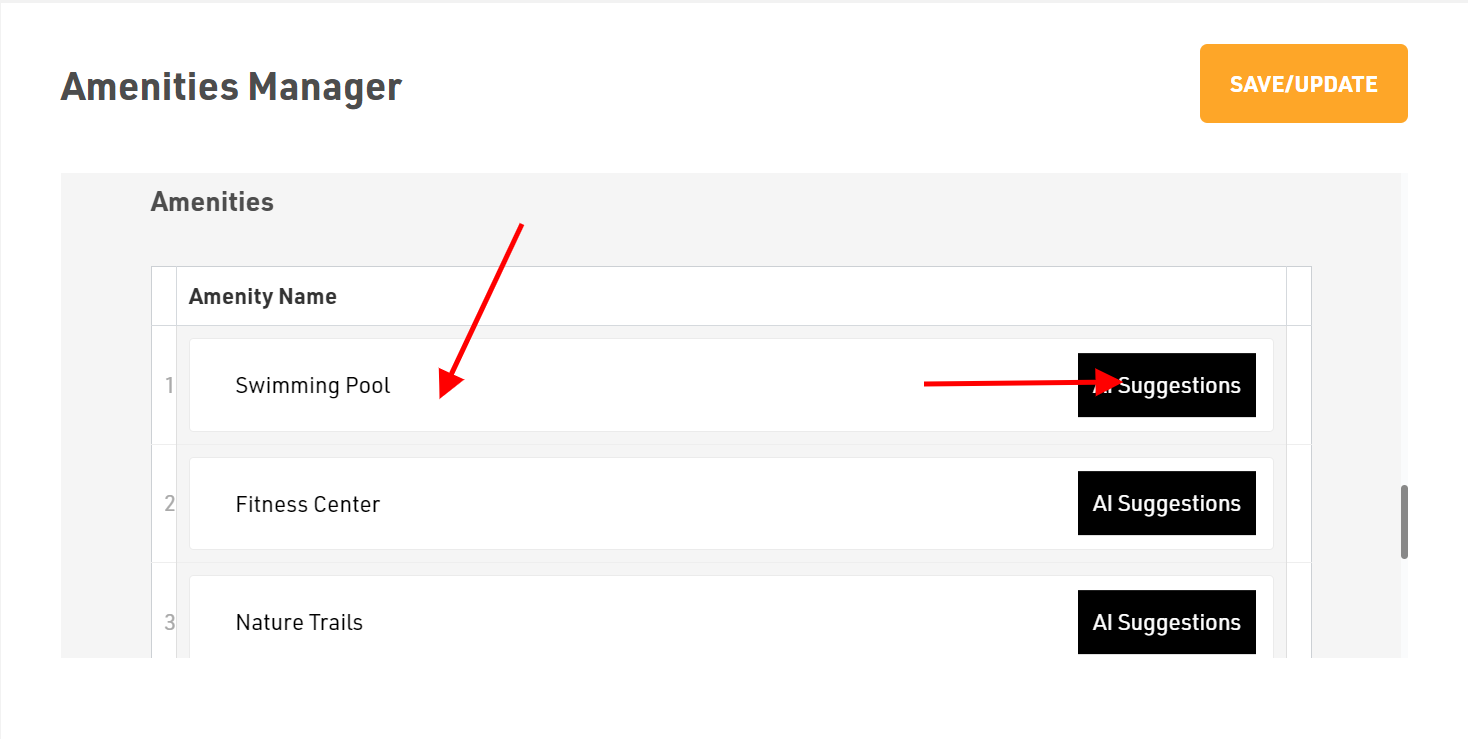
- Last comes the Amenities in which you can type or generate it using our AI feature by clicking on AI Suggestions.
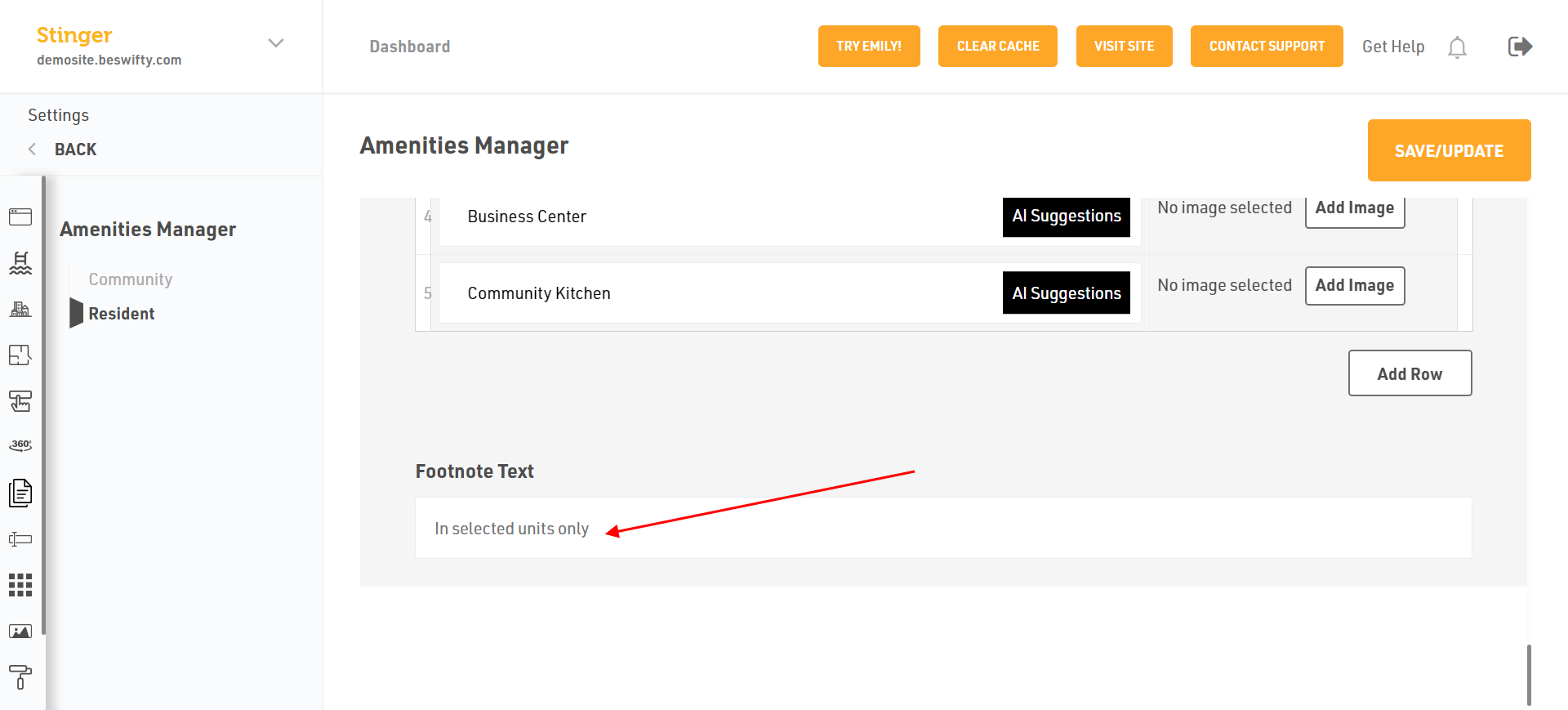
- Whenever you want to add or remove new amenities click on Add Row or you can click on + or - sign available on the right side of the Amenities name.
- You can also add Foot Note Text then you will see in your website.
Don't forget to Save/Update
Make sure to click the Save/Update button on top right corner once you finish.
Was this article helpful?
Thanks for the feedback.